Last Updated on March 13, 2026 by Snout0x
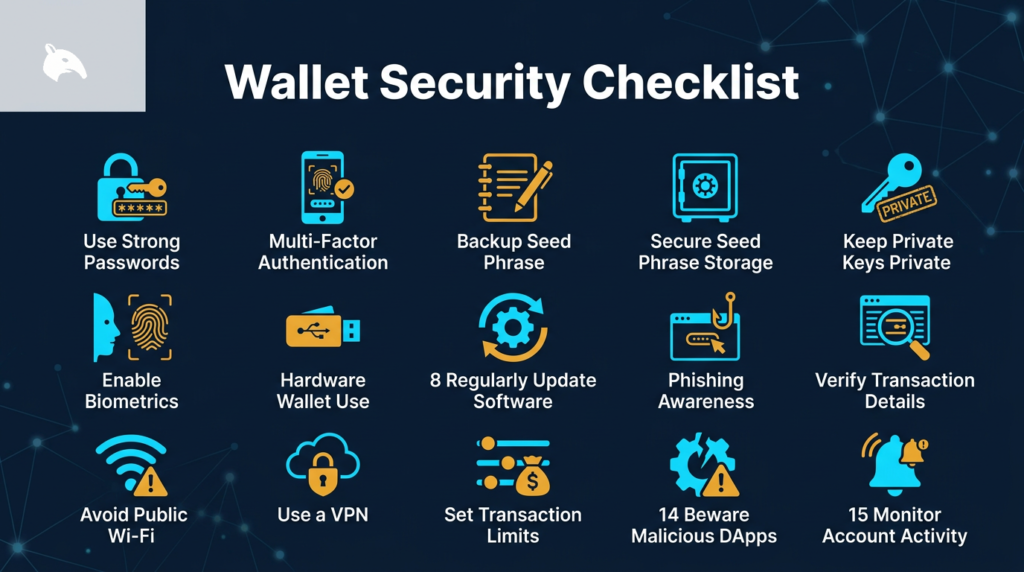
Most crypto losses don’t come from sophisticated attacks. They come from predictable mistakes: seed phrases stored in screenshots, wallets never separated by purpose, smart contract approvals left open for years. A solid crypto wallet security checklist is the most practical tool you have for reducing real exposure.
This guide covers 15 operational security rules that apply to any crypto holder regardless of experience level. No product push. No hype. Just the habits that close the gaps attackers consistently rely on.
Disclaimer: This content is for educational and informational purposes only and does not constitute financial, investment, tax, or legal advice. Cryptocurrency markets are volatile and involve risk. Always conduct your own research and consult a qualified professional before making financial decisions.
Affiliate Disclosure: Some links in this article may be affiliate links. If you choose to use them, I may earn a commission at no additional cost to you.
5 Key Takeaways
- Your seed phrase is the single highest-value target in your entire security setup. Never store it digitally in any form.
- A hardware wallet reduces attack surface significantly, but only when your operational habits support it properly.
- A 2-wallet setup limits the damage from any single compromise by keeping active and long-term funds separated.
- Unused smart contract approvals are persistent open doors. Review and revoke them on a regular schedule.
- Phishing is the most common initial attack vector in crypto. Verify every URL. Never follow unsolicited connection links.
Seed Phrase and Private Key Rules
The foundation of wallet security is how you handle the two keys that give access to everything: your seed phrase and your private key. If either of these is compromised, no other security layer saves you. These four rules apply before anything else on this list.
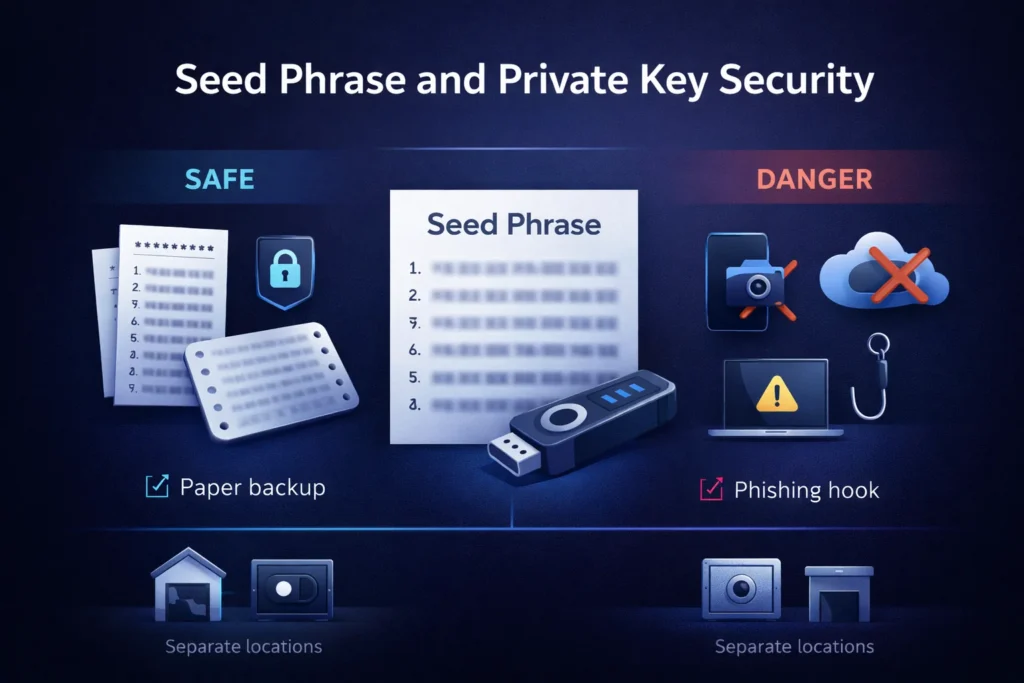
Rule 1: Write Your Seed Phrase on Paper and Store It Offline
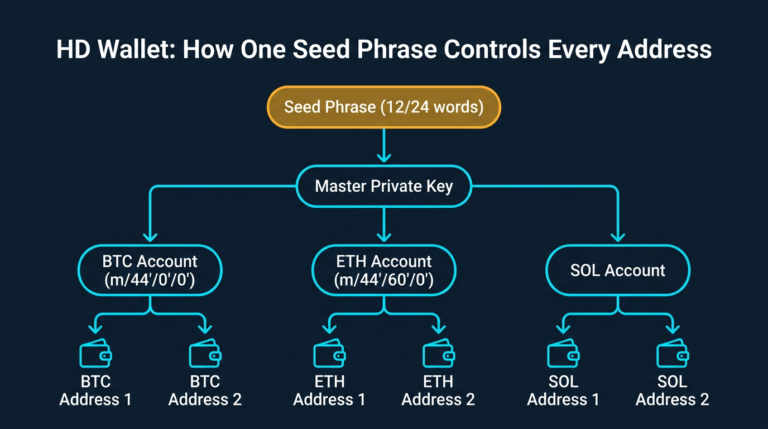
Your seed phrase is the master key to your wallet. Anyone who has it can reconstruct your wallet on any device, in any country, and move every asset derived from it. The only safe storage is physical: permanent ink on paper, or stamped into a metal backup plate for resilience against fire and water damage. Keep it away from cameras, devices, and anything connected to the internet.
Password managers, notes apps, encrypted drives, and cloud folders are all off the table. The moment a seed phrase touches an internet-connected system, it is exposed to the full threat surface of that system. This is not paranoia. It is the basic reality of how digital systems work.
Rule 2: Never Photograph Your Seed Phrase
Smartphones upload photos to cloud services automatically. Google Photos, iCloud, and similar platforms sync in the background without any deliberate action from you. A single compromised cloud account exposes every image stored there, including any seed phrase photos taken during wallet setup. Even if you believe auto-backup is disabled, verify it explicitly. The assumption that a photo is “private” is not a security posture.
Screenshots carry the same risk. Never screenshot your seed phrase during setup, even briefly. There is no such thing as a temporary seed phrase photo once it exists on a device connected to the internet.
Rule 3: Store Your Seed Phrase in at Least Two Physical Locations
A single physical backup is a single point of failure. House fires, flooding, and theft can destroy one location entirely. A second copy kept in a physically separate place, such as a bank safe deposit box or a trusted family member’s home in a different location, significantly reduces that risk. The two locations should never be in the same building.
You are balancing two competing risks: loss through disaster versus exposure through discovery. Most people underweight the disaster risk and overweight the discovery paranoia. A second physical location, chosen carefully, addresses the first problem without meaningfully increasing the second.
Rule 4: Never Enter Your Seed Phrase or Private Key Online
No legitimate wallet application, DeFi protocol, or customer support team will ever ask for your seed phrase. Not to verify your wallet. Not to restore access. Not for any stated reason. If you encounter any prompt, website, or message requesting it, stop immediately. It is a phishing attempt. If you have already entered it anywhere, assume the wallet is compromised and move your funds to a fresh wallet with a new seed phrase right away.
This applies equally to private keys. Your private key controls individual accounts within your wallet structure. Sharing it grants immediate and irrevocable access to every asset in that account. These are not credentials to be shared under any circumstance.
Wallet Architecture and Storage Rules
How you structure your wallets determines how much damage a single mistake can do. These four rules cover the setup decisions that limit your exposure by design, before any attacker makes a move.
Rule 5: Use a Hardware Wallet for Significant Holdings
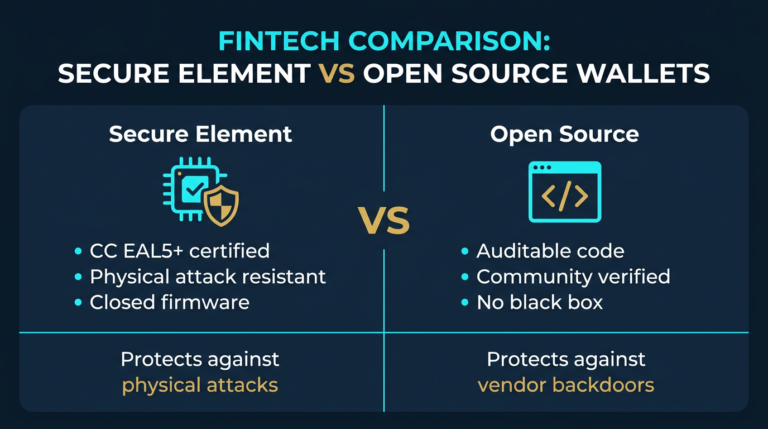
Hardware wallets store private keys on a dedicated offline chip. When you sign a transaction, that signing process happens inside the device itself. The key never leaves the hardware. Software wallets running on internet-connected phones or browsers are permanently exposed to malware, clipboard hijackers, browser extension vulnerabilities, and network-level attacks. The attack surface difference is not marginal.
If you hold more crypto than you’d be comfortable losing tomorrow, it belongs on a hardware wallet. The Ledger Nano X and Trezor Safe 7 are the most independently audited options currently available. For a direct comparison of both devices, the Ledger Nano X vs Trezor Safe 7 breakdown covers the security differences in detail.
Rule 6: Implement a 2-Wallet Setup
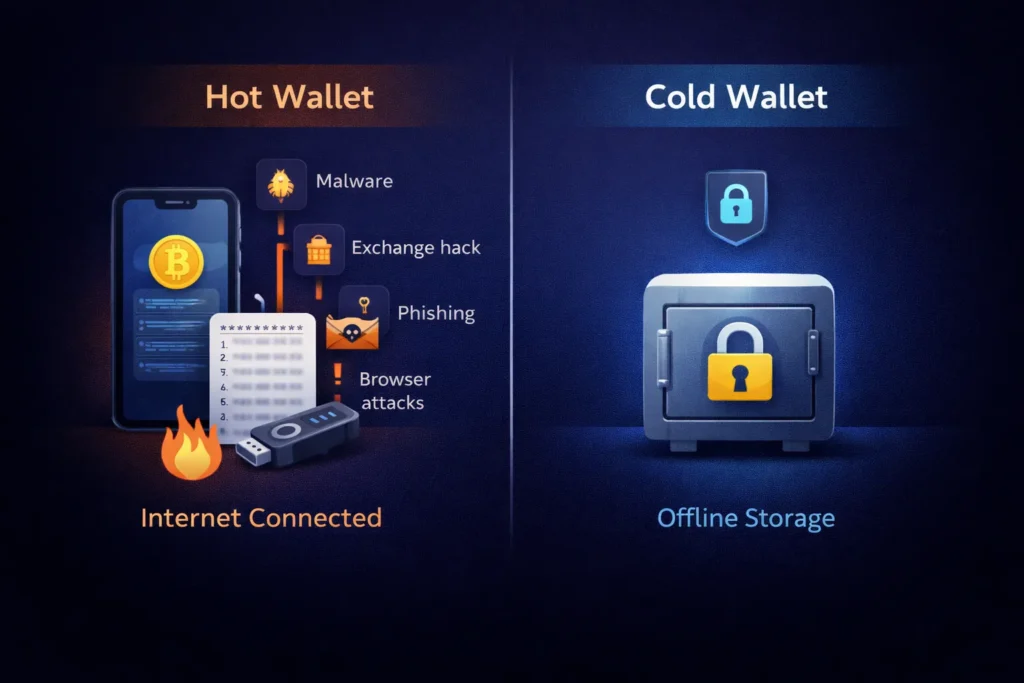
Using a single wallet for all activity creates a single point of failure. A 2-wallet setup separates your holdings by purpose: a hot wallet for active transactions and DeFi interactions with small amounts, and a cold wallet for the holdings you are not actively using. If your hot wallet is drained through a malicious approval or phishing interaction, your cold wallet stays untouched.
The separation has to be real. Your cold wallet should never interact with DeFi protocols, never receive airdrop claims, and never connect to anything you did not explicitly choose. It holds assets. That is its only function. Blurring this line defeats the purpose of the setup entirely.
Rule 7: Do Not Leave Large Balances on Exchanges
Exchanges are custodial services. When you deposit crypto, you give up your private keys. The exchange holds the assets on your behalf, which means exchange risk, counterparty risk, and regulatory risk all become your problem. Exchanges have paused withdrawals, been hacked, and entered bankruptcy proceedings multiple times in recent years. Each time, users became unsecured creditors with uncertain paths to recovery.
Keep only what you are actively trading on exchanges. Everything else belongs under your direct control. The Self-Custody Survival Guide covers the full framework for moving off exchanges and managing that transition safely.
Rule 8: Move Long-Term Holdings into Cold Storage
If you bought a position with a multi-year time horizon and you’re not planning to touch it, there is no reason it should sit in a hot wallet. Cold storage keeps a wallet entirely offline. The attack surface for an air-gapped device is fundamentally different from anything internet-connected. An attacker cannot compromise what they cannot reach.
Set it up once. Create proper seed phrase backups. Test recovery before you deposit significant amounts. Then leave it alone. Long-term storage is a one-time setup with a durable physical backup, not a process you revisit weekly.
Device and Network Security Rules
Your hardware wallet is only as secure as the environment it operates in. These three rules cover the device and network hygiene that prevent your security setup from being bypassed at the access layer.
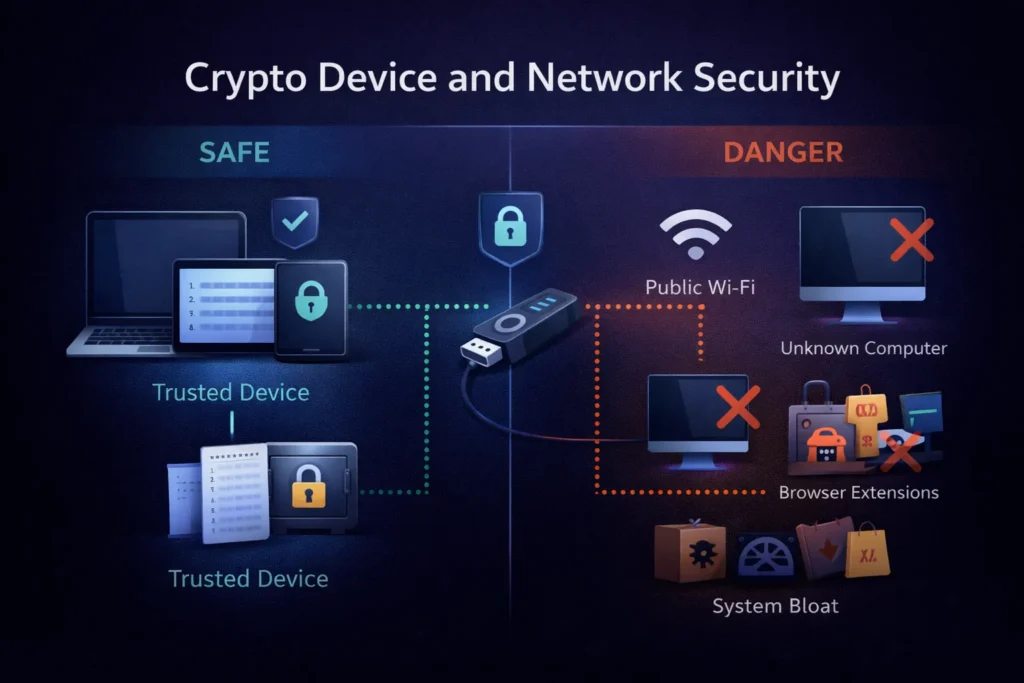
Rule 9: Only Use Trusted Devices with Your Hardware Wallet
Hardware wallets protect your private keys effectively, but they still interact with software running on your computer or phone. A device infected with keyloggers or screen-capture software can monitor what you see on screen, capture addresses you are confirming, or manipulate what your browser displays. The hardware wallet’s protection breaks down at the layer above the hardware if the host device is compromised.
Only connect your hardware wallet to a device you personally own and maintain. Never use it at a library terminal, on a colleague’s laptop, or on any computer you didn’t configure yourself. Treat any device you didn’t set up as potentially hostile.
Rule 10: Avoid Public Wi-Fi During Wallet Activity
Public networks are unencrypted by default. Anyone on the same network can monitor traffic. While a hardware wallet’s signing process keeps your private key off the network entirely, phishing attacks can still operate through network-layer redirects. A convincing fake dApp interface loaded through a manipulated DNS request is a realistic attack on public Wi-Fi, not a theoretical one.
If you need to interact with a wallet away from your home network, use your mobile data connection. It avoids the most straightforward public network attack vectors without requiring additional setup.
Rule 11: Reduce the Software Footprint on Your Signing Device
Every application installed on the device you use for wallet interactions is a potential attack surface. Browser extensions carry particular risk. Many request permissions to read and modify all data on websites you visit. A malicious or compromised extension with those permissions can capture clipboard contents, inject code into web pages, and read wallet-related information displayed in your browser. Each extension you don’t need is a risk you are carrying unnecessarily.
Audit your browser extensions. Remove anything you don’t actively use. Apply operating system security updates promptly. Keep the software on your signing device minimal and current. A lean device is a harder target.
Transaction Habits and Approval Management
Most successful crypto attacks succeed not through technical sophistication but because of predictable behavior during transactions. These three rules address the moments where attention to detail matters most.
Rule 12: Verify Every Recipient Address Before Confirming
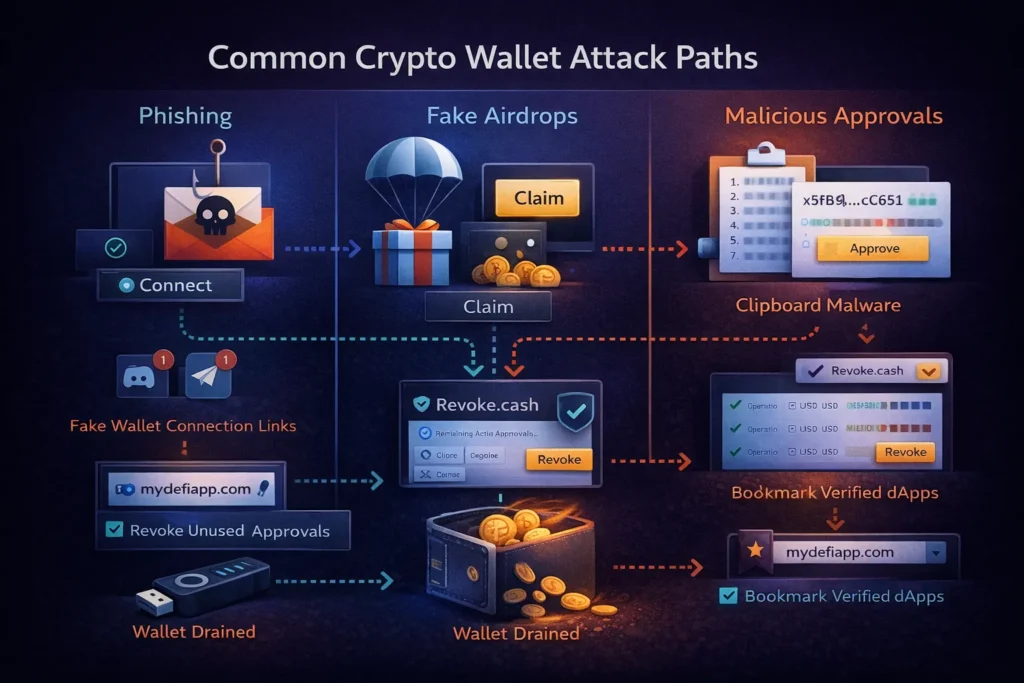
Clipboard hijacking malware monitors your clipboard and replaces any copied wallet address with an attacker-controlled one the moment you paste it. You copy a correct address, paste it into the recipient field, and send funds directly to an attacker’s wallet. The process is silent. There is no warning. Nothing looks wrong until the transaction confirms.
Always manually verify the first 4-6 characters and the last 4-6 characters of any pasted address before confirming a transaction. On a hardware wallet, verify the recipient address directly on the device’s own screen, not just in your browser. This takes seconds and prevents a total loss scenario that no other security layer can catch after the fact.
Rule 13: Revoke Smart Contract Approvals You No Longer Need
When you interact with a DeFi protocol, you typically grant it unlimited permission to spend a specific token from your wallet. That approval stays active indefinitely unless you explicitly revoke it. A protocol you used once two years ago still has the ability to drain that token from your wallet if the protocol is ever exploited. The approval you granted in the past is not a past-tense risk. It is a current and ongoing one.
Revoke.cash is a free, non-custodial tool that displays every active approval connected to your wallets and lets you remove them. Review your approvals every few months. Any approval you don’t recognize or no longer actively need should be revoked immediately. This is routine maintenance, not a one-time task.
Rule 14: Never Follow Wallet Connection Links from Messages
Phishing through Discord DMs, Telegram messages, and emails is one of the most consistently effective attack patterns in crypto. The structure is predictable: urgency or opportunity, a sense of loss if you don’t act immediately, and a link to a fake interface that drains your wallet the moment you connect. Legitimate protocols do not DM users with connection requests. They don’t send private messages about wallet verification. They don’t notify you about unclaimed airdrops through chat.
Navigate to every dApp directly through a bookmarked URL or the protocol’s verified official site. One wrong click on a phishing link can drain a complete wallet within seconds. The attack costs the attacker almost nothing and is specifically designed for the moment your guard is down.
Ongoing Maintenance
Rule 15: Keep Firmware and Wallet Software Updated
Hardware wallet manufacturers push firmware updates specifically to patch known vulnerabilities. Using outdated firmware means operating with security gaps that are already publicly documented and, in some cases, actively being targeted. The same applies to software wallets. Outdated app versions can carry bugs that have been identified, disclosed, and are being exploited by the time most users notice.
Make firmware and wallet software updates part of a scheduled routine. Check for hardware wallet firmware updates quarterly at minimum. Treat an outdated wallet application the way you would treat any other critical security software running out of date: as a known and preventable gap in your defenses.
Common Mistakes That Undermine Crypto Wallet Security
The most common mistake is treating security as a one-time setup event. You buy a hardware wallet, write down the seed phrase, and assume the work is done. But approvals accumulate with every DeFi interaction. Devices fall behind on updates. Threat patterns evolve. Security without ongoing maintenance degrades quietly, and you won’t notice until something goes wrong.
The second most common mistake is over-engineering one layer while leaving obvious gaps open elsewhere. Some people research metal seed phrase storage for weeks while their entire portfolio sits in a hot wallet they use to click every airdrop link that appears in their feed. Prioritize the highest-risk gaps first. A steel backup plate doesn’t protect you if your hot wallet has unlimited approvals open across dozens of DeFi protocols.
Third: keeping a “backup” photo of the seed phrase in cloud storage. Cloud storage is not a safe backup strategy for a seed phrase. It is a liability. This is one of the most common ways seed phrases are compromised, and the exposure often happens quietly, months or years after the photo was taken.
Fourth: using the same wallet for cold storage and active DeFi activity. The moment a “cold” wallet connects to a DeFi protocol, it stops being cold. A wallet that has signed smart contract transactions has an open interaction history and any associated approval risks. The separation in a 2-wallet setup has to be maintained consistently, not just set up once.
Fifth: assuming that 2FA on an exchange provides meaningful protection against all threats. Two-factor authentication reduces unauthorized account access, but it does nothing for exchange insolvency, withdrawal freezes, or custodial risk. Self-custody addresses a fundamentally different category of risk than 2FA does.
Sources
- Chainalysis Crypto Crime Report — annual research on how crypto losses occur, including phishing and wallet compromise patterns.
Frequently Asked Questions About Crypto Wallet Security
What is the single most important rule on a crypto wallet security checklist?
Protecting your seed phrase. Every other layer of security sits downstream of this. If your seed phrase is compromised, no hardware wallet, passphrase, or 2FA setup prevents total and permanent loss of your funds. Start here before addressing anything else.
How often should I revoke smart contract approvals?
Review your active approvals every 3-6 months, or immediately after any significant DeFi activity. Any approval you don’t recognize or no longer use should be revoked as soon as you identify it. Revoke.cash makes this process straightforward and free.
Is a hardware wallet enough on its own?
A hardware wallet significantly reduces your attack surface, but it doesn’t eliminate all risk. Seed phrase storage, phishing resistance, firmware hygiene, and the 2-wallet separation all remain important regardless of which hardware you use. The hardware is only as effective as the habits around it.
What is the practical difference between a hot wallet and a cold wallet?
A hot wallet is internet-connected and used for active transactions. A cold wallet is kept offline and used only for long-term storage. The 2-wallet setup uses both deliberately, with strict separation between them, so that a compromise of the hot wallet cannot reach the cold wallet’s holdings.
Can I use a software wallet if I follow all the other rules on this list?
Software wallets are adequate for small amounts you’re actively using. For meaningful holdings, the attack surface of a software wallet on an internet-connected device is considerably larger than a hardware wallet. Following the other rules on this list still helps, but the baseline risk of software-only custody is higher. Hardware custody addresses threats that good habits alone cannot eliminate.