Last Updated on April 20, 2026 by Snout0x
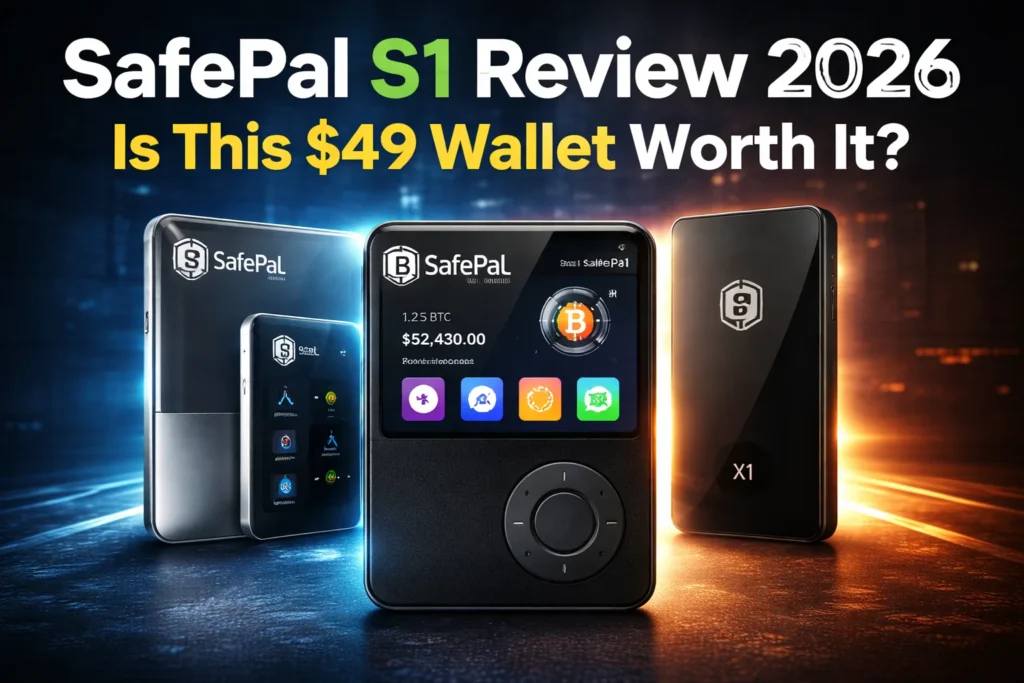
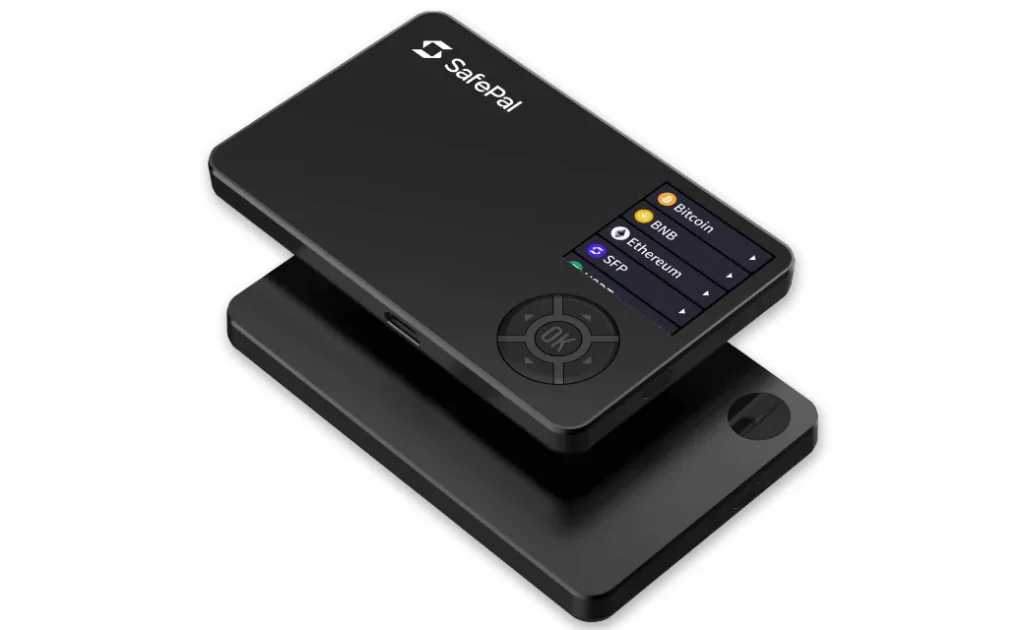
The SafePal S1 is a $49 hardware wallet that signs transactions through QR codes instead of Bluetooth, USB data, or NFC. There is no wireless radio and no data connection of any kind. The device communicates with your phone exclusively through its camera and screen — scan a QR code in, display a signed QR code out. That air-gapped isolation model is the strongest case for buying it. The weakest: closed-source firmware, plastic build quality, and a battery that self-discharges during storage.
This content is for educational purposes only and should not be considered financial or investment advice.
This article may contain affiliate links. Snout0x may earn a commission at no additional cost to you.
At $49, the SafePal S1 is the cheapest way to get genuine air-gapped signing with a certified secure element.
Best for: Budget-conscious holders who want genuine air-gapped cold storage with QR signing and multi-chain support under $50.
Price: ~$49 — the lowest-cost air-gapped hardware wallet with an EAL 6+ secure element.
Trade-off: Closed-source firmware, plastic build, battery drains during storage, small screen scratches easily.
Check Current Price at SafePalKey Takeaways
- Fully air-gapped: no Bluetooth, no WiFi, no NFC, no USB data. The charging cable carries power only.
- QR-code signing workflow: build transaction on phone, scan QR to device, verify on screen, sign, scan signed QR back to phone.
- EAL 6+ secure element with tamper-detection sensors that wipe data if physical intrusion is detected.
- Firmware is closed-source. You trust SafePal’s audit claims, not independently verifiable code.
- Supports many chains including Bitcoin, Ethereum, Solana, Cardano, and EVM-compatible networks with built-in swap and gas station features.
How SafePal S1 Works: Air-Gapped QR Signing
The SafePal S1 qualifies as air-gapped in the strictest sense. There is no Bluetooth radio, no WiFi antenna, no NFC chip, and no USB data path. The micro-USB port charges the battery and nothing else. Every interaction between the device and your phone happens through QR codes.
The signing workflow has four steps:
- Build: You prepare a transaction in the SafePal phone app.
- Scan in: The phone displays a QR code containing the unsigned transaction. The S1’s camera scans it.
- Verify and sign: The S1 displays the destination address and amount on its screen. You confirm with your PIN and the secure element signs internally.
- Scan out: The S1 displays a QR code containing the signed transaction. Your phone scans it and broadcasts to the network.
The private key never leaves the device. The QR codes carry only transaction data and signed output — no key material crosses the air gap. This is the same signing model used by the Keystone 3 Pro at three times the price.
SafePal S1 Security Architecture
The S1 contains an EAL 6+ certified secure element that generates and stores private keys. The chip is rated for resistance against physical probing, fault injection, and side-channel analysis at a certification level matching or exceeding most hardware wallets in the market, including devices costing three to four times as much.
The device includes tamper-detection sensors designed to wipe sensitive data if someone attempts to physically open the case and attack the chip directly. Combined with the air-gapped architecture, the S1 has no remote attack surface and hardware-level resistance to physical extraction.
SafePal uses the BIP-39 standard for seed phrase generation, which preserves recovery portability across compatible wallets.
The Firmware Transparency Problem
The S1’s firmware is closed-source. This is the most significant architectural trade-off in the device. Unlike Trezor, whose firmware is fully open and independently auditable, and unlike the Keystone 3 Pro, which also publishes its firmware source, SafePal requires you to trust the vendor’s claims about what the code does.
The air gap mitigates this: because the device has no network connection, a firmware backdoor would need to encode stolen data into the signed QR output, which is detectable by analyzing the QR payload. This is a meaningful constraint on exploitation, but it does not fully replace code transparency. For users who require independently verifiable firmware, the SafePal S1 is not the right device.
Build Quality, Screen, and Battery
The S1 weighs 38 grams with a glossy plastic body. It is not a premium device. The build clearly prioritizes cost control over materials. The D-pad buttons are tactile but loud, and entering a seed phrase with the small physical controls requires patience.
The 1.3-inch IPS color screen is functional for transaction verification but covered in plastic, not glass. It scratches easily. Over time, micro-abrasions can reduce QR code clarity under harsh lighting. If you use the wallet regularly, a screen protector is a worthwhile investment. For a device that sits in cold storage most of the year, screen wear is a cosmetic issue.
The 400mAh battery has a rated standby life of ~20 days, but real-world self-discharge is more aggressive. If the S1 sits unused for two to three months, expect the battery to be dead. This does not affect stored funds — the seed phrase and secure element are unaffected by power state — but it means you will need a few minutes of USB charging before you can sign. For a cold-storage device used occasionally, this is an annoyance, not a security failure.
Multi-Chain Support and Built-In Features
SafePal supports a wide range of chains through the companion phone app: Bitcoin, Ethereum and all EVM-compatible networks, Solana, Cardano, XRP, TON, and many others. ERC-20, BEP-20, and SPL tokens are supported natively. For a $49 device, the chain coverage is broader than many competitors at twice the price.
The SafePal app includes a built-in DEX aggregator for token swaps, MetaMask and Rabby compatibility for DeFi signing, and a “Gas Station” tool that converts supported tokens into native gas when you are stuck without gas on a specific chain. The gas station charges a ~0.2% swap fee plus spread, but it solves a genuine operational problem that multi-chain users encounter regularly.
Who Should Buy the SafePal S1 (and Who Should Not)
The SafePal S1 fits a specific buyer profile. If most of these apply, it is a strong option:
- Your budget for a hardware wallet is under $50 and you refuse to leave funds on an exchange.
- You want genuine air-gapped cold storage with QR signing, not Bluetooth or NFC.
- You hold assets across multiple chains and want broad network support in one device.
- You sign transactions infrequently — monthly or less — and the device mostly sits in storage.
- You are comfortable trusting a closed-firmware vendor backed by Binance Labs.
The SafePal S1 is not the right choice if:
- You need open-source firmware you can audit independently. The Keystone 3 Pro offers air-gapped QR signing with open firmware at ~$149.
- You sign transactions frequently. The small screen, D-pad input, and battery drain make regular use frustrating. Consider the SafePal S1 Pro (~$89) for better ergonomics with the same air-gapped architecture.
- You want the simplest possible self-custody with no seed phrase management. A seedless wallet like Tangem removes seed phrase complexity entirely.
- You want a premium device with large touchscreen and haptic feedback. The S1’s plastic build and small display are functional, not enjoyable.
- You need Bluetooth or desktop USB connectivity. The S1 is phone-only via QR codes.
- True air-gap — no wireless radio, no USB data, no attack surface
- EAL 6+ secure element with tamper detection at $49
- On-device screen for transaction verification before signing
- Broad multi-chain support with built-in swap and gas station
- Closed-source firmware — not independently auditable
- Plastic build with scratchable plastic screen cover
- 400mAh battery self-discharges during storage
- QR scanning can be awkward with S1’s camera placement
How SafePal S1 Compares to Keystone 3 Pro
The Keystone 3 Pro is the most relevant competitor: both are air-gapped hardware wallets that sign via QR codes. The comparison below focuses on the trade-offs that determine which device fits your budget and requirements.
| SafePal S1 | Keystone 3 Pro | |
|---|---|---|
| Price | ~$49 | ~$149 |
| Air-gapped | Yes (QR only) | Yes (QR only) |
| Secure element | EAL 6+ (single chip) | 3x EAL 5+ Infineon chips |
| Open firmware | No | Yes |
| Screen | 1.3″ IPS (plastic) | 4″ IPS touch (glass) |
| Build | Plastic, 38g | Metal frame, glass |
| Battery | 400mAh (standby drain) | 1800mAh USB-C |
| Fingerprint | No | Yes |
Choose SafePal S1 if budget is the deciding factor and you accept closed firmware in exchange for the lowest-cost air-gapped device with an EAL 6+ chip. Choose Keystone 3 Pro if you want open-source firmware, a premium build, and a large touchscreen and can pay three times more. Both use the same QR-code signing model with the same isolation guarantees.
For a direct side-by-side, see the Keystone vs SafePal comparison. For the full market overview including Bluetooth and NFC devices, see the hardware wallet comparison.
SafePal S1 Review: The Verdict
The SafePal S1 delivers genuine air-gapped security at the lowest price point in the market. The EAL 6+ secure element, tamper detection, and QR-only signing workflow provide real isolation — the same architectural model used by premium devices costing $149 or more. For a user who needs cold storage on a strict budget, the security-to-price ratio is the best available in 2026.
The cost of that price is everything except security architecture. Plastic build, a small screen that scratches, battery that self-discharges, and closed-source firmware. The firmware transparency gap is the most significant: you cannot independently verify what code runs on your device. The air gap constrains what a firmware backdoor could do, but it does not eliminate the trust assumption. If open firmware matters to you, the Keystone 3 Pro exists at a higher price point.
The 7.5 reflects strong security architecture constrained by budget-tier execution. The air-gapped QR signing and EAL 6+ chip earn full marks. It loses points for closed firmware, plastic build, battery standby issues, and a screen that degrades with use. For holders who need offline key isolation under $50, this is the best available option. For users willing to spend more, the Keystone 3 Pro delivers the same signing model with open firmware and premium build.
Check Price at SafePalIf you sign transactions frequently and the S1’s ergonomics frustrate you, the SafePal S1 Pro (~$89) shares the same security model with a metal chassis, glass screen, and better camera placement. For the broader market overview, see the full hardware wallet comparison.
Sources
Frequently Asked Questions
Is SafePal safer than Ledger?
From a remote-attack-surface perspective, the air-gapped SafePal S1 reduces exposure because it has no Bluetooth or USB data path. Ledger has a longer track record and a broader ecosystem, so the better choice depends on whether you prioritize maximum isolation (SafePal) or broader convenience and exchange integration (Ledger).
What happens if SafePal goes out of business?
Your funds do not depend on the company staying alive as long as you have your recovery phrase. SafePal uses the BIP-39 standard, so the wallet is recoverable in any compatible device or software wallet.
Can I use SafePal with MetaMask?
Yes. SafePal can be used as a hardware signer with MetaMask or Rabby through the QR-code signing flow. The phone app bridges between the browser wallet and the air-gapped device.
Does the battery die quickly?
The S1’s 400mAh battery self-discharges during storage. After two to three months unused, expect it to be dead. A few minutes of USB charging restores it. This does not affect stored funds — it only delays your ability to sign until the device is recharged.
Which coins does SafePal support?
SafePal supports a wide range of assets including Bitcoin, Ethereum, Solana, Cardano, XRP, TON, and many EVM-compatible chains. Always verify the latest support list in the SafePal app before buying.
How does SafePal S1 compare to Keystone 3 Pro?
Both are air-gapped hardware wallets that sign via QR codes. The S1 costs ~$49 with an EAL 6+ chip but closed firmware and plastic build. The Keystone 3 Pro costs ~$149 with open-source firmware, a 4-inch touchscreen, and metal construction. Choose SafePal if budget is the constraint. Choose Keystone if you need firmware transparency and a premium build.