Last Updated on March 31, 2026 by Snout0x
Air-gapped hardware wallets share one important characteristic: they have no USB data connection, no Bluetooth, and no Wi-Fi during operation. Transaction signing happens entirely through QR code exchange.
Within this category, Keystone and SafePal are two of the most visible options. They differ meaningfully in secure element architecture, firmware transparency, supported assets, companion app quality, and price.
This comparison breaks those differences down so you can make an informed choice.
The simplest way to choose is by workflow. Keystone is the better fit if you care most about verifiable security, larger-screen transaction review, and deeper integrations with wallets like Sparrow or Rabby.
SafePal is the better fit if price, broad chain coverage, and a mobile-first all-in-one app matter more than open firmware or maximum review comfort.
This is the key difference: Keystone optimizes for verification depth, while SafePal optimizes for cost and convenience.
Key Takeaways
Here are the practical conclusions before the deep dive.
- Both Keystone and SafePal use QR-only air-gapping with no USB data channel during operation.
- Keystone uses three secure elements (two CC EAL5+) and open-source firmware. SafePal uses one secure element with closed firmware.
- Keystone supports a wider range of DeFi integrations, including MetaMask and Sparrow Wallet natively.
- SafePal is significantly cheaper and offers broader multi-chain support out of the box.
- For serious cold storage use, Keystone’s open firmware and stronger SE architecture offer more verifiable security.
This content is for educational purposes only and should not be considered financial or investment advice.
This article may contain affiliate links. If you purchase through these links, Snout0x may earn a commission at no additional cost to you.
Secure Element Architecture
This is the hardware trust foundation that separates these two devices.
The secure element (SE) is the chip that stores your private keys and performs cryptographic operations. Its tamper resistance is the hardware security foundation of the device.
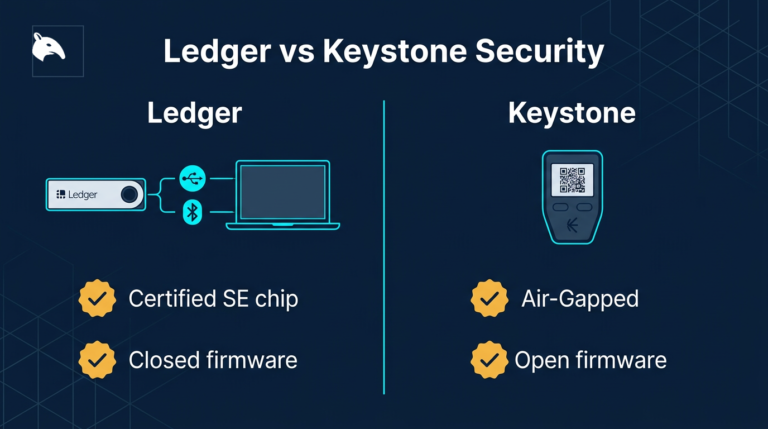
For a closely related follow-up, see Ledger vs Keystone Security Architecture: Which Approach Is More Secure?.
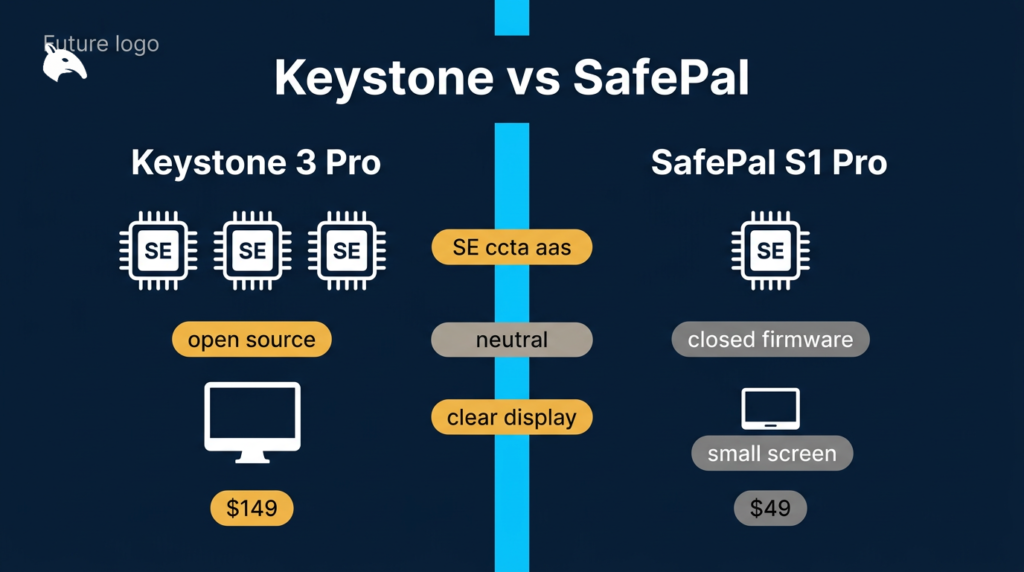
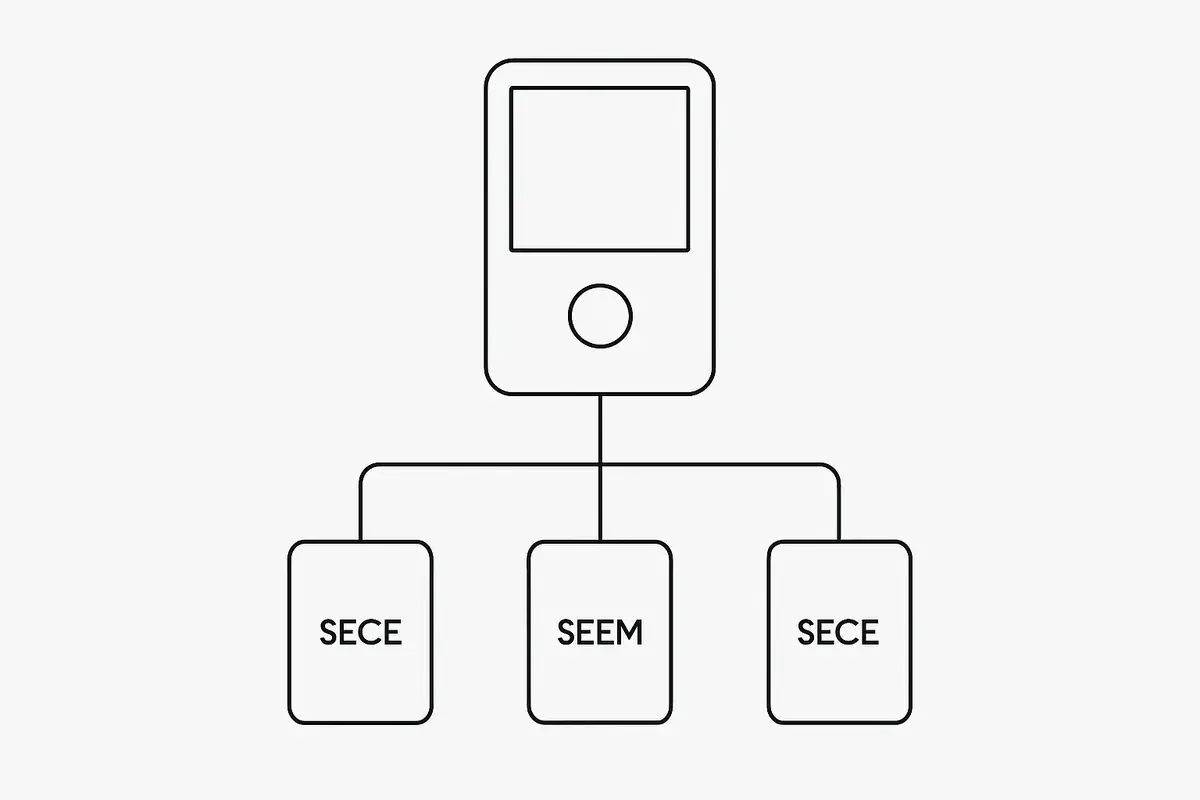
The Keystone 3 Pro uses three secure elements: one STMicroelectronics SE (CC EAL5+), one Microchip SE, and one Infineon SE (CC EAL5+). This triple-chip architecture distributes key storage across multiple independent chips.
Compromising one chip is not sufficient to extract keys. Two of the three secure elements are independently certified at CC EAL5+, which is the same security certification level as most bank cards.
If you are comparing where this fits in the broader market, Best Crypto Hardware Wallets is the wider buyer guide.
In this head-to-head, the real question is whether you want the stronger verification model or the cheaper all-in-one package.
SafePal S1 Pro uses one secure element certified at CC EAL5+. The single-chip approach is standard for most hardware wallets in this price range and is not inherently insecure.
It is simply less redundant than Keystone’s triple-chip design. A physical attack that extracts the single SE immediately compromises all keys stored on the device.
What this means in practice:
Both models can be secure for most users. Keystone gives more hardware redundancy if your threat model includes high-value, long-horizon cold storage.
Firmware: Open Source vs Closed
This section defines the trust model difference more than any spec-sheet metric.
Keystone’s firmware is fully open source, published on GitHub, and has been independently audited by third-party security researchers. Anyone can review what the firmware does before trusting it with private keys.
Audit reports are publicly available. This transparency is the strongest argument for Keystone’s security claims among technically sophisticated users.
SafePal’s firmware is closed source. You cannot independently verify what it does.
SafePal is a subsidiary of Binance, which acquired a strategic stake in the company. The association with a centralized exchange is a concern for some users from a trust model perspective, though it does not directly compromise the hardware security of the device.
SafePal has not published independent firmware audits.
This is the key difference.
For users who prioritize verifiable security through transparency, Keystone’s open firmware is a significant differentiator. For users primarily concerned with price and multi-chain support, the closed firmware may be an acceptable trade-off.
Air-Gapping Implementation
Both devices use the same QR-signing concept, but implementation details still matter.
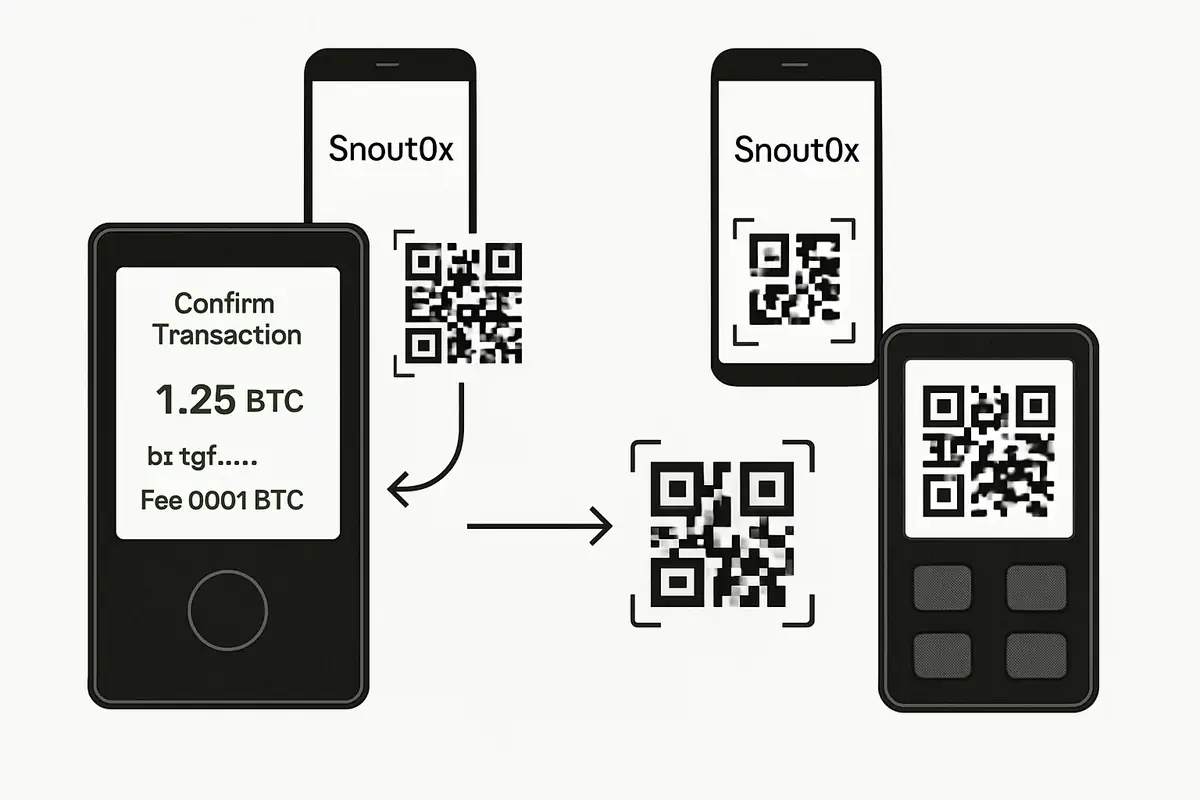
Both devices use QR codes as the sole data channel. Transaction data is displayed as a QR code on your computer or phone, scanned by the device, signed internally, and the signed transaction is displayed as a QR code to be scanned back by the companion app.
There is a distinction worth noting between Keystone and SafePal’s approach to air-gapping. Keystone is designed as a pure air-gapped device: it has no USB data capability at all during normal operation.
SafePal S1 Pro does have a USB port, but it is used only for charging, not for data transfer. In principle, this means SafePal’s USB interface could be a residual attack surface if the device’s USB stack has vulnerabilities, even if data transfer is not intended.
Keystone’s architecture removes this concern by design.
What this means in practice:
For most users, both workflows are materially safer than USB/Bluetooth hot-wallet signing. If you want minimum interface exposure by design, Keystone has the cleaner model.
Supported Blockchains and Assets
This is where convenience and integration philosophy diverge.
SafePal has broader raw chain support. The SafePal app claims compatibility with over 100 blockchains and tens of thousands of tokens.
If your portfolio includes obscure or newly launched chains, SafePal may support them when other wallets do not. The SafePal companion app is a comprehensive mobile-first wallet manager with DeFi access, swaps, and staking built in.
That difference matters more in practice than spec sheets suggest. Users choosing their first cold-storage device should usually start with How to Choose a Crypto Wallet.
- If you want one app to manage many chains cheaply, SafePal has the easier argument.
- If you want a dedicated signer that works well with separate wallet software, Keystone’s narrower but stronger integration set is usually the better long-term fit.
Keystone focuses on quality integrations over raw count. Native integrations include MetaMask (mobile), Sparrow Wallet (Bitcoin), BlueWallet, Solflare (Solana), Keplr (Cosmos), Rabby Wallet, and others.
These integrations are well-maintained and allow seamless QR signing without relying solely on the Keystone companion app. For Bitcoin power users and DeFi users who want desktop wallet compatibility, Keystone’s integrations are more practical.
Bitcoin-only users: both devices support Bitcoin. Keystone’s Sparrow Wallet integration is best-in-class for Bitcoin cold storage.
SafePal’s Bitcoin support is functional but less deeply integrated with desktop Bitcoin software.
Screen and Usability
Usability here is not cosmetic; it directly affects signing safety.
Screen size matters for security. When you sign a transaction, you need to read what you are signing on the device’s screen.
A small screen means you cannot display the full transaction details in a readable format.
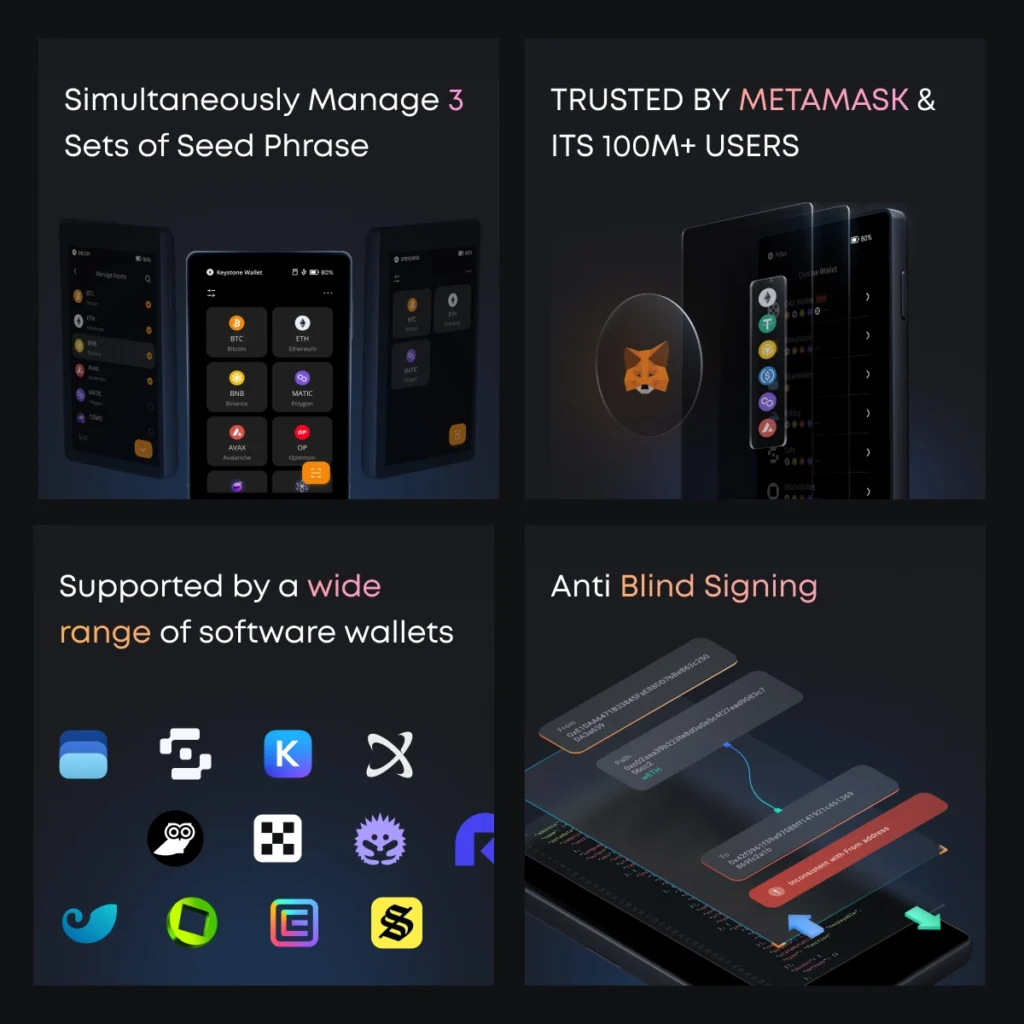
Keystone 3 Pro has a 4-inch touchscreen, which comfortably displays full contract interaction details, token names, amounts, and recipient addresses without truncation. The touchscreen interface is fast and intuitive.
SafePal S1 Pro has a 1.3-inch display with physical buttons. Contract interaction details are abbreviated, and navigating through transaction information requires multiple button presses.
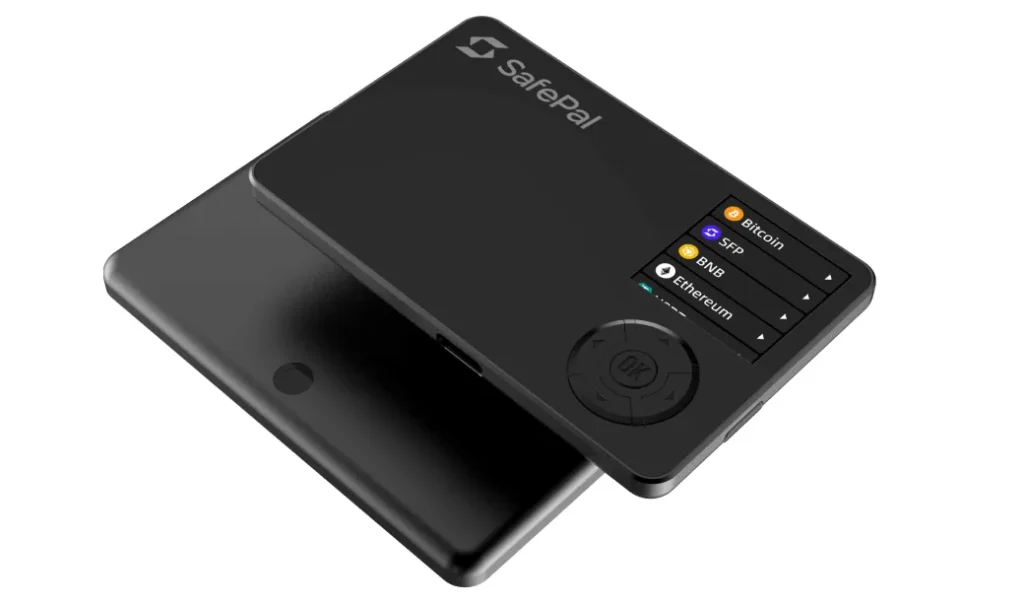
The smaller screen is a meaningful usability and security trade-off for DeFi users.
What this means in practice:
If you routinely approve complex contract calls, readability on-device is a security control. If you mostly send major assets to known addresses, SafePal’s display can still be adequate.
If you are primarily using the device for simple send-receive operations with Bitcoin or major tokens, SafePal’s screen is adequate. For complex DeFi approvals where reading the full contract call matters for security, Keystone’s 4-inch screen is the practical choice.
Practical Usage: Choose Based on Budget and Workflow
This decision becomes clear when budget and usage style are evaluated together.
SafePal S1 Pro retails around $49. Keystone 3 Pro retails around $149.
The price difference is significant. If budget is the primary constraint, SafePal is a legitimate air-gapped hardware wallet at a fraction of Keystone’s cost.
For users who plan to store meaningful value and need deep integrations with desktop wallets, the additional cost of a Keystone 3 Pro is justified.
This is the key difference.
The verdict is not that one device wins on every axis. Keystone is the stronger choice for high-value cold storage, Bitcoin workflows, and users who want open firmware plus a large screen for careful transaction review.
SafePal is the stronger choice for budget-sensitive users who want broad token coverage and a simpler mobile-centered ecosystem. If you are deciding on security architecture first, Keystone wins. If you are deciding on cost and convenience first, SafePal wins.
Risks and Common Mistakes
Most real-world losses come from setup and purchasing mistakes, not chip specs.
The biggest risk with either device is purchasing through an unauthorized seller. Fake or pre-configured hardware wallets have been sold on Amazon and eBay.
Always buy directly from official sources. For Keystone, use the official website. For SafePal, use the official SafePal store or verified distributors.
With SafePal’s closed firmware and Binance association, there is a non-negligible trust assumption. SafePal could, in theory, update firmware through the companion app in ways users cannot audit.
For maximum security, disable automatic firmware updates and verify any firmware update manually before applying.
Both devices protect private keys from remote attackers. Neither protects your funds if your recovery phrase backup is physically stolen or if you reveal the recovery phrase in response to a phishing attack.
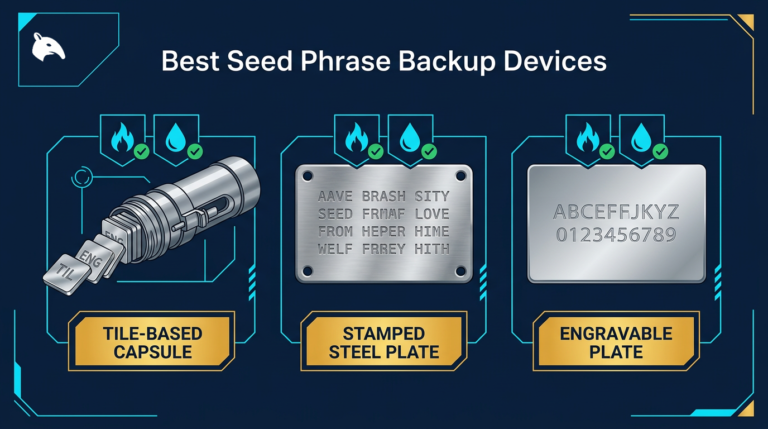
Hardware wallet security always begins with backup security. For more on backup choices, see Best Seed Phrase Backup Devices.
For a product-specific deep dive, the local Keystone 3 Pro Review covers Keystone in more detail.
Frequently Asked Questions
These are the most common decision questions users ask before buying.
Is SafePal owned by Binance?
Binance made a strategic investment in SafePal early in the company’s history and SafePal has worked closely with the Binance ecosystem. SafePal remains a separate company.
The investment relationship is disclosed by both parties. Whether this creates an unacceptable trust assumption for a self-custody wallet is a judgment call each user must make based on their threat model.
Can both wallets be used with MetaMask?
Keystone natively integrates with MetaMask Mobile via QR code. SafePal is also compatible with MetaMask Mobile.
Neither has full native integration with MetaMask browser extension for all chains, though community workarounds exist. For desktop Ethereum interaction, Rabby Wallet supports both devices more reliably.
Which is better for long-term Bitcoin cold storage?
Keystone’s Sparrow Wallet integration is the strongest available option in the air-gapped QR category for Bitcoin. Sparrow is a highly regarded Bitcoin-only desktop wallet with full UTXO management, coin control, and Taproot support.
The Keystone plus Sparrow combination is a common recommendation in the Bitcoin self-custody community.
Does SafePal support DeFi interaction directly on the device?
The SafePal companion app includes built-in DeFi browsing, swapping, and staking features. However, these use the app’s interface, not the S1 Pro hardware.
DeFi transactions are signed by the S1 Pro via QR code, but the DeFi browsing happens in the app, not on the device itself. Keystone’s approach relies on third-party wallet integrations for DeFi access.
How do I verify a SafePal or Keystone device on first use?
Both manufacturers provide verification mechanisms. Keystone displays a device fingerprint during setup that can be verified against a reference.
SafePal provides a verification code on the device’s initial startup screen. Both manufacturers advise buying only from official channels.
Factory-sealed packaging with intact security holograms is the baseline physical check.
Sources
Primary references used for device specifications and firmware transparency checks.