Last Updated on April 20, 2026 by Snout0x
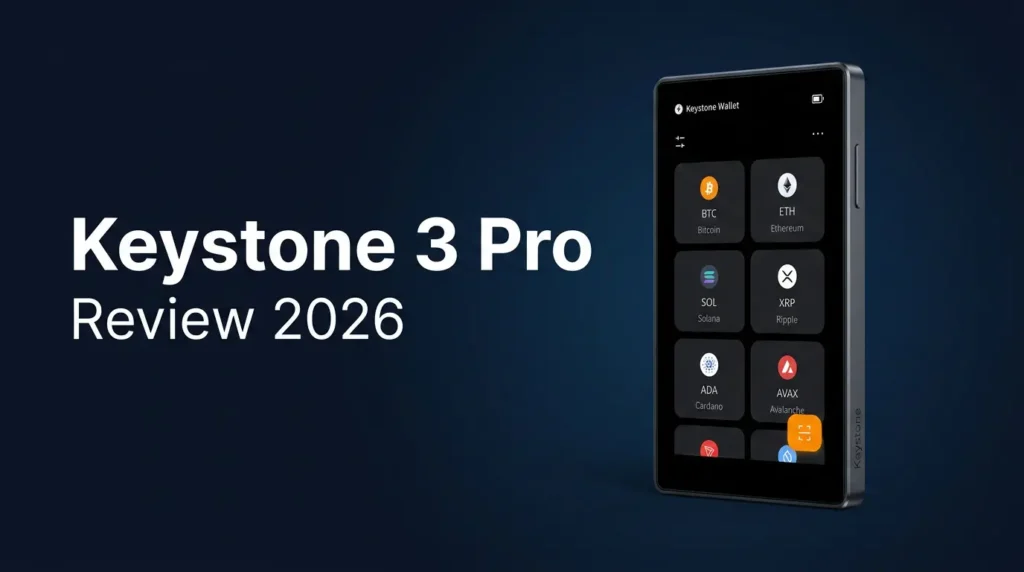
The Keystone 3 Pro is a $149 hardware wallet that signs every transaction through QR codes. There is no Bluetooth, no WiFi, no NFC, and no USB data path. The charging port carries power only. That air-gapped architecture, combined with three Infineon secure elements, open-source firmware, a 4-inch touchscreen, and a fingerprint reader, makes the Keystone 3 Pro the most fully specified air-gapped multi-chain wallet available in 2026. The question is whether QR-only signing and a $149 price point fit your workflow better than cheaper air-gapped options or USB-connected alternatives with different trust trade-offs.
This content is for educational purposes only and should not be considered financial or investment advice.
This article may contain affiliate links. Snout0x may earn a commission at no additional cost to you.
An air gap only protects you if the firmware behind it is verifiable — Keystone publishes theirs.
Best for: Multi-chain holders who want the most complete air-gapped signing device with open firmware, a large touchscreen, and premium build quality.
Price: ~$149 — three times the SafePal S1, but with open firmware, triple secure elements, fingerprint auth, metal frame, and a 4-inch glass touchscreen.
Trade-off: QR-only signing adds friction to every transaction. Larger and heavier than most hardware wallets. No desktop USB data connection at all.
Check Current Price at KeystoneKey Takeaways
- Fully air-gapped: no Bluetooth, no WiFi, no NFC, no USB data. The charging cable carries power only.
- QR-code signing workflow: build transaction on phone, scan QR to device, verify on 4-inch screen, sign, scan signed QR back to phone.
- Three Infineon secure elements, two CC EAL5+ certified, with tamper-detection that wipes keys on physical intrusion.
- Open-source firmware under independent audit — signing logic is verifiable, not trust-based.
- Fingerprint reader for biometric unlock alongside PIN protection.
- Supports 10,000+ tokens across Bitcoin (SegWit, Taproot), Ethereum, EVM chains, Solana, and more via MetaMask, Rabby, Sparrow, and BlueWallet.
- $149 price, 1800mAh battery with USB-C charging, metal frame with glass touchscreen.
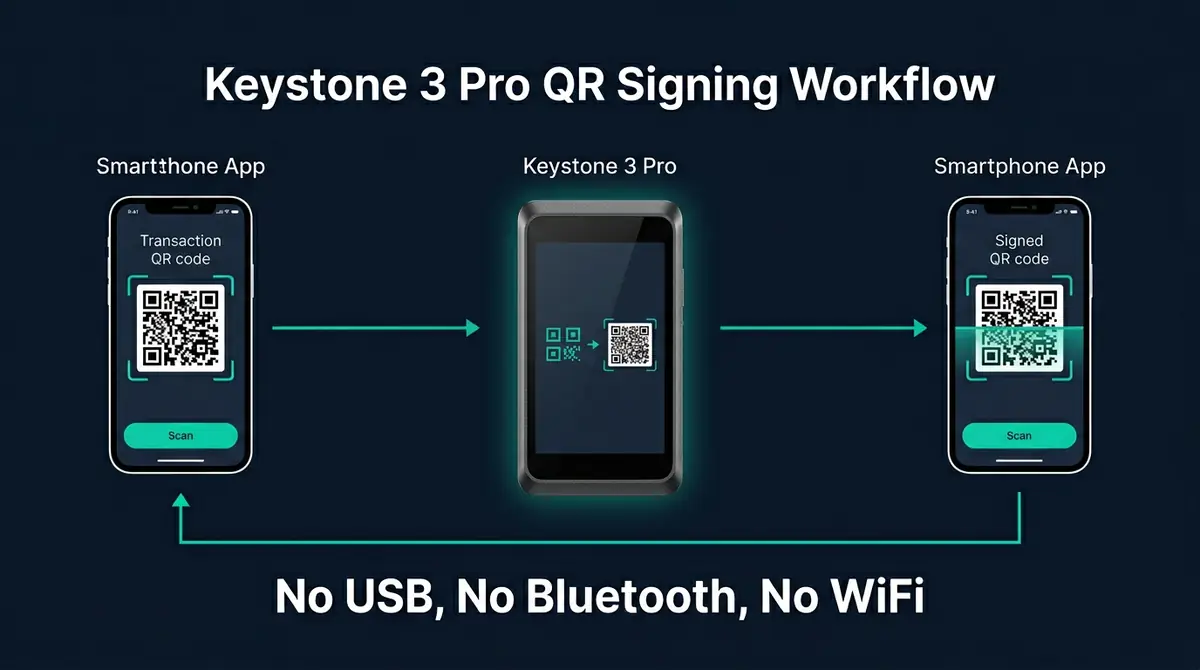
How Keystone 3 Pro Works: Air-Gapped QR Signing
The Keystone 3 Pro qualifies as air-gapped in the strictest sense. There is no Bluetooth radio, no WiFi antenna, no NFC chip, and no USB data path. The USB-C port charges the battery and nothing else. Every interaction between the device and your phone or computer happens through QR codes.
The signing workflow has four steps:
- Build: You prepare a transaction in a companion app (MetaMask Mobile, Rabby, Sparrow, or Keystone’s own app).
- Scan in: The app displays a QR code containing the unsigned transaction. The Keystone’s camera scans it.
- Verify and sign: The Keystone displays the destination address, amount, and fees on its 4-inch screen. You confirm with fingerprint or PIN, and the secure elements sign internally.
- Scan out: The Keystone displays a QR code containing the signed transaction. Your phone scans it and broadcasts to the network.
The private key never leaves the device. The QR codes carry only transaction data and signed output — no key material crosses the air gap. This is the same signing model used by the SafePal S1 at one-third the price, but with a substantially larger screen, open firmware, and fingerprint authentication.
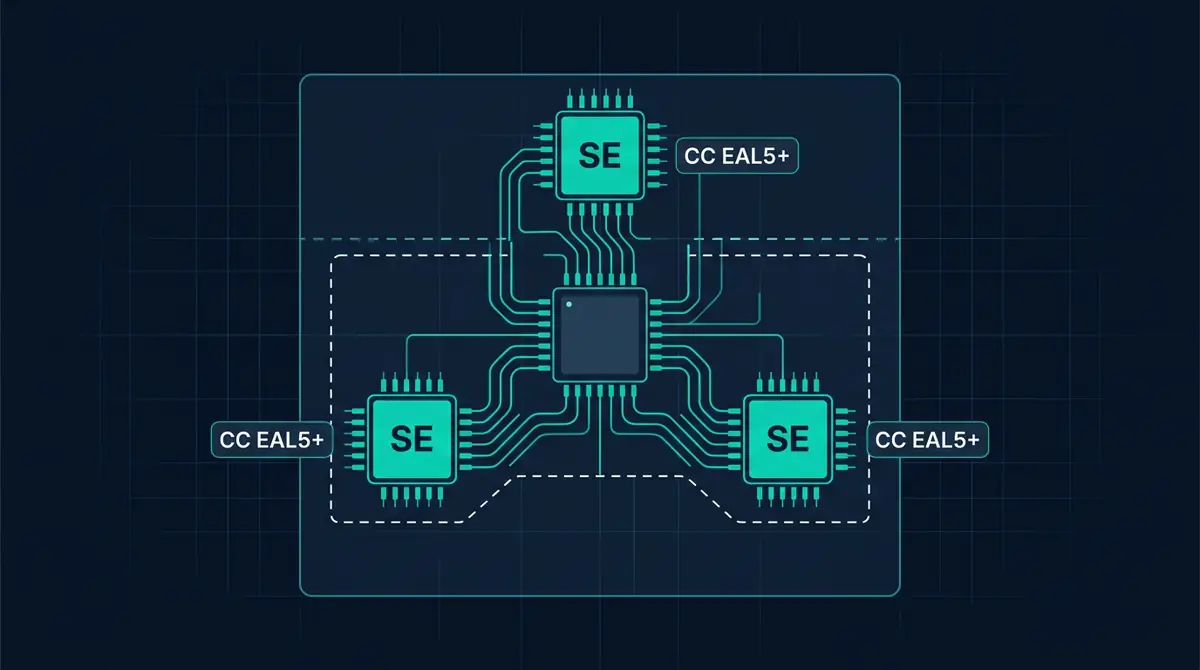
Security Architecture
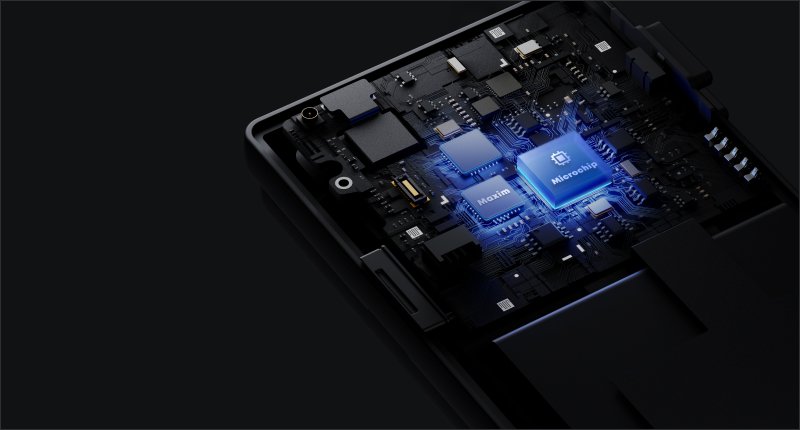
The Keystone 3 Pro uses three Infineon secure element chips to generate and store private keys. Two of the three are certified at CC EAL5+, the same certification level used in modern passports and banking hardware. The chips are designed to resist physical probing, fault injection, and side-channel analysis.
The triple-chip architecture serves a specific purpose: key operations are distributed across multiple chips rather than concentrated in one. If one chip is compromised through a physical attack, the remaining chips still protect the key material. The device also includes tamper-detection sensors that wipe all sensitive data if physical intrusion is detected.
The firmware is open-source, published on GitHub, and independently audited. This means the signing logic, key derivation, and QR communication protocol are all verifiable by external researchers. Combined with the air-gapped architecture, Keystone delivers a trust model where both the isolation guarantee and the code behind it are transparent. This is the same open-firmware philosophy as Trezor, applied to a completely different connectivity model.
Supply chain verification is built in. When you receive the device, a secure boot process validates that the firmware was signed by Keystone and has not been modified in transit. This guards against supply chain attacks where a device is intercepted and re-flashed with compromised firmware before reaching the buyer.
Build Quality, Screen, and Battery
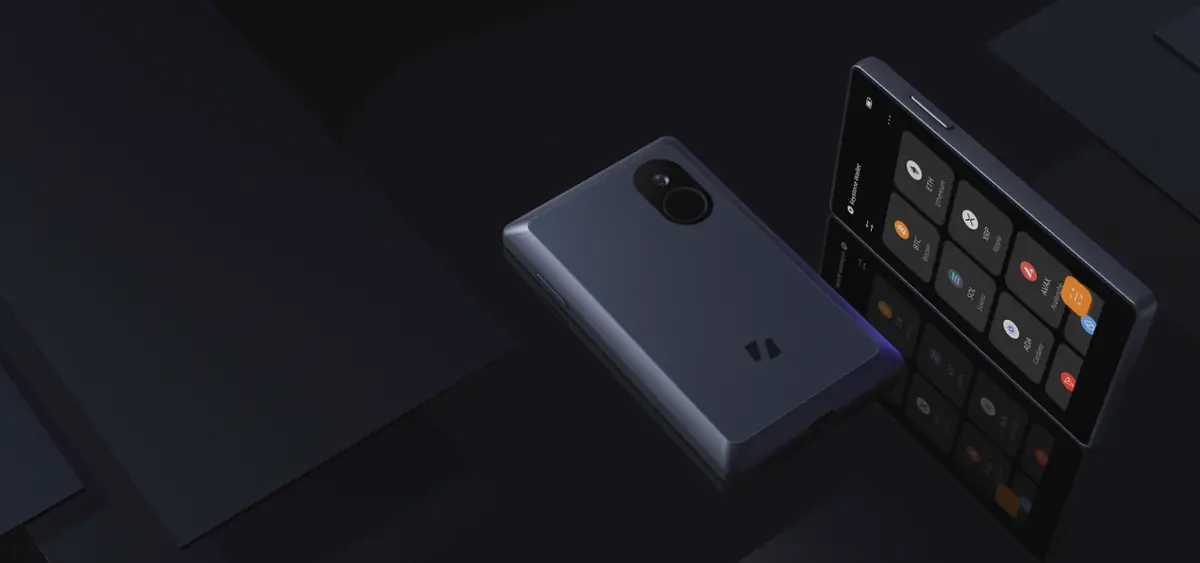
The Keystone 3 Pro has a metal frame with a glass-covered 4-inch IPS touchscreen — the largest display on any hardware wallet in its category. Navigation is responsive, transaction details are readable without scrolling through truncated addresses, and the interface is polished enough that it does not feel like a security-tool prototype. The fingerprint reader on the back provides biometric unlock alongside traditional PIN entry.
The 1800mAh battery charges via USB-C and delivers significantly better standby life than smaller-battery competitors. Keystone rates it for weeks of standby, and real-world experience confirms the device holds charge through extended storage periods better than the SafePal S1’s 400mAh cell, which self-discharges within two to three months. For a cold-storage device that sits idle between signing sessions, this matters.
The trade-off is size and weight. The Keystone 3 Pro is larger and heavier than a Trezor Safe 5 or Ledger Nano X. It is a full-sized device, not a pocket-sized one. If portability is a priority, the SafePal S1 or a card-format wallet like Tangem are more practical to carry daily. The Keystone is designed for desk or safe storage with occasional use, not for constant travel.
Multi-Chain Support and Companion Apps
The Keystone 3 Pro supports Bitcoin (including native SegWit and Taproot), Ethereum and all EVM-compatible chains, Solana, and over 10,000 tokens via companion apps. The supported integrations cover the main wallet ecosystems:
- MetaMask Mobile — EVM chains via QR signing
- Rabby Wallet — multi-chain EVM on desktop and mobile
- Sparrow Wallet — Bitcoin-only desktop with PSBT support
- BlueWallet — Bitcoin mobile
- OKX Wallet — multi-chain
- Keystone companion app — Bitcoin and multi-chain portfolio view
The QR signing protocol works with any wallet that supports the UR (Uniform Resources) standard for animated QR codes. For Bitcoin specifically, the Keystone supports PSBT (Partially Signed Bitcoin Transactions), which is the standard used by Sparrow, Electrum, and other advanced Bitcoin wallets for multi-signature and air-gapped workflows.
Who Should Buy the Keystone 3 Pro (and Who Should Not)
The Keystone 3 Pro fits a specific buyer profile. If most of these apply, it is a strong option:
- You want genuine air-gapped cold storage with zero wireless or data-cable attack surface.
- You hold assets across multiple chains and need MetaMask, Rabby, or Sparrow compatibility via QR.
- Open-source firmware is a requirement, not a preference — you want auditable signing logic.
- You sign infrequently enough that the QR scan workflow is acceptable overhead.
- You want a premium device with a large screen, fingerprint unlock, and metal construction.
The Keystone 3 Pro is not the right choice if:
- Budget is the primary constraint. The SafePal S1 provides the same QR-only air-gapped signing model with an EAL 6+ secure element at $49 — one-third the price. The trade-off is closed firmware and plastic build.
- You sign transactions frequently. The two-scan QR workflow adds meaningful friction to every transaction. USB-connected wallets like the Trezor Safe 5 are faster for daily use.
- You need desktop USB connectivity. The Keystone has no data connection of any kind — phone-based QR signing is the only workflow.
- You want the simplest possible self-custody with no seed phrase. A seedless wallet like Tangem removes seed phrase management entirely.
- You are Bitcoin-only and want maximum single-chain depth. Coldcard Mk4 offers air-gapped Bitcoin signing with deeper PSBT tooling, coin control, and a smaller form factor — though with a smaller screen and less intuitive UX.
- True air-gap — no Bluetooth, no WiFi, no NFC, no USB data
- Open-source firmware — independently auditable signing logic
- 3x Infineon secure elements with tamper detection
- 4-inch glass touchscreen — largest in category, readable addresses
- Fingerprint unlock + PIN for biometric convenience
- 1800mAh battery holds charge through extended storage
- QR-only signing adds friction to every transaction
- $149 — three times the SafePal S1 with the same signing model
- Larger and heavier than most hardware wallets — not pocket-sized
- No desktop USB data — phone/QR is the only workflow
- No Shamir backup — single seed phrase only
How Keystone 3 Pro Compares to SafePal S1
The SafePal S1 is the most relevant competitor: both are air-gapped hardware wallets that sign exclusively via QR codes. The comparison below isolates what separates a $149 device from a $49 one.
| Keystone 3 Pro | SafePal S1 | |
|---|---|---|
| Price | ~$149 | ~$49 |
| Air-gapped | Yes (QR only) | Yes (QR only) |
| Secure element | 3x Infineon (2x EAL5+) | 1x EAL 6+ (single chip) |
| Open firmware | Yes | No |
| Screen | 4″ IPS touch (glass) | 1.3″ IPS (plastic) |
| Build | Metal frame, glass | Plastic, 38g |
| Fingerprint | Yes | No |
| Battery | 1800mAh USB-C | 400mAh (standby drain) |
Choose Keystone 3 Pro if you need open-source firmware you can audit, a large readable screen for transaction verification, fingerprint auth, and a battery that survives extended storage. Choose SafePal S1 if budget is the deciding factor and you accept closed firmware in exchange for the lowest-cost air-gapped device. Both use the same QR-code signing model with the same isolation guarantees — the $100 difference buys firmware transparency, build quality, and usability, not stronger air-gap isolation.
For a direct side-by-side, see the Keystone vs SafePal comparison. For the full market overview including USB and Bluetooth devices, see the hardware wallet comparison.
Keystone 3 Pro Pricing
The Keystone 3 Pro retails at approximately $149. The package includes the device, USB-C charging cable, and recovery seed cards. A Keystone Tablet Plus steel seed backup plate is available separately for users who want fire-resistant and corrosion-resistant seed storage.
Keystone 3 Pro Review: The Verdict
The Keystone 3 Pro is the most complete air-gapped multi-chain hardware wallet available in 2026. Open-source firmware, three secure elements, a 4-inch touchscreen, fingerprint auth, and a metal frame at $149 — no other QR-only device matches this specification. For users who believe that zero wireless or data-cable connectivity is the strongest isolation model, the Keystone 3 Pro is the premium execution of that philosophy.
The cost of that specification is workflow friction. Every transaction requires two QR scans, the device is too large for a pocket, and there is no desktop USB data path. If you sign frequently, a USB-connected wallet like the Trezor Safe 5 is faster. If budget matters more than firmware transparency, the SafePal S1 delivers the same signing model at one-third the price with closed firmware. The Keystone earns its price only if open firmware, build quality, and a readable touchscreen matter enough to justify the premium over the S1.
The 8.5 reflects outstanding air-gapped security and open-firmware transparency constrained by QR-only workflow friction and a premium price. Full marks for the isolation model, triple secure elements, firmware auditability, and build quality. It loses points for the two-scan signing overhead, larger form factor, lack of Shamir backup, and a $149 price that sits close to the Trezor Safe 5’s $169 despite a completely different connectivity model. For holders who prioritize maximum network isolation with multi-chain support, this is the best device available.
Check Price at KeystoneIf you need air-gapped QR signing on a strict budget, see the SafePal S1 review. For the full market overview including USB and Bluetooth alternatives, see the hardware wallet comparison.
Sources
Frequently Asked Questions
Does the Keystone 3 Pro have a USB port at all?
It has a USB-C port for charging only. Data transfer via USB is disabled at the hardware level. All transaction data moves via QR code.
Is the Keystone 3 Pro open source?
Yes. The firmware is open source, published on GitHub, and has been independently audited. The signing logic and QR communication protocol are verifiable by external researchers. The hardware design is not open, but the software running on it is.
Does it work with MetaMask on desktop?
The primary integration is with MetaMask Mobile via QR codes. Desktop MetaMask extension support for QR hardware wallets is more limited. Most users prefer Rabby on desktop or MetaMask Mobile for QR-based signing with the Keystone 3 Pro.
How does Keystone 3 Pro compare to SafePal S1?
Both are air-gapped QR-only hardware wallets. The Keystone 3 Pro costs ~$149 with open firmware, 3x secure elements, a 4-inch touchscreen, fingerprint reader, and metal frame. The SafePal S1 costs ~$49 with closed firmware, a single EAL 6+ chip, 1.3-inch plastic screen, and plastic build. Choose Keystone if open firmware and build quality matter. Choose SafePal if budget is the primary constraint.
What is the battery life?
The 1800mAh battery provides weeks of standby and handles many signing sessions between charges. Unlike smaller-battery competitors, the Keystone 3 Pro holds charge well during extended storage periods. USB-C charging restores the battery quickly when needed.