Last Updated on April 14, 2026 by Snout0x
Every self-custody wallet generates one irreplaceable secret: the seed phrase. Lose it and no company, protocol, or support team can recover your funds. Every hardware wallet ships with a paper recovery card, and most users stop there. The problem is that paper burns at roughly 230 °C, disintegrates in water, and degrades in humidity. A house fire, a burst pipe, or a decade in a damp drawer can turn a $500 wallet into an unrecoverable loss. Purpose-built metal backup devices exist to eliminate that single point of failure. This guide compares the main types, names the strongest picks, and tells you exactly who should buy what.
A backup that cannot survive the same disaster as your wallet is not a backup.
This content is for educational purposes only and should not be considered financial or investment advice.
This article may contain affiliate links. Snout0x may earn a commission at no additional cost to you.
Best overall: Keystone Tablet Plus — tile-based, error-correctable, stainless steel, fire/water resistant.
Best for Trezor users: Trezor Keep Metal — stamped stainless steel, permanent, clean integration.
Best capsule format: Cryptosteel Capsule — tile-based, enclosed, drop-resistant.
Best budget: Generic stamping kit — under $30, functional, requires careful manual work.
Trade-off: Tile systems are easier to set up correctly. Stamped plates are cheaper and more permanent. Choose based on whether you fear setup mistakes or long-term degradation more.
Key Takeaways
- Paper seed cards fail in house fires, floods, and humid storage. Metal backup devices survive all three.
- Tile-based systems (Keystone Tablet Plus, Cryptosteel Capsule) allow error correction during setup, making them the safest option for users who worry about transcription mistakes.
- Stamped plates (Trezor Keep Metal, generic kits) create permanent marks that are extremely durable but cannot be corrected after stamping.
- 316L stainless steel and titanium both exceed 1,400 °C melting points and resist corrosion. Material grade matters less than setup accuracy.
- The biggest backup failure is not material — it is a wrong word, a skipped position, or storing the backup next to the device it protects.
How Seed Phrase Backup Devices Work: Three Formats
All metal seed backups solve the same problem differently. The format you choose determines how easy the backup is to create accurately, how permanent it is, and how much it costs. If you are new to why the seed phrase matters this much, What Is a Hardware Wallet? explains the relationship between the device and the recovery phrase it generates.
Tile-based systems. Individual letter tiles slide into numbered slots on a steel frame or capsule. You physically insert each tile, verify visually, then lock the frame closed. The key advantage: if you place a wrong letter, you pull the tile and replace it. No permanent damage to the plate. Tile systems are the most error-tolerant format.
Stamping plates. You use a letter-punch set and a hammer to strike each character into a stainless steel plate. The stamped impression is permanent — it physically deforms the metal, making it extremely resistant to heat, abrasion, and time. The trade-off: a misaligned character or skipped word cannot be easily corrected. You get one shot per plate.
Engravable plates. Flat steel or titanium plates with a grid for scratching or engraving characters using a stylus. Faster than stamping, but the marks are shallower and less resilient to heavy physical damage. Engravable plates are the compromise option: easier than stamping but less durable, cheaper than tiles but less forgiving.
For the direct paper-versus-metal comparison, Metal vs Paper Seed Storage covers the material trade-offs in detail.
Comparison Table: Top Seed Phrase Backup Devices
| Device | Type | Material | Error Correction | Word Capacity | Approx. Price | Best For |
|---|---|---|---|---|---|---|
| Keystone Tablet Plus | Tile system | 304 stainless steel | Yes — tiles removable | 12 or 24 words | ~$40 | ★ Best overall — accuracy + durability |
| Trezor Keep Metal | Stamping plate | Stainless steel | No — permanent | 20 or 24 words | ~$50–70 | Best for Trezor users — permanent + branded |
| Cryptosteel Capsule | Tile capsule | 304 stainless steel | Yes — tiles removable | 24 words (first 4 letters) | ~$90–110 | Best enclosed format — drop/shake resistant |
| Generic stamping kit | Stamping plate | Varies (steel) | No — permanent | 12 or 24 words | ~$15–30 | Budget pick — functional if used carefully |
★ #1 — Keystone Tablet Plus
Best for: Any self-custody user who wants the lowest risk of recording the seed phrase incorrectly.
Price: ~$40
Trade-off: Tile-based design is less tamper-evident than permanently stamped metal.
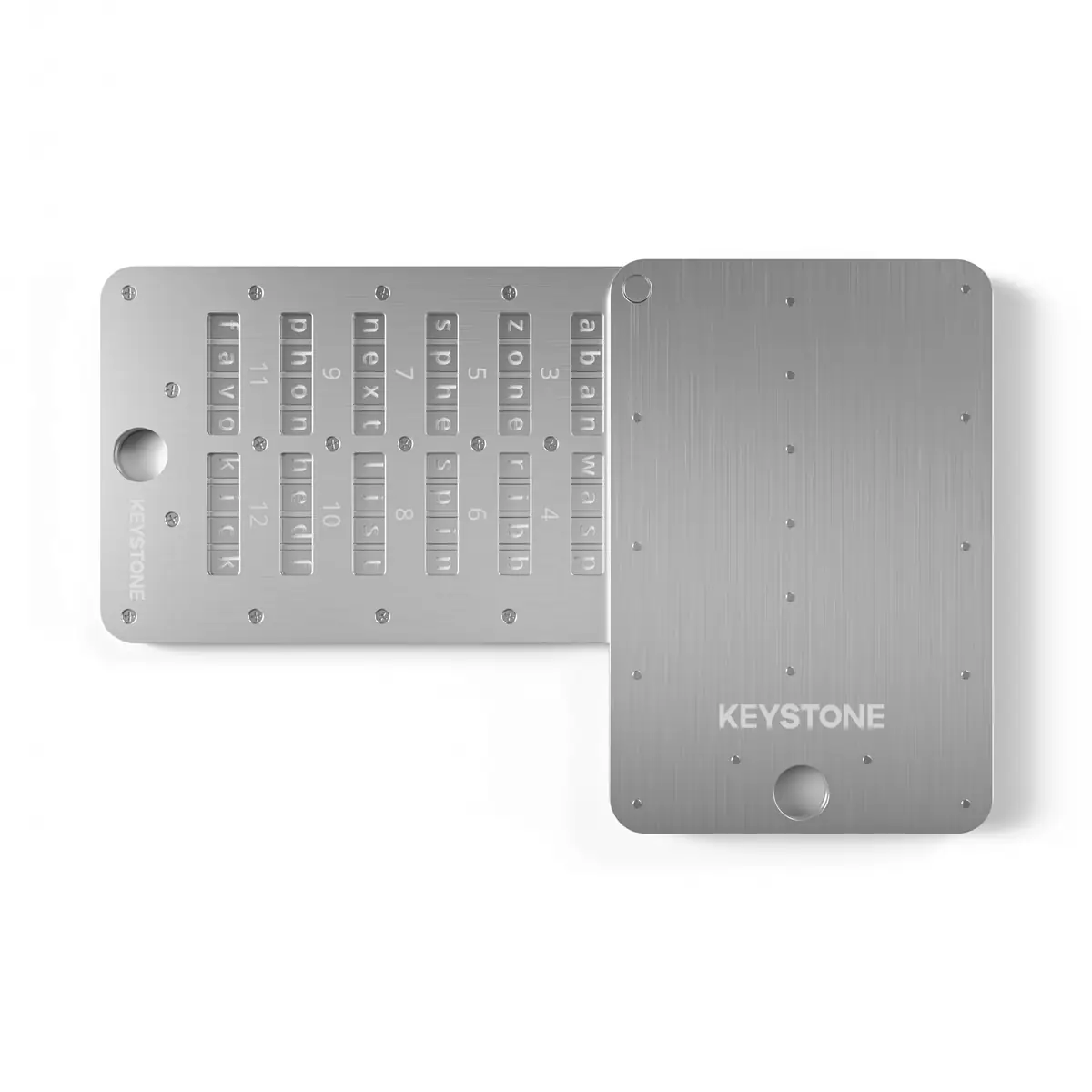
Check Price →The Keystone Tablet Plus is the strongest overall pick because it solves the two problems that cause the most real-world backup failures: transcription errors during setup and physical degradation over time.
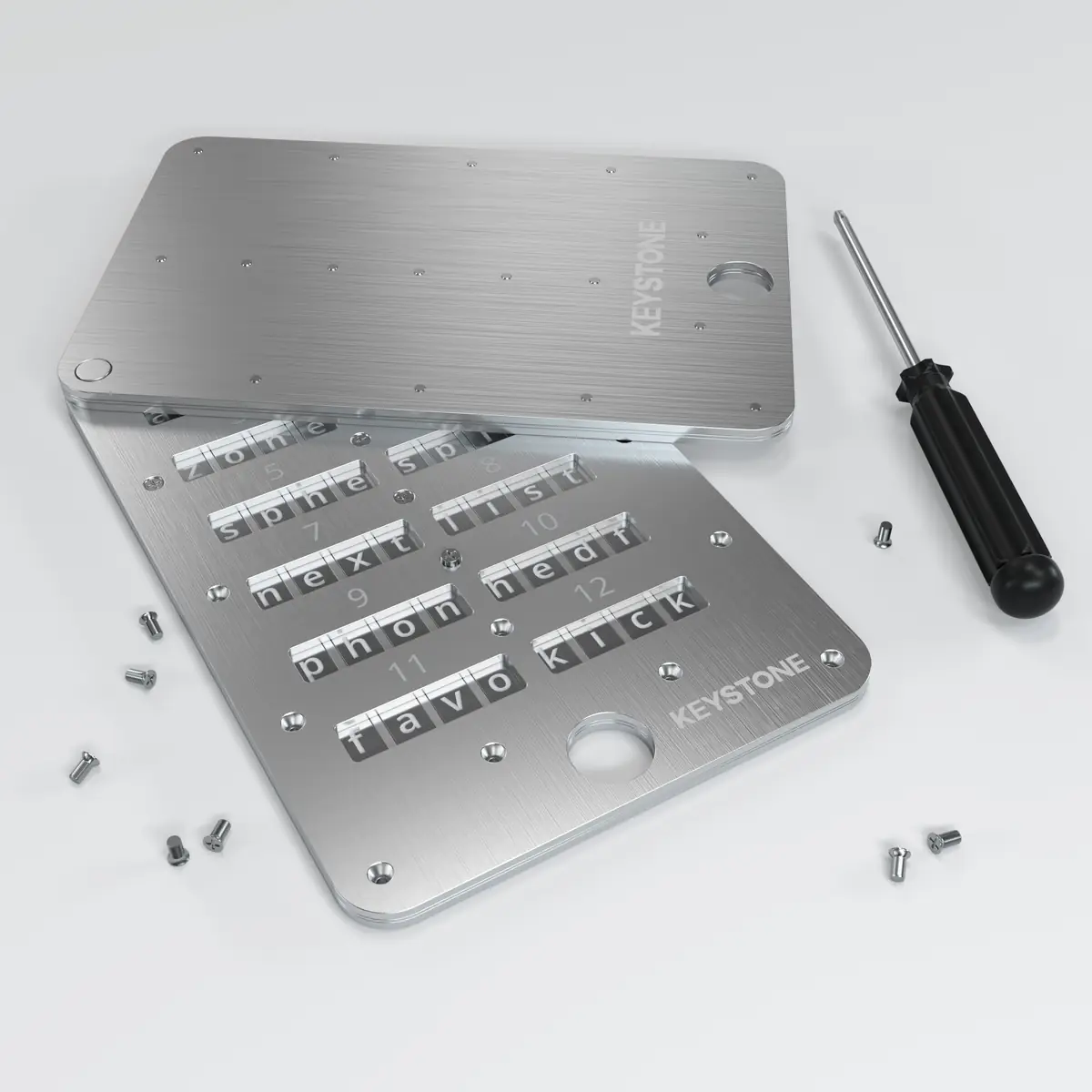
Each word is recorded using individual stainless steel letter tiles that slide into numbered slots. If you place a wrong letter, you pull the tile out and replace it — no plate ruined, no re-ordering. Once all tiles are placed and verified, the frame is secured with tamper-evident screws. The closed unit withstands house-fire temperatures (tested to over 1,399 °C melting point of 304 stainless) and is completely unaffected by water or corrosion.
The Keystone Tablet Plus supports both 12-word and 24-word seeds. At roughly $40, it is significantly cheaper than the Cryptosteel Capsule while offering the same core advantage: error-correctable tile-based entry. The flat-plate form factor is easier to store in a safe or safety deposit box than a cylindrical capsule.
- Error-correctable tile entry
- Fire resistant (1,399 °C melting point)
- Waterproof and corrosion resistant
- Supports 12-word and 24-word seeds
- Flat form fits safes and deposit boxes
- ~$40 — best value in the category
- Tiles could theoretically be rearranged if frame is opened
- Less tamper-evident than permanently stamped plates
- Small tiles require steady hands during initial setup
#2 — Trezor Keep Metal
Best for: Trezor owners who want permanent, tamper-evident stamped-letter backup.
Price: ~$50–70
Trade-off: Stamped characters are permanent — mistakes cannot be corrected without a new plate.
Check Price →The Trezor Keep Metal is a stamped-letter stainless steel plate designed specifically for Trezor wallet seeds (available in 20-word and 24-word versions). You use the included letter punches and a hammer to permanently stamp each character into the plate.
The stamped impressions physically deform the metal. They cannot be erased, sanded away, or made unreadable without destroying the plate. This makes the Keep Metal the most tamper-evident option in this comparison — any attempt to modify the recorded words leaves visible damage. For users who store backups in shared locations, safety deposit boxes, or any environment where someone else might access the device, this permanence is a real security advantage over tile-based systems where tiles could theoretically be swapped.
The Keep Metal ships with everything needed: steel plate, letter punch set, alignment guides, and instructions. The included tooling is purpose-built for seed phrase recording, unlike generic punch sets that require improvising alignment. For broader wallet context, the Trezor Safe 5 review covers the device this accessory pairs with.
- Most tamper-evident format — stamped characters are permanent
- Complete kit with alignment tools included
- Branded Trezor ecosystem integration
- Stainless steel — fire and water resistant
- Available in 20-word and 24-word versions
- No error correction — one shot per plate
- Stamping requires patience and careful alignment
- More expensive than Keystone Tablet Plus for a less forgiving workflow
- Rushed stamping can produce illegible characters
#3 — Cryptosteel Capsule
Best for: Users who want tile-based error correction in a sealed, drop-resistant enclosure.
Price: ~$90–110
Trade-off: Roughly double the price of the Keystone Tablet Plus for the same core benefit in a different form factor.
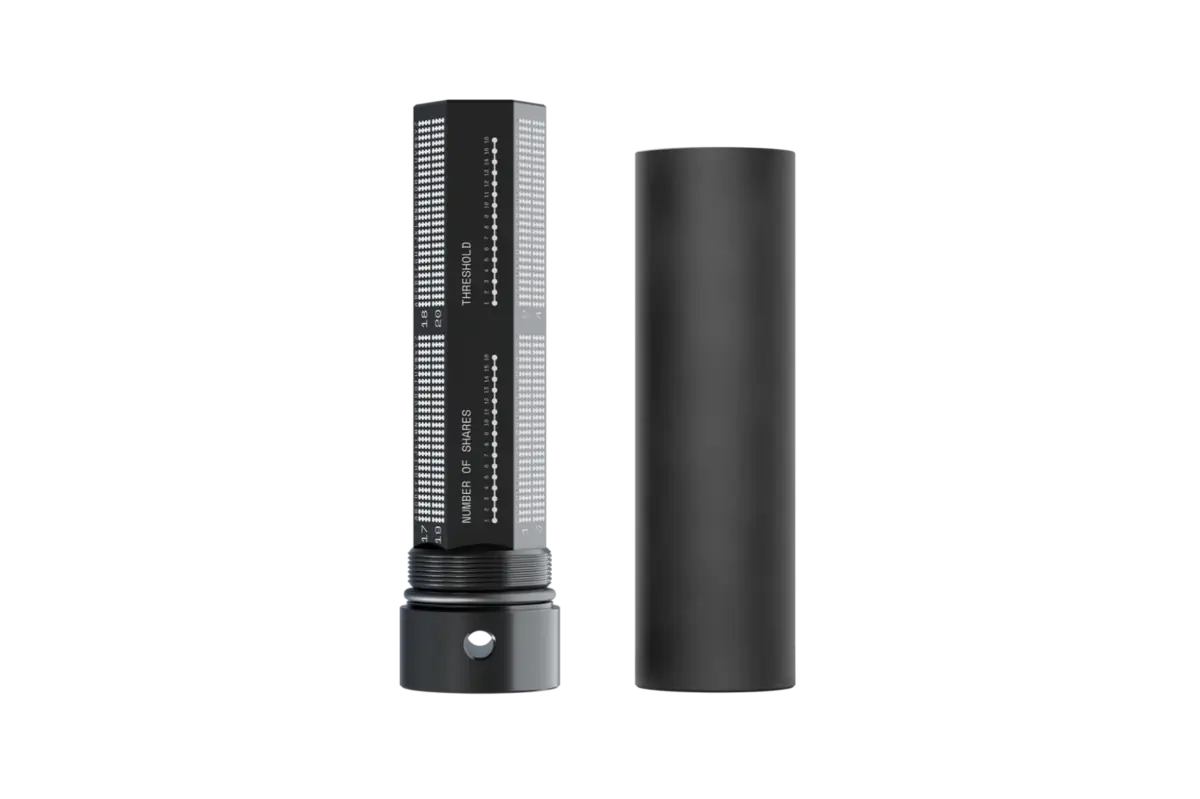
View on Cryptosteel.com →The Cryptosteel Capsule uses the same tile-based concept as the Keystone Tablet Plus but in a cylindrical steel capsule rather than a flat plate. Letter tiles slide onto a central rod and are locked inside the sealed capsule. The enclosed format means tiles stay in order even if the capsule is dropped, shaken, or subjected to impact — a practical advantage over flat-plate tile systems where tiles sit in open slots.
The Capsule is one of the oldest and most well-tested products in this category. It uses 304 stainless steel, supports 24-word seeds (using the first 4 letters of each BIP-39 word, which is sufficient for unambiguous recovery), and is rated for extreme fire and water exposure. The cylindrical design is inherently stronger than a flat plate under directional crushing force.
The main disadvantage is price. At $90–110, the Cryptosteel Capsule costs more than twice the Keystone Tablet Plus while offering functionally similar tile-based error correction. The premium buys the enclosed capsule design and the brand’s long track record, but not a fundamentally different level of fire or water resistance. For most buyers, the Keystone Tablet Plus is the better value.
- Sealed capsule — tiles cannot shift or fall out
- Error-correctable tile entry
- Long market track record and stress-test history
- 304 stainless steel — fire and water resistant
- Strongest physical protection against impact/crushing
- $90–110 — most expensive option in this roundup
- Cylindrical shape is harder to store flat in safes
- Records only first 4 letters per word (sufficient for BIP-39 but less intuitive for beginners)
#4 — Generic Stamping Kit (Budget)
Best for: Experienced users who want the cheapest path to metal backup and are comfortable with manual stamping.
Price: ~$15–30
Trade-off: Quality varies by vendor. Stamping errors are permanent and common with cheap kits.
Unbranded stainless steel plates paired with a letter punch set and hammer are available from multiple vendors for under $30. These are functionally identical to branded stamping plates: you stamp letters into steel, creating permanent marks that survive fire and water. If you are creating multiple backup copies for geographically separated storage, the low cost per plate makes generic kits the practical choice.
The risk is quality variance. Some kits ship with soft steel that deforms under the punch, poorly aligned word grids, or letter sets with inconsistent sizing that produces illegible characters. The biggest failure mode is user error: misaligned characters, skipped words, or marks too shallow to read after years of storage. Buy a kit with strong reviews, work on a stable surface, and verify every single word before considering the backup complete.
Do You Even Need a Metal Backup Device?
Not everyone does. If you hold $200 worth of crypto on a software wallet and check it weekly, a paper backup stored in a fireproof safe is probably sufficient. The cost of a metal backup device starts to make sense when any of the following are true:
- Your holdings are large enough that losing access would cause real financial harm.
- Your backup must survive a decade or more without maintenance or checking.
- You store backups in environments exposed to fire risk, water risk, or humidity.
- You use a hardware wallet and treat the seed phrase as your only recovery path (which it is).
- You want to create geographically separated backup copies and cannot monitor their condition regularly.
If none of those apply, a paper card in a fireproof document bag inside a home safe is a reasonable starting point. But most serious self-custody users cross the threshold quickly. The cost of a $40 metal plate is trivial compared to the cost of an unrecoverable wallet. For broader self-custody setup guidance, Hardware Wallet Setup Best Practices covers the full initial configuration workflow.
How to Choose: Decision Framework
Strip away branding and the decision reduces to three questions:
- What scares you more — a transcription mistake during setup or long-term physical degradation? If setup accuracy: choose a tile system (Keystone Tablet Plus or Cryptosteel Capsule). If long-term permanence and tamper evidence: choose a stamping plate (Trezor Keep Metal or generic kit).
- How much do you want to spend? Under $30: generic stamping kit. $30–50: Keystone Tablet Plus (best value). $50–70: Trezor Keep Metal. $90+: Cryptosteel Capsule.
- How will you store the backup? Flat plates fit standard safes and safety deposit boxes. Capsules roll and require a different form factor. If you plan to store in a bank box, a flat plate is easier to manage.
For the broader how to store crypto safely question — including hardware wallet selection, storage location, and multi-copy strategy — the full guide covers the entire chain from device to backup to physical storage.
Common Backup Mistakes That Cause Real Losses
- Not verifying the backup. After recording, test that every word matches the original seed in exact order. A single transposed word makes recovery fail. BIP-39 has 2,048 valid words — getting close is not good enough.
- Storing the backup next to the device. A fire or theft that destroys the wallet also destroys the backup. Keep them in separate physical locations. This is the most common single point of failure in self-custody setups.
- Recording only 12 words on a 24-word plate. Some wallets generate 12-word seeds and some generate 24. Confirm your wallet’s word count before choosing a backup device.
- Photographing the seed phrase. A photo on your phone is a hot backup — connected to the internet, synced to the cloud, and accessible to anyone who compromises your device. Never digitize the seed phrase.
- Skipping the passphrase question. If your wallet uses a passphrase (sometimes called the 25th word), it must be stored separately from the seed phrase. Storing both together eliminates the protection the passphrase provides.
- Confusing durability with correctness. A titanium plate with one wrong word is still a failed backup. A paper card with every word correct will recover the wallet. Material protects against environmental threats. Verification protects against human error. You need both.
Verdict: Best Seed Phrase Backup Device Overall
The Keystone Tablet Plus is the best overall seed phrase backup device in 2026. It is the only option in this price range that combines error-correctable tile-based entry with strong stainless steel construction, fire resistance, and water resistance — at roughly $40. The tile system eliminates the transcription errors that cause more real backup failures than any fire or flood. For first-time hardware wallet owners, experienced self-custody users upgrading from paper, and anyone creating a long-term disaster-resistant backup, the Keystone Tablet Plus is the strongest combination of accuracy, durability, and value.
If you prioritize permanence and tamper evidence over setup flexibility, the Trezor Keep Metal (8.0/10) is the right choice — stamped characters are physically embedded in the steel and cannot be removed without visible damage. If you want the most physically protected enclosure and budget is not the constraint, the Cryptosteel Capsule (7.5/10) is the strongest sealed format. If budget is the primary driver, a well-reviewed generic stamping kit (6.5/10) works if you verify every character twice.
Tile-based error correction, stainless steel durability, fire and water resistance, and a $40 price point make the Keystone Tablet Plus the strongest overall pick. The tile system is the safest way to record a seed phrase without a transcription mistake. Loses half a point because the flat-plate design is slightly less tamper-evident than a sealed capsule or permanently stamped plate.
Check Keystone Tablet Plus PriceFrequently Asked Questions
Do I need to back up all 24 words?
Yes, every word in the exact order. The seed phrase is the master key. Missing or transposed words make recovery impossible.
Is titanium better than stainless steel for seed backups?
Both are excellent. Titanium is lighter and has slightly better corrosion resistance. 316L stainless steel is more affordable and equally suitable for most long-term storage. The material difference matters less than setup accuracy and storage location.
Can I use an existing stainless steel plate I already have?
You can stamp or engrave any quality stainless steel plate. However, purpose-built devices include word-number grids and BIP-39 word spacing designed to reduce setup errors. A custom plate works but requires more careful layout to avoid mistakes.
Should I store a passphrase on the metal backup too?
Only if you use a passphrase and store it separately from the seed phrase. Storing both together removes the protection the passphrase provides. Keep them in different physical locations.
How many copies should I make?
At minimum two copies in different physical locations. A home safe plus an off-site location (bank safety deposit box, trusted family member’s secure storage) provides meaningful protection against single-location disasters.
What is the difference between a tile system and a stamping plate?
A tile system uses removable letter tiles that can be corrected during setup. A stamping plate uses a hammer and letter punches to permanently deform the metal. Tile systems are easier to set up correctly. Stamped plates are more tamper-evident and cannot be modified without visible damage.
Is a Keystone Tablet Plus compatible with Ledger and Trezor wallets?
Yes. The Keystone Tablet Plus stores any standard BIP-39 seed phrase (12 or 24 words). It is compatible with all major hardware wallets including Trezor, Ledger, Keystone, BitBox02, and any wallet that uses the BIP-39 word list.