Last Updated on April 16, 2026 by Snout0x
Setting up a hardware wallet correctly matters as much as choosing one. A secure device with a poorly managed seed phrase, a guessable PIN, or an unverified firmware is meaningfully less secure than a thoughtfully configured device that is treated less as a gadget and more as a physical key to your funds. Most setup mistakes are made once, at the beginning, and persist indefinitely. This guide walks through every major setup decision, in the order it matters, so you start right.
If you want the foundational definition behind this concept, read What Is a Hardware Wallet? Key Storage Explained.
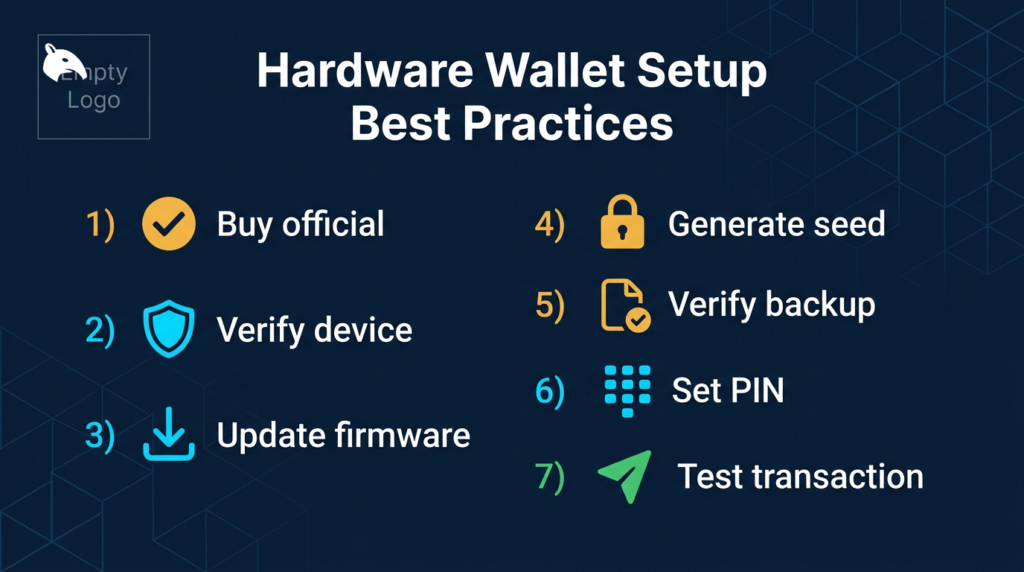
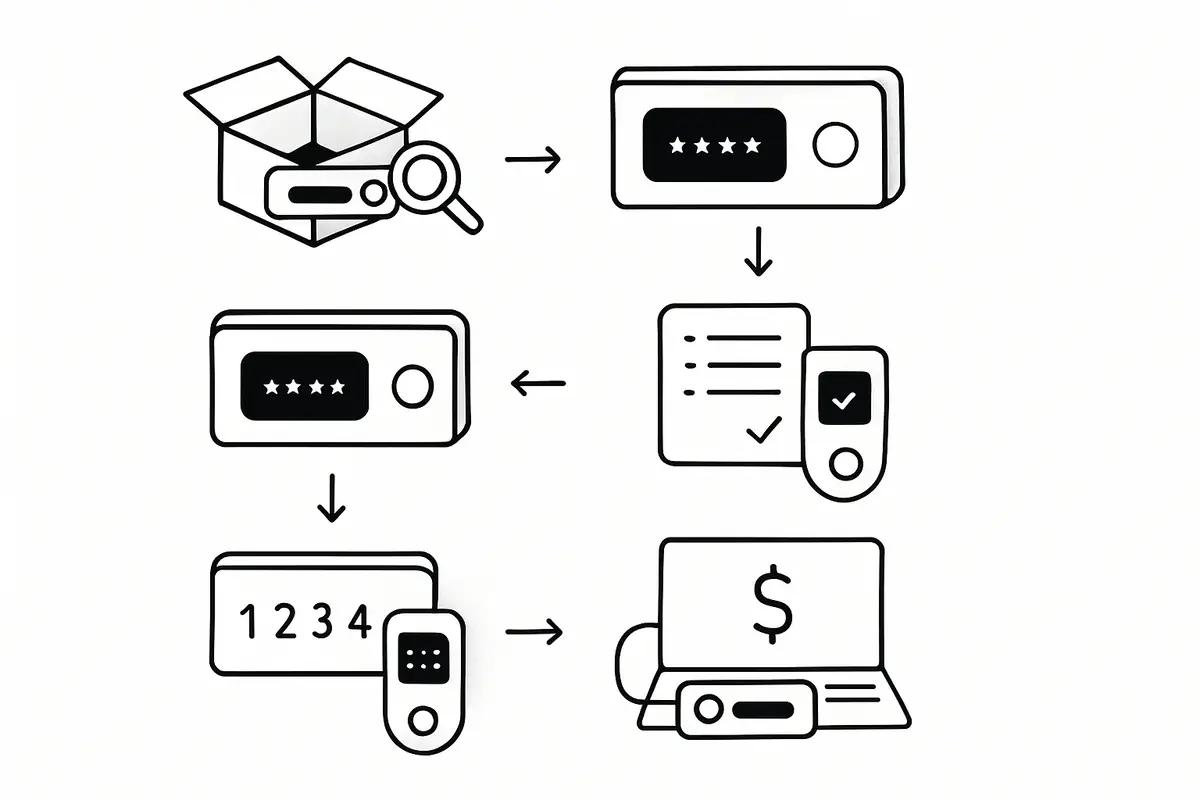
The safest setup process is straightforward: buy from a trusted source, inspect and verify the device, update firmware before generating keys, write and verify the seed phrase offline, set a strong PIN, and test a small transaction before sending meaningful funds. If you skip or reorder those steps, you can end up with a wallet that feels secure but fails exactly when you need recovery or address verification to work.
Think of setup as building the recovery path before the vault ever holds value. The device, the seed backup, the PIN, and the first receive-and-send test all need to work as a system. If one part is weak, the whole setup is weaker than it looks from the outside.
This content is for educational purposes only and should not be considered financial or investment advice.
Key Takeaways
- Only buy from the manufacturer’s official website or verified authorized resellers. Never second-hand.
- Verify the device is genuine and firmware is current before transferring any funds.
- Write the seed phrase offline, in a secure physical location, and never photograph, email, or type it into any device.
- Verify the seed phrase backup before sending any real funds to the device.
- Use a strong, unique PIN. Avoid sequential numbers and personal dates.
Step 1: Buy from the Right Source
The setup process begins before you even receive the device. The only safe sources for hardware wallets are the manufacturer’s official website and verified authorized resellers listed on that website. Third-party marketplaces (Amazon third-party sellers, eBay, classified ad sites) have been documented sources of tampered and pre-configured devices designed to steal funds from the first deposit.
A useful mental model is to treat setup like installing locks before moving valuables into a building. You do not wait until after the cash is inside to decide whether the doors, keys, and backup access make sense. The safest time to catch a bad process is before the wallet ever holds real funds.
For a closely related follow-up, see Hardware Wallet Supply Chain Attack: What to Check.
A pre-configured hardware wallet that arrives with a “pre-set PIN” or “pre-recorded seed phrase” on an included card is a scam. Legitimate hardware wallets generate a fresh seed phrase on first initialization, on the device itself, in your presence. No legitimate device ships with a pre-generated seed phrase.
Step 2: Inspect Packaging on Arrival
When the device arrives, inspect the packaging before opening it. Look for:
- Intact manufacturer seals and holograms that have not been peeled and re-applied
- No signs of the box being opened and resealed (damaged tape, glue residue, creased edges)
- All accessories present and in original positions
Packaging tampering is not always obvious, but an inspection takes 60 seconds and rules out the most obvious supply chain modifications. If anything looks wrong, contact the manufacturer before proceeding.
Step 3: Verify the Device on First Power-On
Most major hardware wallets display a device verification or attestation code on first power-on, or offer a verification process through their companion app. Complete this verification before proceeding. For Ledger devices, the “Genuine Check” in Ledger Live confirms the firmware and hardware are from Ledger. For Keystone, the device shows a fingerprint during setup. For Trezor, a similar verification exists through Trezor Suite.
If verification fails, stop. Do not proceed with the setup. Contact the manufacturer immediately.
Step 4: Update Firmware Before Generating Keys
New devices sometimes ship with outdated firmware. Before generating your seed phrase, update the firmware to the current release through the official companion app. Do not apply firmware updates from any source other than the official app connected to the manufacturer’s infrastructure. If you want the pre-deposit verification checklist, start with verify hardware wallet before first use.
Why before generating keys? Because some firmware updates require a factory reset. If you generate keys first and then a required reset wipes them, you need the seed phrase to restore access. Setting up a fresh device with current firmware avoids this sequence. For more on why firmware matters for security, see Hardware Wallet Firmware Verification.
One operator insight is that setup order matters more than many users expect. Verification, firmware, seed generation, backup, PIN, and test transaction are not interchangeable chores. They are dependencies. Reordering them often creates avoidable recovery risk or false confidence that only shows up later when something goes wrong.
Step 5: Generate the Seed Phrase on the Device
During initial setup, the device will generate a 12 or 24-word seed phrase. This happens entirely on the device, using its internal random number generator. The seed phrase represents complete control over every wallet derived from this device. Whoever has it can restore your funds from any compatible wallet software, with no PIN, no device, and no delay.
The seed phrase should be treated with the same physical security as cash. During generation, follow these rules:
- Be in a private space with no cameras present (including smart home devices, phones, and monitors facing windows).
- Write the words on paper using the manufacturer-supplied recovery sheet, or use a metal backup solution. Do not type them into any computer, phone, or notes app.
- Write every word correctly, in the correct numbered order. A single wrong word means the backup is invalid.
- Do not photograph the written words.
Step 6: Store the Seed Phrase Correctly
Paper is vulnerable to fire, water, and physical degradation over time. A metal seed phrase backup (stamped or engraved into stainless steel plates) survives fire and water damage that destroys paper. For funds you intend to hold long-term, a metal backup is worth the investment. The difference in cost is small relative to the value it protects.
Store the backup in a different physical location from the hardware wallet itself. If both are in the same house and the house burns down, you lose both. The seed phrase and the device being in different locations provides resilience against single-location failure.
Consider who needs to access your funds if you are incapacitated. Some users leave sealed instructions with a trusted person for emergencies. This is an inheritance planning consideration rather than just a daily security one.
Step 7: Verify the Seed Phrase Before Sending Funds
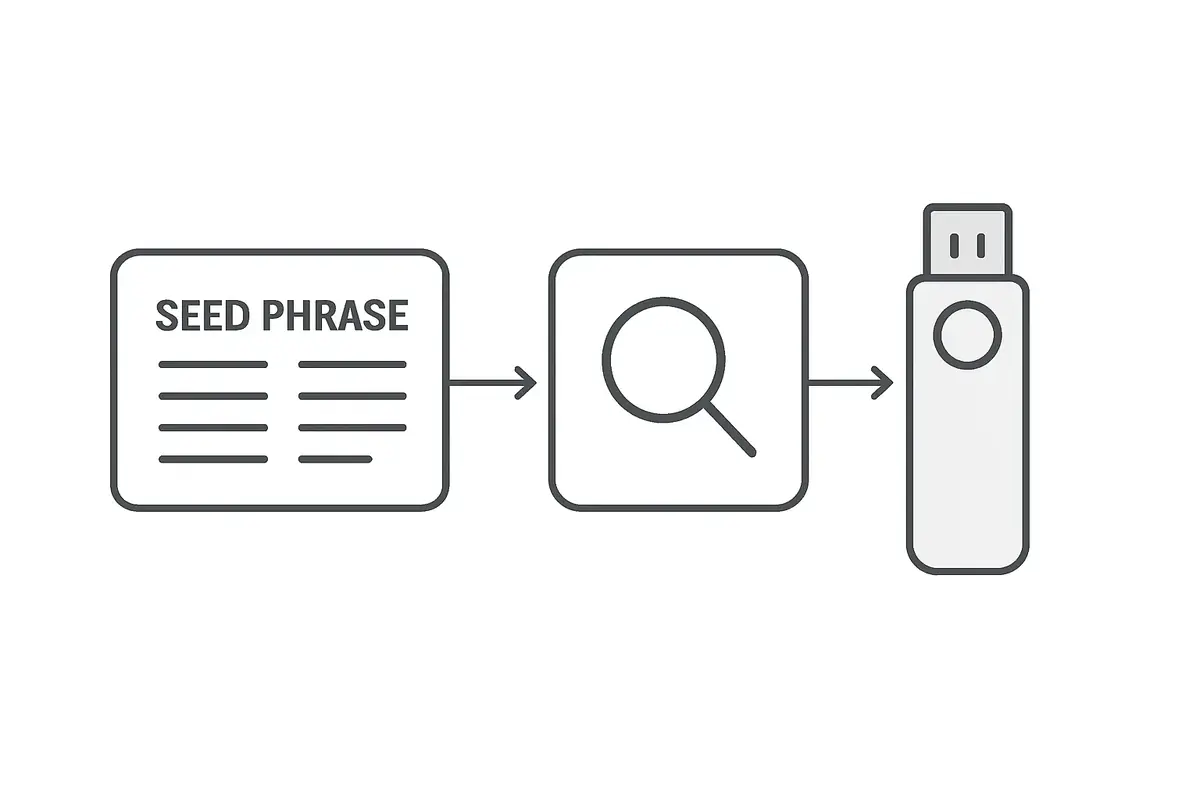
Before transferring any real value to the hardware wallet, verify that your seed phrase backup is correct. The way to do this is to use the “recovery check” or “verify seed” function if the device supports it, or to perform a full restore test: reset the device and restore it from your backup to confirm the derived addresses match. If the restore produces the correct addresses, your backup is correct.
For a closely related follow-up, see How Much Crypto Should You Keep on an Exchange? A Safer Framework.
For a closely related follow-up, see Exchange Withdrawals Will Pause Again.
For the risk side of this topic, see Clipboard Hijacking Malware: How Crypto Addresses Are Silently Swapped, because address verification failures often show up during the first real transfer rather than during wallet setup itself. This matters even more if the first deposit will come from an exchange, where a rushed withdrawal can hide a bad address or wrong network choice until it is too late.
This step is skipped by most users and is the most common source of catastrophic fund loss. Discovering a transcription error in your seed phrase backup after you have already sent significant funds to the wallet is recoverable only if the device is still intact. If the device is lost or breaks first, the funds are gone permanently.
Step 8: Set a Strong PIN
The PIN protects the device against physical access. On most hardware wallets, the device wipes itself after a small number of incorrect PIN attempts (typically 3 to 10, depending on the device). This prevents brute-force attacks on the PIN.
Choose a PIN that is not guessable from personal information: no birthdates, no sequential numbers (1234, 1111), no obvious patterns. For devices that support 8-digit PINs, use the full length. The PIN is the last physical security barrier before the seed phrase backup is the only remaining recovery path.
Practical Usage: Send a Small Test Transaction First
Before sending any significant amount to the hardware wallet, send a small test transaction (the equivalent of a few dollars) and then send it back out. This confirms that the receiving address is correct, the device signs outgoing transactions properly, and your companion software is configured correctly. A small transaction that goes wrong is recoverable. Discovering a configuration error after sending a large sum is not.
A practical check looks like this: send a small amount in, wait for confirmation, then create an outbound transaction and verify the destination address on the device screen before signing. If the address shown on the hardware wallet does not match your intended recipient, stop immediately and investigate the setup before depositing anything larger. That one round-trip test confirms receiving, signing, and address verification all work as expected. A simple threshold routine works well here: keep the wallet at test-size only until the receive test, send test, and backup verification all succeed.
Another operator insight is to run this test under normal conditions, not late at night while rushing to move a larger balance. Write down which account, network, and address format you used, and confirm you can repeat the process without improvising. The goal is to remove uncertainty before the wallet becomes important, not after.
Optional: Use a Passphrase for Advanced Security
Most hardware wallets support an optional BIP39 passphrase (sometimes called the “25th word”). This is an additional word or phrase of your choosing that modifies the derived wallets. With the correct passphrase, you get one set of addresses. Without it (or with a wrong one), you get a completely different, empty set of addresses.
This is useful for plausible deniability: if someone forces you to unlock your hardware wallet, you can enter it without the passphrase, revealing an empty or low-value decoy wallet while your real funds are protected by the passphrase. The passphrase must be memorized or stored separately from the seed phrase and device. Forgetting it means losing access to the passphrase-derived wallets permanently.
Risks and Common Mistakes
The three most common setup mistakes are: (1) Never verifying the seed phrase backup before depositing funds, which only becomes a problem when the device is lost or damaged. (2) Storing the seed phrase digitally, either photographed or typed into a notes app. Any digital copy is potentially accessible to malware. (3) Purchasing from unauthorized sellers, where the device may have been pre-configured to compromise your funds.
A secure first-time device configuration done correctly in the first hour will protect your funds with minimal ongoing maintenance. Done incorrectly, it creates a false sense of security while leaving specific, exploitable gaps.
Frequently Asked Questions
What if I lose my hardware wallet but have the seed phrase?
You can restore full access to your funds by entering the seed phrase into any compatible hardware wallet or software wallet. This is the recovery path. The device is a convenient signing tool; the seed phrase is the actual key. Keep the seed phrase secure and you can always recover your funds even if the device is lost, stolen, or damaged.
Can I use one hardware wallet for multiple cryptocurrencies?
Yes. Most hardware wallets derive separate wallets for each blockchain from the same seed phrase. Bitcoin, Ethereum, Solana, and others can all be managed from one device with one seed phrase. Each chain uses a different derivation path, producing separate key pairs that share the same root seed.
Should I tell anyone I have a hardware wallet?
General discretion is advised. Publicly announcing that you hold significant crypto, which hardware wallet you use, or how much value you control increases your risk of targeted phishing, social engineering, and physical threats. The 2020 Ledger data breach led to physical threat campaigns specifically because attacker lists contained names, addresses, and purchase histories of hardware wallet owners.
How often should I update hardware wallet firmware?
Update when security patches are released, which you should monitor through the manufacturer’s official communications. Non-security updates can be applied at your convenience. Always verify your seed phrase backup is confirmed correct before applying any update that might trigger a factory reset.