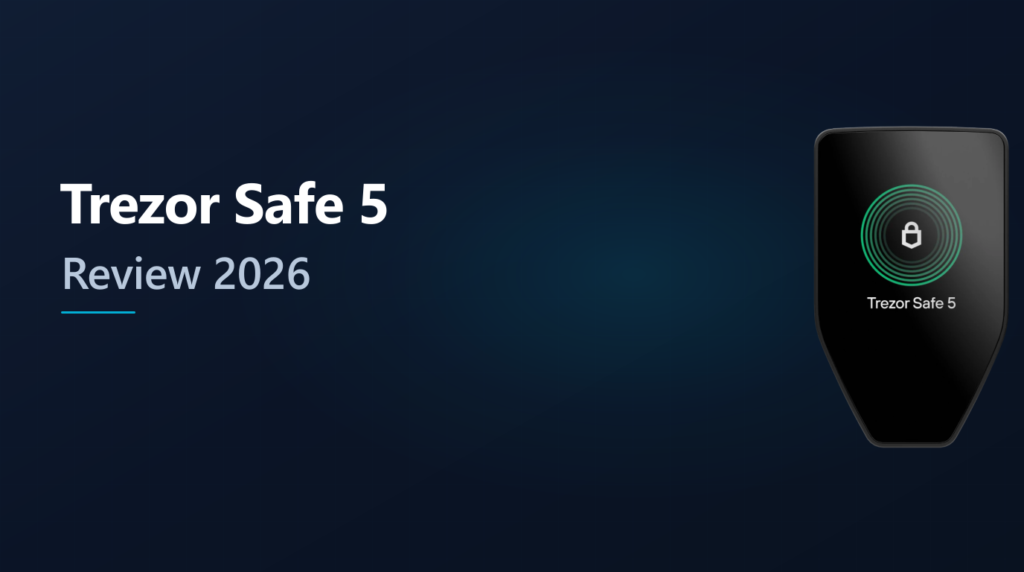
The Trezor Safe 5 combines two properties that rarely coexist in hardware wallets: a certified EAL6+ secure element and fully open-source firmware. That pairing lets independent researchers verify the signing logic and key handling while the secure chip protects against physical extraction. With a color touchscreen, haptic feedback, and USB-C connectivity, it is Trezor’s most feature-complete signing device to date.
This content is for educational purposes only and should not be considered financial or investment advice.
This article may contain affiliate links. Snout0x may earn a commission at no additional cost to you.
Closed firmware turns even a certified secure element into an unverifiable black box.
Best for: The best overall hardware wallet for users who want open-source firmware, a certified secure element, touchscreen verification, and Shamir backup in one device.
Price: $169 — mid-range premium. Twice the Safe 3, but adds touchscreen, haptic feedback, and Multi-Share Backup.
Trade-off: USB-C only — no Bluetooth, no NFC. Desktop-first workflow. Smaller screen than the Ledger Flex or Safe 7.
Check Current Price at TrezorKey Takeaways
- The Trezor Safe 5 uses an Infineon OPTIGA Trust M (V3) secure element with EAL6+ certification and NDA-free specifications.
- Firmware is fully open-source under a GPL license, allowing anyone to audit signing and key-derivation logic.
- A 1.54-inch color touchscreen with haptic feedback provides on-device transaction verification independent of the host computer.
- Supports thousands of coins and tokens through Trezor Suite and third-party companions including Metamask, Electrum, and Sparrow.
- The main trade-off is price ($169) and USB-only connectivity with no Bluetooth or NFC option.
What Is the Trezor Safe 5?
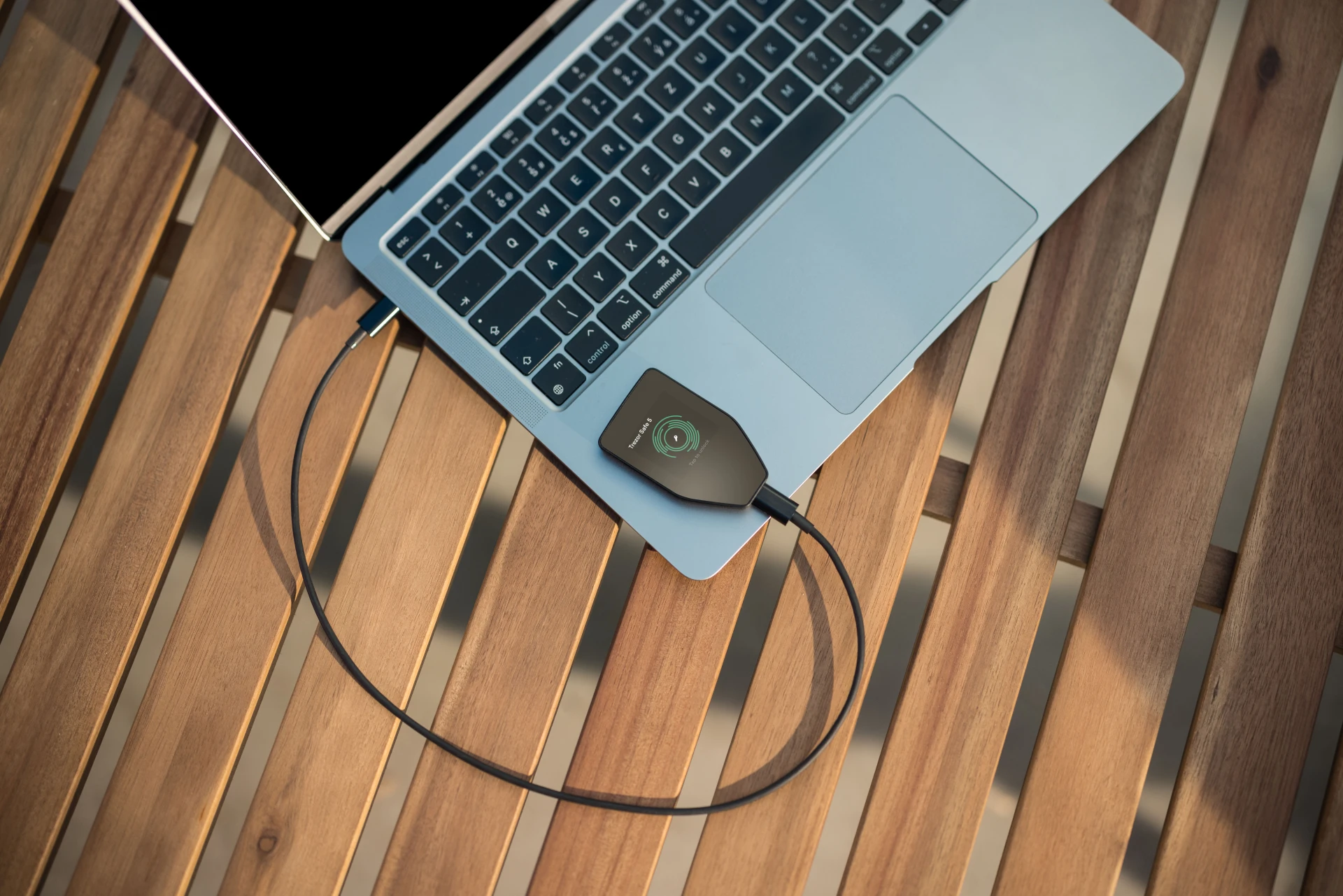
The Trezor Safe 5 is a hardware wallet designed to sign cryptocurrency transactions offline using a secure element that stores the private keys. It connects to your computer or phone via USB-C and communicates through the Trezor Suite desktop application or compatible third-party wallets. Unlike software wallets, the signing operation never exposes private keys to the host device.
The device measures 65.9 x 40 x 8 mm and weighs 23 grams. The front face is a 1.54-inch color touchscreen protected by Gorilla Glass 3. You build transactions in Trezor Suite, review the full details on the device screen (recipient address, amount, fees), and confirm by tapping the touchscreen. The device signs the transaction internally, and Trezor Suite broadcasts it to the network.
There is no wireless connectivity. No Bluetooth, no NFC, no Wi-Fi. The only data path is USB-C. That limits convenience compared to Bluetooth-enabled competitors but eliminates an entire category of wireless attack vectors. Every interaction between the wallet and the outside world passes through a single, auditable channel.
Security Architecture: Open Firmware Meets Certified Hardware
The secure element vs open-source debate has defined hardware wallet security discussions for years. Ledger uses a certified secure element with closed firmware. Older Trezor models used open firmware without a secure element. The Safe 5 bridges the gap by pairing both.
The Infineon OPTIGA Trust M (V3) is certified at Common Criteria EAL6+. Its datasheet is publicly available without a non-disclosure agreement, which means security researchers can review the chip’s capabilities and limitations without signing a confidentiality contract. The chip handles three critical functions: generating secure randomness for wallet seed creation, storing a device certificate for authenticity verification, and enforcing PIN verification in hardware with an automatic wipe after 16 failed attempts.
The firmware running on the device’s main processor is fully open-source under a GPL license. Community auditors, researchers, and users can inspect every line of signing logic, key derivation, and communication protocol. Firmware updates are cryptographically signed, and the device verifies signatures before applying them.
This combination means you do not have to choose between hardware tamper resistance and code transparency. The secure element protects against physical attacks, including supply chain tampering attempts that target devices in transit. The open firmware protects against hidden backdoors. Neither property alone is sufficient; together they form the strongest trust model available in a retail hardware wallet at this price point.
In practical terms, open firmware means that if Trezor ever introduced a vulnerability or questionable behavior in a software update, the community could identify it before users are affected. With closed-source firmware, users rely entirely on the manufacturer’s claims. The Safe 5’s architecture removes that trust requirement for the software layer while preserving hardware-grade key protection underneath.
Touchscreen Verification and Haptic Feedback
The 1.54-inch color touchscreen is the primary user interface. When you initiate a transaction, the Safe 5 displays the recipient address, the amount, and the network fee on its own screen. You verify these details independently of whatever the host computer or phone is showing. If malware on your computer modifies the displayed address, the device screen still shows the real destination. This on-device verification is the primary defense against clipboard hijacking malware and address-substitution attacks that target the host machine.
Haptic feedback accompanies touchscreen taps, giving physical confirmation of your interactions. PIN entry and passphrase input happen directly on the device touchscreen, which prevents keylogger attacks from capturing your credentials. The PIN never touches the host computer’s keyboard or screen.
Compared to the button-based Trezor Safe 3, the touchscreen makes navigation faster and passphrase entry more practical. Scrolling through a 25-character passphrase on two physical buttons is tedious; a touchscreen keyboard reduces that friction significantly. Compared to the larger Ledger Stax or Ledger Flex, the Safe 5’s screen is smaller but functionally sufficient for transaction review.
Trezor Suite and Supported Assets
Trezor Suite is the primary companion application for the Trezor Safe 5, available for Windows, macOS, Linux, and as a web app. It handles portfolio overview, transaction building, coin control, and direct exchange integration. The interface organizes portfolio data, transaction history, and exchange features into a single dashboard, making it straightforward to manage multiple accounts from one application.
The Safe 5 supports thousands of coins and tokens natively. Bitcoin (including native SegWit and Taproot), Ethereum and all EVM chains, Cardano, Solana, Ripple, and Litecoin are among the primary supported networks. ERC-20 and other token standards are handled through Trezor Suite or compatible third-party wallets.
Third-party wallet integrations include Metamask (as a hardware signer), Electrum, Sparrow, Exodus, and MyEtherWallet. The Safe 5 also supports FIDO2 authentication, which lets you use the device as a physical security key for two-factor authentication on websites that support the standard.
Additional privacy features include built-in Tor support for routing Trezor Suite traffic through the Tor network and coin control for managing UTXO selection on Bitcoin transactions. Coin control is useful for users who want to avoid linking separate transaction histories when spending.
The Safe 5 supports standard 12-word and 24-word seed phrase backups. It also introduces Multi-Share Backup, which splits the recovery secret into multiple shares using Shamir’s Secret Sharing. You define a threshold: for example, 3 of 5 shares required to reconstruct the wallet. This distributes recovery risk across multiple locations instead of concentrating it in a single seed phrase written on one piece of paper.
Multi-Share Backup is useful for users who want geographic distribution of their recovery material without relying on a single backup that, if stolen, compromises everything. An attacker who obtains one or two shares below the threshold learns nothing about the wallet. The downside is added complexity: you need to manage multiple share cards, remember the threshold configuration, and ensure enough shares remain accessible if one is lost or destroyed.
BIP-39 passphrase support adds another layer. A passphrase creates a completely separate set of accounts derived from the same seed, functioning as a hidden wallet. The passphrase is entered on the device touchscreen, keeping it off the host computer. This means even if someone recovers the seed phrase, they cannot access passphrase-protected accounts without the exact passphrase.
Trade-Offs and Limitations
The Safe 5 is not without compromises. At $169, it costs significantly more than the Trezor Safe 3 ($79) and the Tangem 3-card set ($69.90). Users who need basic signing without a touchscreen or Multi-Share Backup may find the Safe 3 sufficient at half the price, since it shares the same EAL6+ secure element and open-source firmware.
USB-only connectivity means you need a cable and a host device every time you sign. There is no tap-and-sign convenience like NFC wallets, and no wireless pairing like Bluetooth-equipped Ledger devices. For mobile-only users, this is a meaningful friction point. For a full breakdown of how Trezor’s security model compares to Ledger’s approach, see the Ledger vs Trezor security model comparison.
The screen, while functional, is smaller than the Ledger Stax or Ledger Flex displays. For long addresses or complex smart contract data, scrolling through transaction details on a 1.54-inch screen requires patience. The Ledger Flex offers a 2.8-inch E Ink display that shows more data per screen, which matters if you frequently review complex DeFi transactions.
For users who want to eliminate wired connections entirely, air-gapped wallets like the Keystone 3 Pro use QR codes instead of USB for transaction signing. The Safe 5 does not offer air-gapped operation, so the USB port remains the sole data channel. The open firmware allows community auditing of the USB communication protocol, but users who consider any physical port a risk should evaluate QR-based alternatives.
Trezor Suite does not natively support as many DeFi integrations as some competitors. Most DeFi interaction happens through Metamask or other third-party wallets using the Safe 5 as a hardware signer, which adds an extra step to the workflow.
Who Should Buy the Trezor Safe 5
The Trezor Safe 5 fits users who prioritize verifiability in their security model. If open-source firmware matters to you, this is the only current device that pairs full firmware transparency with a certified secure element. Specifically, it is a strong fit for:
- Security-conscious holders who want auditable firmware and tamper-resistant hardware in one device.
- Bitcoin-focused users who value coin control, Tor integration, and UTXO management through Trezor Suite.
- Users managing significant portfolios who benefit from Multi-Share Backup for distributed recovery across multiple locations.
- Desktop-first workflows where USB-C connectivity is not a limitation.
The Safe 5 is not the right fit for every user. Consider alternatives if:
- You primarily sign from a phone. USB-only connectivity makes mobile signing cumbersome compared to Bluetooth or NFC wallets.
- You want the lowest possible cost. The Trezor Safe 3 shares the same secure element and open firmware at $79.
- You need fully air-gapped operation. The Safe 5 requires a physical USB connection for every transaction.
- You frequently interact with DeFi protocols. Native DeFi support in Trezor Suite is limited compared to wallets with direct dApp browser integration.
- Fully open-source firmware — independently auditable, not trust-based
- EAL6+ secure element with NDA-free specs — researchers can verify the chip
- Color touchscreen with haptic feedback for on-device verification
- Shamir backup (Multi-Share) distributes recovery across multiple locations
- Coin control, Tor integration, and FIDO2 support
- $169 — double the Safe 3 which shares the same SE and firmware
- USB-C only — no Bluetooth, no NFC, no wireless signing
- 1.54″ screen is smaller than Ledger Flex (2.8″) or Safe 7 (2.5″)
- Limited native DeFi support — most dApp interaction requires MetaMask bridge
Trezor Safe 5 vs Trezor Safe 3
The most common decision for Trezor buyers is whether the Safe 5 justifies $90 more than the Safe 3. Both share the same open-source firmware and EAL6+ secure element. The table below isolates what the extra money buys.
| Trezor Safe 5 | Trezor Safe 3 | |
|---|---|---|
| Price | $169 | $79 |
| Screen | 1.54″ color touchscreen | Small monochrome OLED |
| Input | Touch + haptic feedback | Two physical buttons |
| Shamir backup | Yes (Multi-Share) | No |
| On-device passphrase | Touchscreen keyboard | Button-scrolling (tedious) |
| Firmware | Open-source (GPL) | Open-source (GPL) |
| Secure element | EAL6+ Infineon OPTIGA | EAL6+ Infineon OPTIGA |
| Connectivity | USB-C | USB-C |
Choose Safe 5 if you use passphrases, want Shamir backup for distributed recovery, or sign frequently enough that touchscreen input saves real time. Choose Safe 3 if you need basic open-source cold storage at the lowest price and two-button input is acceptable. The security architecture is identical — the $90 difference buys usability and recovery flexibility, not stronger key protection.
If your budget allows more and you need Bluetooth mobile signing, the Trezor Safe 7 adds dual-chip architecture, a physical Bluetooth kill switch, and post-quantum firmware at $249. For the full market overview, see the hardware wallet comparison.
Trezor Safe 5 Pricing
The Trezor Safe 5 retails at $169. It ships in three color variants: Black Graphite, Violet Ore, and Green Beryl. The package includes the device, a USB-C cable, and recovery seed cards. A Trezor Keep Metal 24 steel backup plate is available separately for users who want fire-resistant seed storage.
Trezor Safe 5 Review: The Verdict
No other retail hardware wallet in 2026 pairs a certified EAL6+ secure element with fully open-source firmware, NDA-free hardware specifications, touchscreen verification, and Shamir backup at $169. That combination creates a security model where both the hardware and software claims are independently verifiable — and that is why it is the Snout0x top overall recommendation.
The trade-off is connectivity and screen size. USB-C only means no wireless signing and a cable every time. The 1.54-inch screen is functional but not generous compared to the Safe 7’s 2.5-inch display or the Ledger Flex’s 2.8-inch E Ink panel. And $169 is double the Safe 3, which shares the same core security architecture without the touchscreen or Shamir backup. The Safe 5 earns its price through usability and recovery flexibility — not through stronger key isolation, which the Safe 3 already provides.
The 8.8 reflects the best balance of security transparency, usability, and price in the 2026 market. Full marks for open-source firmware, EAL6+ secure element, and Shamir backup. It loses points for USB-only connectivity, a screen that is adequate but not premium, and a $169 price that is hard to justify over the Safe 3 unless you need touchscreen input or Multi-Share recovery. For desktop-first holders who value verifiability, this is the device.
Check Price at TrezorFor mobile signing with Bluetooth and dual-chip security, see the Trezor Safe 7 review. For the full market overview, see the hardware wallet comparison.
Sources
- Secure Elements in Trezor Safe Devices (Trezor Knowledge Base)
- Introduction to the Trezor Safe 5 (official documentation)
- Trezor Hardware: Built-in Security (official documentation)
Frequently Asked Questions
Is the Trezor Safe 5 better than the Trezor Safe 3?
The Safe 5 adds a color touchscreen, haptic feedback, and Multi-Share Backup over the Safe 3. Both use the same EAL6+ secure element and open-source firmware. The Safe 3 uses physical buttons instead of a touchscreen. If on-device passphrase entry and Shamir backup matter to your workflow, the Safe 5 justifies the higher price. If you need basic signing at a lower cost, the Safe 3 covers the essentials.
Does the Trezor Safe 5 support Bluetooth?
No. The Safe 5 connects exclusively via USB-C. There is no Bluetooth, NFC, or Wi-Fi. This limits wireless convenience but eliminates wireless attack vectors entirely.
Can I use the Trezor Safe 5 with a phone?
Yes, using a USB-C OTG connection on Android devices. iOS support is limited. The primary experience is designed around the Trezor Suite desktop application. For a fully mobile-first workflow, Bluetooth or NFC-based wallets are more practical.
Multi-Share Backup uses Shamir’s Secret Sharing to split the wallet recovery secret into multiple shares. You set a threshold (for example, 3 of 5 shares needed) to reconstruct the wallet. This distributes recovery risk across multiple locations instead of relying on a single seed phrase. It is more complex to manage but significantly reduces single-point-of-failure risk.
Is Trezor firmware really open-source?
Yes. Trezor publishes the full firmware source code under a GPL license on GitHub. The OPTIGA Trust M secure element specifications are also NDA-free. This means both the software and the hardware security documentation are available for independent review, which is unique among wallets that use certified secure elements.