Last Updated on April 14, 2026 by Snout0x
“Cold storage” and “air-gapped” are both used to describe hardware wallets that keep private keys offline. The terms are related but not the same. Cold storage means your keys are held on a device that is not permanently connected to the internet. Air-gapped means the device used to sign transactions has no network interface at all: it never touches Wi‑Fi, Bluetooth, or USB connected to an online machine. Understanding cold storage vs air-gapped wallets helps you choose the right setup for your threat model and daily use.
For most people, the decision framework is simple: if you want a secure long-term wallet with smoother day-to-day use, standard cold storage is usually enough. If you want to remove the live data connection during signing because your balance is larger, your environment is riskier, or your threat model is stricter, air-gapped signing becomes more attractive.
Key Takeaways
- Cold storage = keys stored on a device that is not constantly online; it can still use USB or Bluetooth when you sign.
- Air-gapped = the signing device has no network connection; data moves via QR codes, SD card, or similar offline channel.
- Many “cold” wallets are not air-gapped; Ledger and Trezor plug in via USB; Keystone and others offer true air-gap via QR.
- Air-gapped designs reduce the risk of remote compromise during signing; cold storage reduces the risk of keys being online.
- Both are far safer than hot wallets or exchange custody for long-term holdings.
This content is for educational purposes only and should not be considered financial or investment advice.
This article may contain affiliate links. Snout0x may earn a commission at no additional cost to you.
What Is Cold Storage?
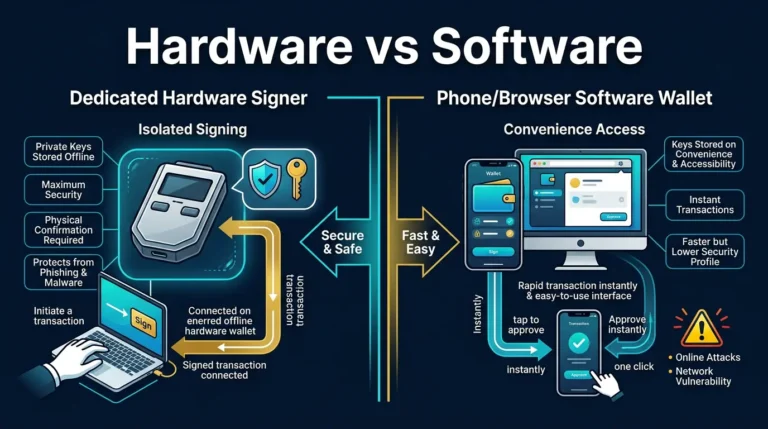
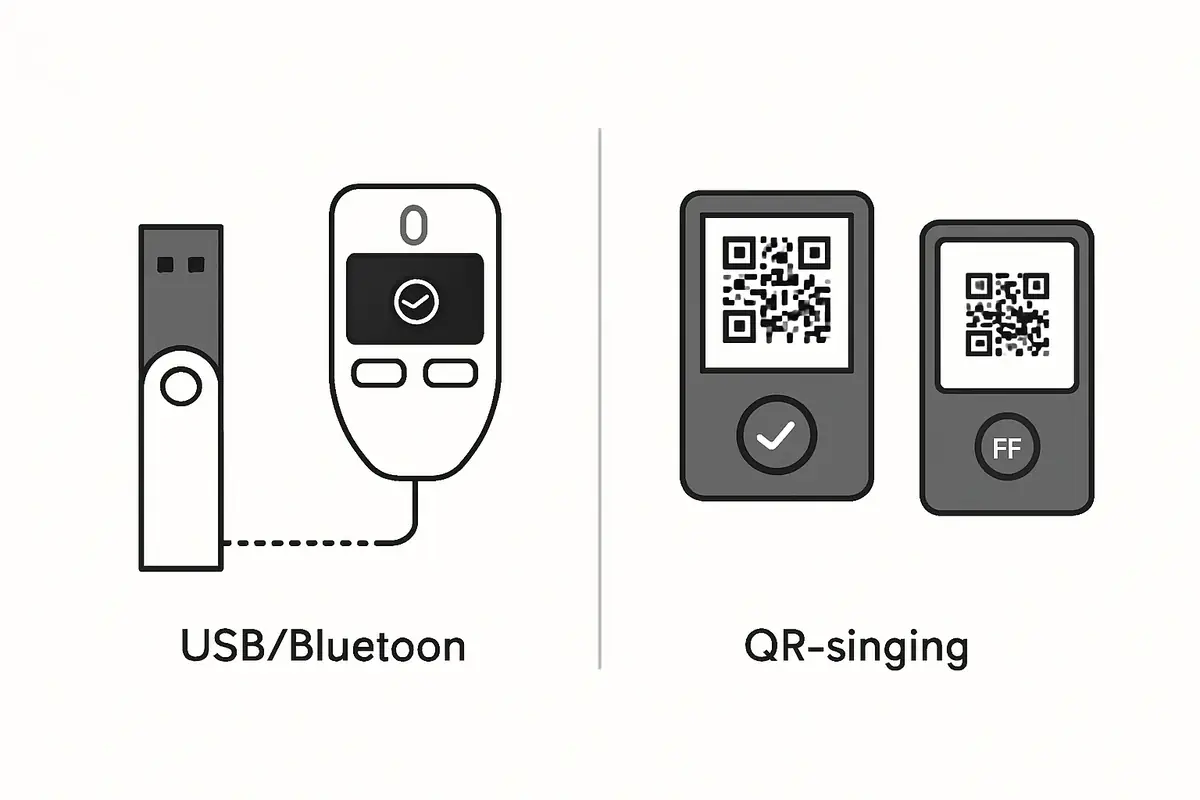
Cold storage means keeping private keys on a device that is not connected to the internet when you are not actively using it. When you want to sign a transaction, you power on the device, connect it (for example via USB or Bluetooth), sign, and then disconnect. The rest of the time the keys sit on a device that is offline. That already removes a large attack surface: malware on your phone or PC cannot reach the keys unless the device is connected and unlocked.
Most popular hardware wallets work this way. You plug them in when you need to sign; when unplugged and powered off, they are cold. They are still “cold storage” even though they use a wired or wireless link at the moment of signing.
What Is Air-Gapped?
Air-gapped means the device that holds and uses your keys has no network interface. It cannot connect to the internet, Bluetooth, or to a computer’s USB data bus in a way that could expose it to a live connection. Transaction data is brought to the device by some offline method (QR codes, SD card, or similar), and the signed result is taken away the same way. The signing device never talks to an online machine directly.
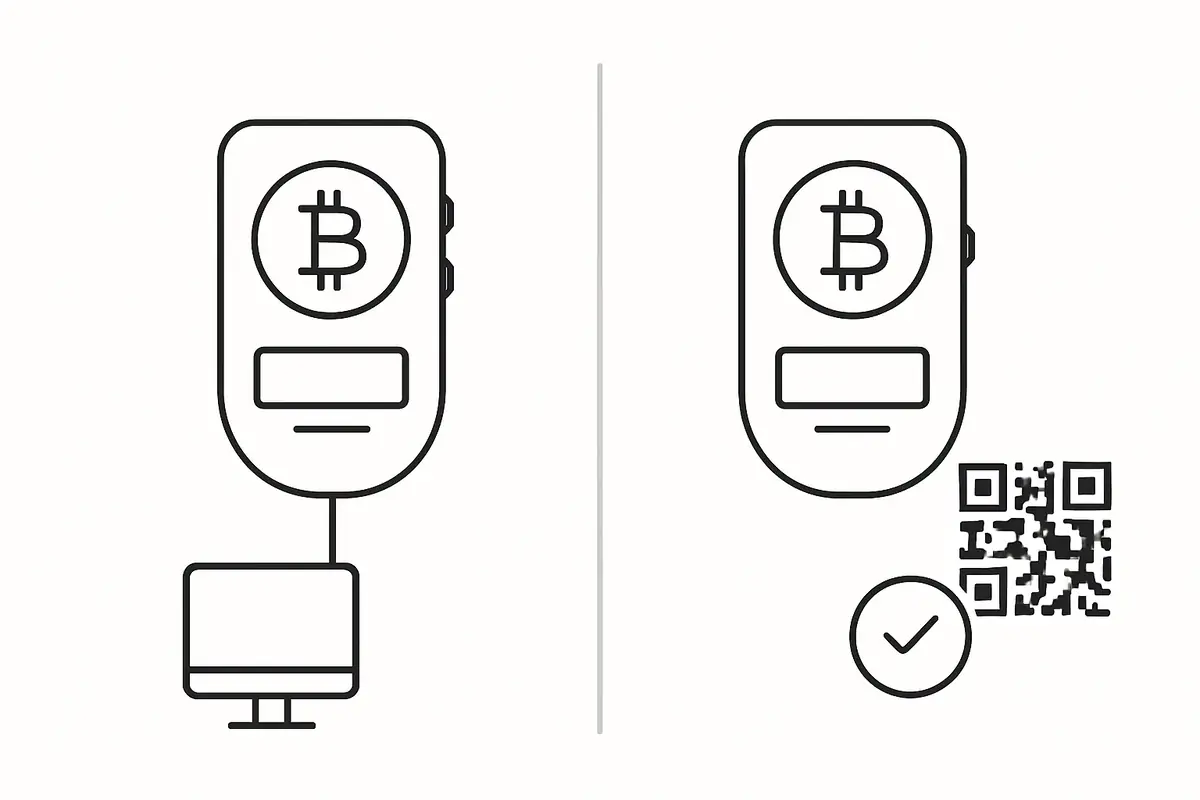
Air-gapped wallets such as QR-based signers and some SD-card workflows use a camera, screen, or removable media to move transaction data offline: the online device shows an unsigned transaction as a QR or file, the wallet signs internally, and the signed result goes back the same way. No USB or Bluetooth data link is involved, so there is no direct path from the internet to the signer.
Cold Storage vs Air-Gapped Wallets: Side-by-Side
Every air-gapped wallet is a form of cold storage, but not every cold storage wallet is air-gapped. The table below summarises the main differences in cold storage vs air-gapped wallets.
For the broader overview around this topic, see Best Crypto Hardware Wallets: Security Ranking and Buyer Guide.
- Connection when signing: Cold (USB/Bluetooth) = temporary cable or wireless link. Air-gapped = no link; data via QR, SD, or similar.
- Remote attack at signing time: Cold = possible in theory if the connected channel is compromised. Air-gapped = no network path to the signer.
- Ease of use: Cold (USB) = plug in, sign in the app. Air-gapped = scan QR or swap files; one extra step.
- Examples: Cold: Ledger Nano X, Trezor Safe 7. Air-gapped: Keystone 3 Pro, SafePal S1 (QR mode), Coldcard (optional air-gap).
When Cold Storage (USB/Bluetooth) Is Enough
For most users, a standard cold hardware wallet that connects via USB or Bluetooth when you sign is already a major security upgrade over a hot wallet or an exchange. The keys never leave the device; the main risk at signing time is a compromised PC or phone feeding a malicious transaction to the wallet, which is why you must always verify the details on the device screen. If your threat model is “protect my savings from malware and casual theft,” a Ledger or Trezor used as cold storage is a solid choice.
For a closely related follow-up, see Hardware Wallet Supply Chain Attack: What to Check.
The practical verdict here is that cold storage is the default answer for most retail users. It gives you meaningful key isolation without adding too much friction. If you sign only occasional standard transfers and you are disciplined about reading the device screen, an air-gapped workflow may add more ceremony than security value for your situation.
When Air-Gapped Makes Sense
Air-gapped signing adds a layer for users who worry about advanced or targeted attacks: for example, a compromised OS or driver that could abuse the USB or Bluetooth connection during the signing moment. It also matters if you prefer not to trust the USB stack at all. High-value, long-term holders and users in high-risk environments often prefer a fully air-gapped flow. The trade-off is convenience: QR or file-based signing is a bit slower and less seamless than plug-and-sign.
The sharper verdict is that air-gapped signing is not automatically “better” for everyone. It is better for narrower use cases: larger balances, stricter operational discipline, and users willing to trade speed for more isolation at signing time. In cold storage vs air-gapped wallets, the practical decision depends on whether extra isolation at signing time is worth the added friction. If you will avoid using the wallet properly because the flow feels cumbersome, the theoretical advantage shrinks quickly.
Practical Usage
A practical rule is to match the wallet type to the job. If you move funds regularly, connect to desktop software, or need a smoother setup for routine sends, standard cold storage is usually enough as long as you verify the address and amount on the device screen before approving. If you are storing a larger amount for long periods and only sign occasionally, an air-gapped flow is worth the extra scanning step because it removes the live USB or Bluetooth connection during signing. In practice, the cold storage vs air-gapped wallets decision usually comes down to convenience versus extra isolation at signing time.
For a closely related follow-up, see How to Choose a Crypto Wallet: A Practical Security Framework.
A simple decision sequence works well here. If the wallet will be used for monthly sends, wallet management, or regular desktop interaction, choose standard cold storage. If the wallet will hold a larger reserve and only sign occasionally, ask whether removing the live data connection during signing is worth the slower workflow. If the answer is yes, move toward air-gapped.
One simple check is to ask what device touches the internet at signing time. If the signer connects directly to the online computer or phone, you are using cold storage. If the signer only scans or displays QR codes, or swaps files by SD card, you are using an air-gapped workflow. That distinction helps you choose deliberately instead of relying on marketing labels.
A useful real-world contrast: a user who manages recurring withdrawals, firmware updates, and occasional portfolio rebalancing may be better served by a USB-connected hardware wallet with a clear screen and disciplined verification habits. A user storing a larger long-term reserve that moves only a few times per year may reasonably prefer QR-based signing because it reduces the exposed connection surface during those rare transactions.
Risks and Common Mistakes
Whether cold or air-gapped, the recovery backup is the real fallback. If you lose the device and do not have the phrase, funds are unrecoverable. For durable backup handling, see best seed phrase backup devices. A second mistake is verifying transactions only on the computer. Always confirm amount and address on the hardware wallet screen. Third, do not assume “air-gapped” means “unhackable”: physical access, social engineering, or a malicious transaction approved by the user can still cause loss. The goal is to shrink the attack surface, not to eliminate every theoretical risk.
For more on how to set up and use a hardware wallet safely, see Hardware Wallet Setup Best Practices and Hardware Wallet Screen Security.
Sources
Frequently Asked Questions
Is Ledger cold storage or air-gapped?
Ledger devices are cold storage: they are offline when not in use and connect via USB (or Bluetooth on the Nano X) only when you sign. They are not air-gapped because that connection provides a data path between the computer and the device at signing time.
Can an air-gapped wallet be hacked?
Air-gapped devices have no network interface, so they cannot be hacked remotely over the internet. They can still be targeted by physical access, supply-chain attacks, or by tricking the user into signing a malicious transaction. The goal of air-gapping is to remove remote attack paths, not all risk.
Do I need air-gapped for small amounts?
For small or medium amounts, a standard cold hardware wallet (USB/Bluetooth) is usually enough. Air-gapped is more relevant for large holdings or high-risk environments where you want to minimise any connection between the signer and the online world.
Which wallets are truly air-gapped?
Wallets that sign via QR codes or removable media (e.g. SD card) and have no USB data or Bluetooth are truly air-gapped. Examples include Keystone 3 Pro (QR), SafePal S1 in QR mode, and Coldcard when used with SD only and no USB data.
Does cold storage need to be air-gapped?
No. Cold storage only means the keys are on a device that is offline when not in use. Connecting via USB or Bluetooth to sign does not disqualify it from being cold storage. Air-gapping is an extra step for users who want no data link at all at signing time.