Last Updated on April 17, 2026 by Snout0x
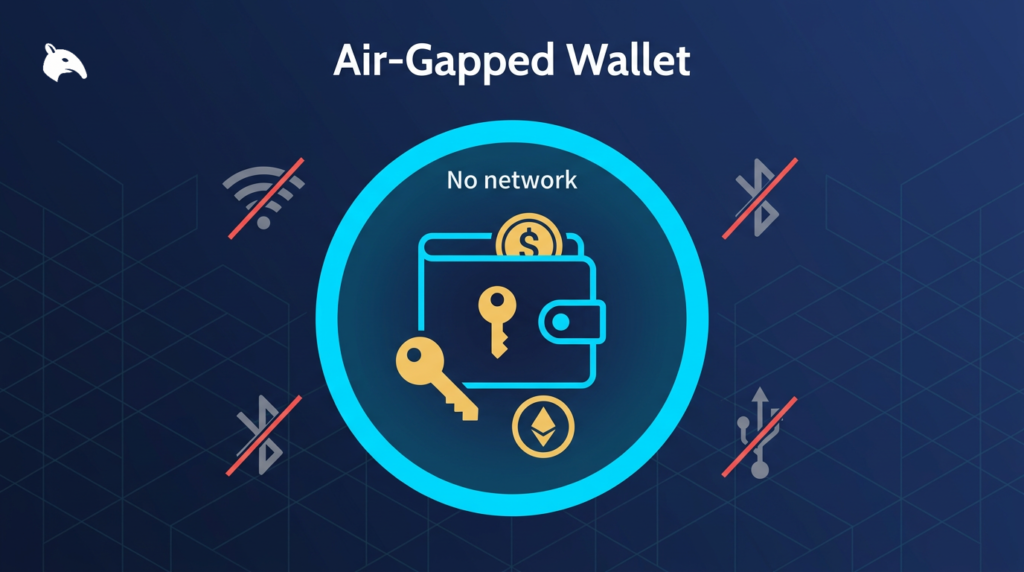
An air-gapped wallet is a cryptocurrency wallet that never connects to the internet, a computer, or any networked device. Signing happens entirely on the offline device, and transaction data is moved in and out via non-network channels such as QR codes or SD cards. The goal is to eliminate remote attack surface so that private keys cannot be stolen by malware or over the internet.
This content is for educational purposes only and should not be considered financial or investment advice.
Simple Definition
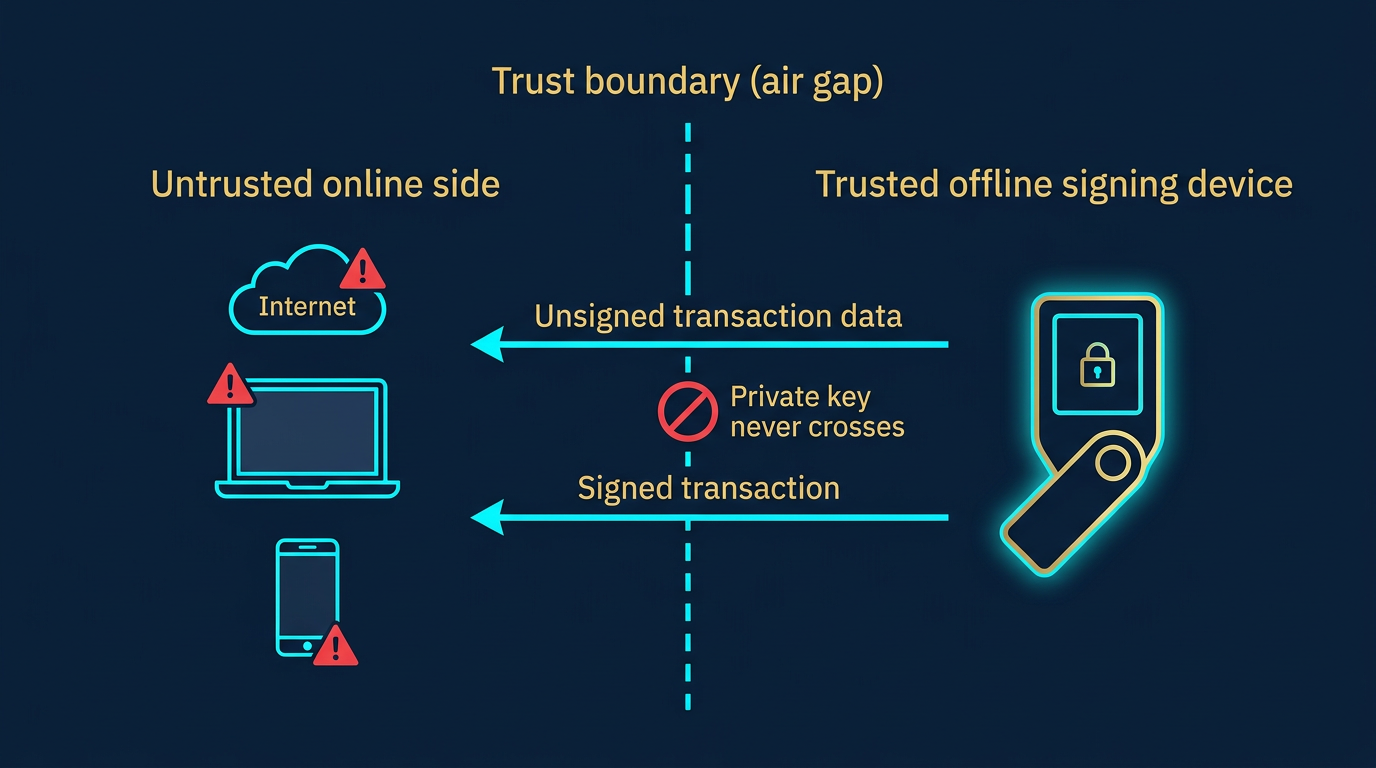
Air-gapped means physically or logically isolated from networks. A wallet is air-gapped when it has no Wi-Fi, Bluetooth, USB data, or other connection that could expose it to the internet or a computer. You build or approve transactions on the offline device and transfer only the necessary data (e.g. unsigned transaction in, signed transaction out) using a channel that cannot carry malware or remote access.
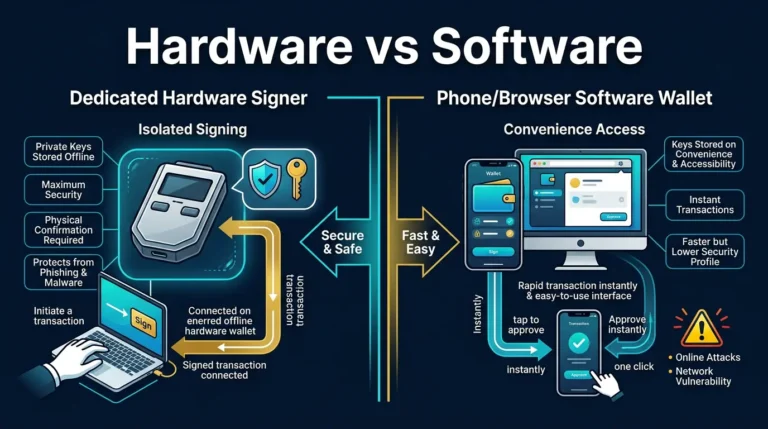
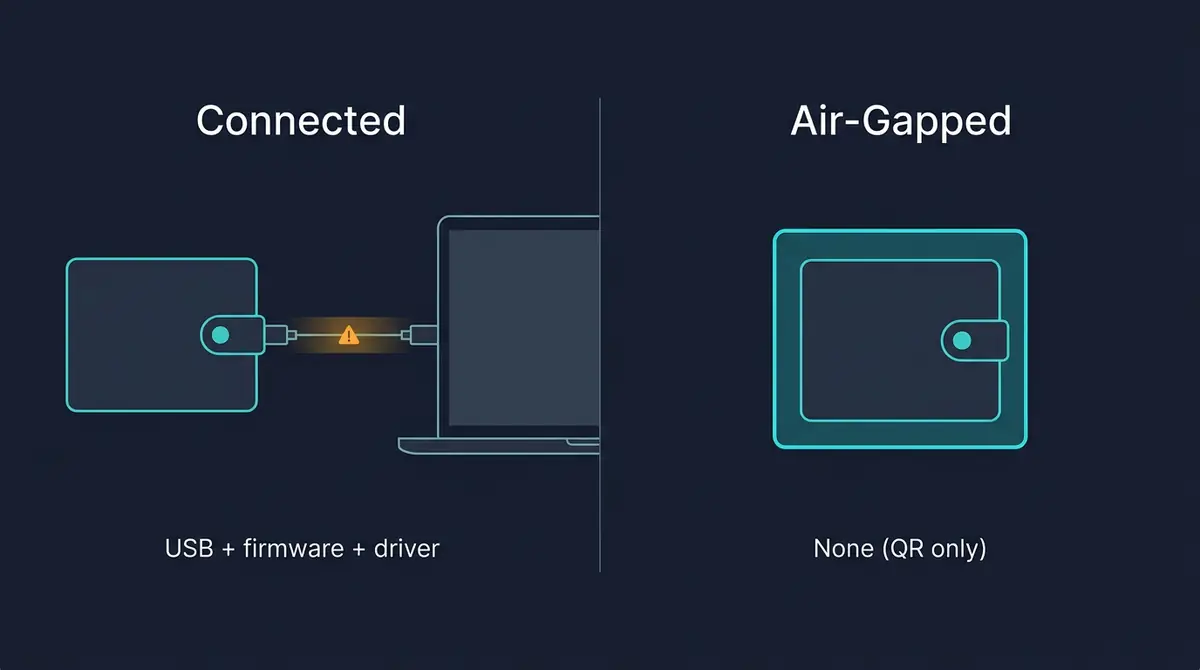
Many hardware wallets are not fully air-gapped. They use USB or Bluetooth to talk to a phone or computer. That keeps the key off the internet-connected device but still creates a data path that firmware or a compromised app could abuse. A truly air-gapped wallet has no such path.
How Air-Gapped Signing Works
To spend from an air-gapped wallet you need to get the unsigned transaction onto the offline device and then get the signed transaction back to the network. The device never goes online.
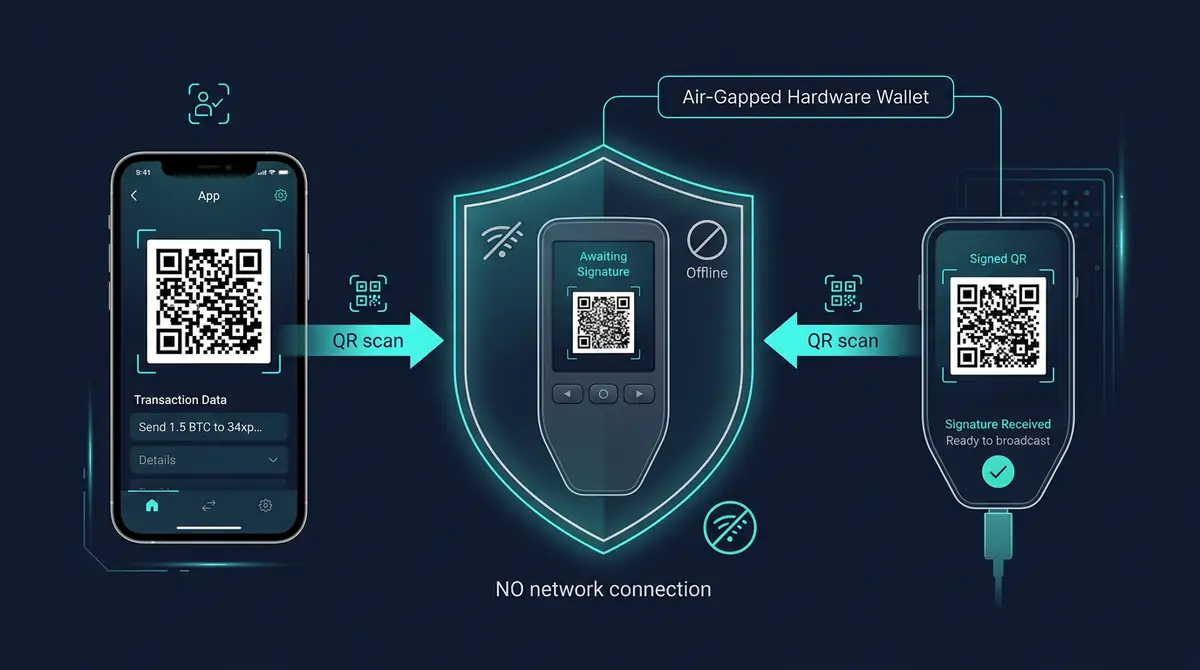
- QR codes. A computer or phone displays a QR code encoding the unsigned transaction. You scan it with the air-gapped device. The device shows the transaction details on its own screen. You confirm, and the device displays a QR code for the signed transaction. You scan that with the online device to broadcast.
- SD card or USB (data-only). Some designs use removable storage: you copy the unsigned transaction file onto the card, insert it into the offline wallet, sign on the device, then move the signed file back to an online machine for broadcasting.
| Transfer method | How data crosses | Attack-surface notes | Best for |
|---|---|---|---|
| QR codes | Camera reads a visual code; no device-to-device socket | No physical socket to exploit; relies on the camera and QR parser working as intended | Most users who want the cleanest air-gap |
| SD card / data-only USB | File is copied onto removable media, then read by the offline device | Removable media is itself an attack surface; only use a card or stick that has never touched an untrusted machine | Larger transactions, multisig coordination, or wallets that do not support QR |
In every case, only transaction data moves. Private keys never leave the air-gapped device. That is why the setup is strong for long-term cold storage: an attacker would need physical access to the device (and usually your PIN or passphrase) to extract keys or sign unauthorized transactions.
When an Air-Gapped Wallet Makes Sense
Air-gapped wallets are best suited for large or long-term holdings that you rarely move. The trade-off is convenience: every signing step involves moving data manually (QR or card), so they are not ideal for daily spending or frequent trading.
They make sense when:
- You prioritize maximum isolation from internet-connected devices and malware.
- You are comfortable with a slower signing process and do not need to sign often.
- You already use a private key and seed phrase backup workflow and want the key to never touch a computer or phone.
They are less suitable when you need quick or frequent transactions, use many chains or DeFi, or prefer a single device that can do both cold storage and occasional hot signing via cable or Bluetooth.
Risks and Common Mistakes
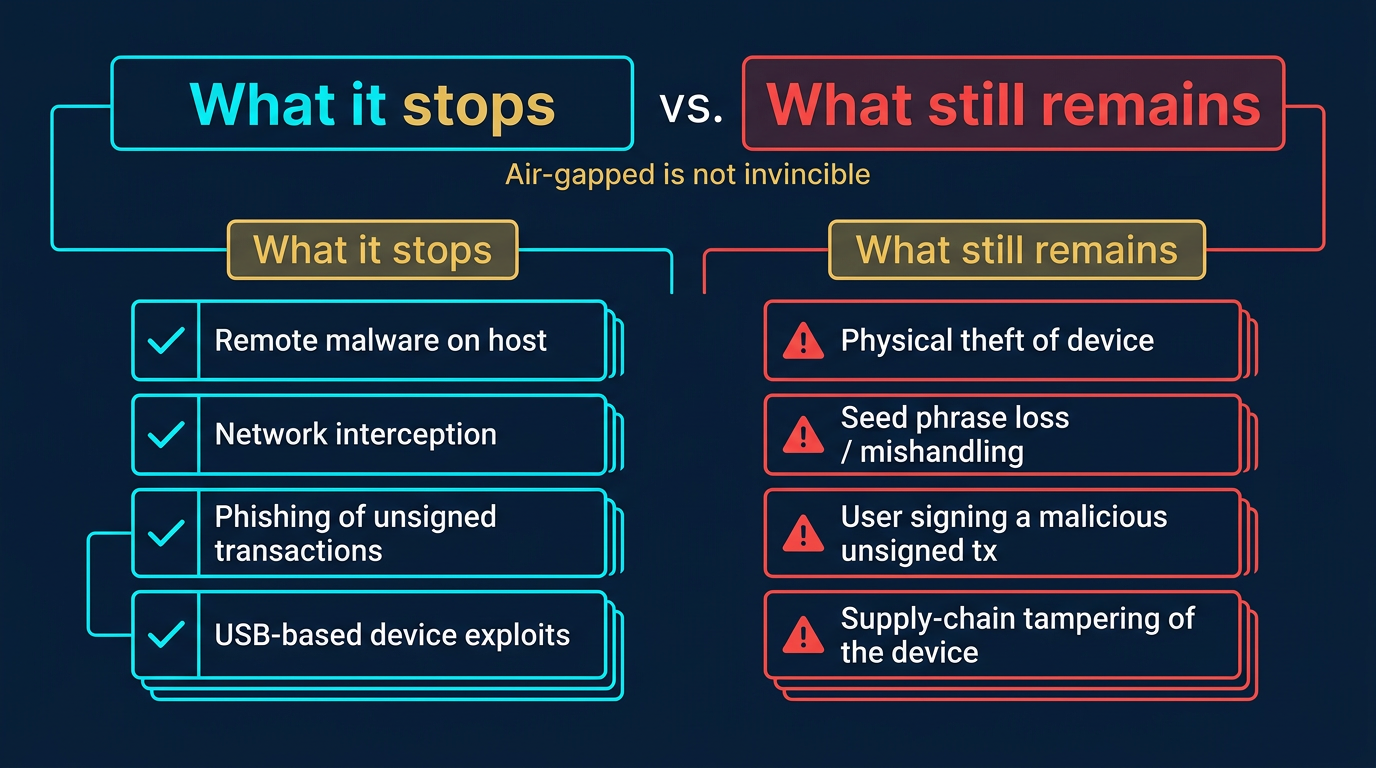
Physical security becomes the main concern. The device and any backup (e.g. seed phrase on metal or paper) must be stored so that only you or trusted parties can access them. Loss or damage of the only copy of the seed phrase means permanent loss of funds.
Common mistakes include relying on a single backup, storing the backup in the same place as the device, or transferring the wrong transaction (e.g. wrong amount or address) because the flow is manual. Always verify destination addresses and amounts on the air-gapped device screen before signing.
Frequently Asked Questions
Is a hardware wallet with USB the same as air-gapped?
No. A USB-connected hardware wallet is offline in the sense that the key stays in the device, but the USB link is a data channel. A fully air-gapped wallet has no USB data, Bluetooth, or Wi-Fi. Signing is done using QR codes or removable storage only.
Can I use an air-gapped wallet for DeFi or frequent trades?
Technically yes, but the workflow is slow. Each transaction requires moving data on and off the device. Most users reserve air-gapped wallets for cold storage and use a connected hardware or software wallet for regular activity.
Do I still need to back up my seed phrase with an air-gapped wallet?
Yes. The device can be lost, broken, or stolen. The only way to recover the keys is from the seed phrase backup. Store it securely (e.g. metal or paper in a safe location) and never digitize it on a networked device.
Which wallets are truly air-gapped?
Wallets that sign only via QR codes or SD card and have no USB data, Bluetooth, or Wi-Fi are air-gapped. Examples include some Keystone and Coldcard setups. Always confirm the manufacturer’s description: “offline” or “cold” does not always mean no data connection.
What happens if my air-gapped device breaks?
If you have your seed phrase backup, you can restore the same keys into a new compatible wallet (same or different brand, as long as it supports the same derivation). Without the seed phrase, the funds are not recoverable.