Last Updated on April 4, 2026 by Snout0x
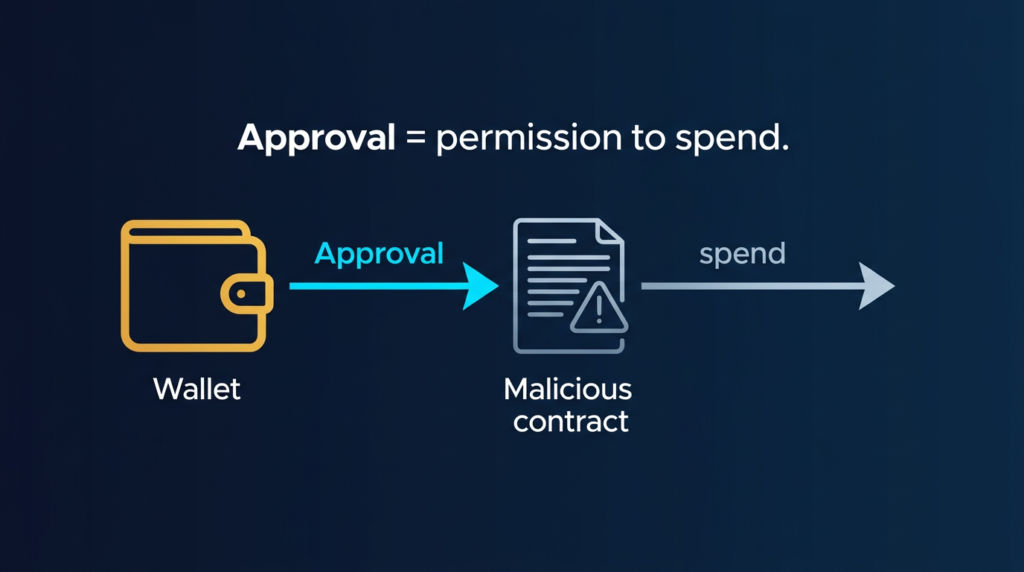
Crypto approval scams are attacks that trick you into granting a malicious smart contract permission to spend your tokens. Once you approve it, the contract can pull assets from your wallet without asking again. These attacks are a common form of crypto drainer and rely on how token approvals work on chains like Ethereum and EVM-compatible networks. Understanding the mechanism helps you avoid falling for them and clean up your wallet if you have already approved unknown contracts.
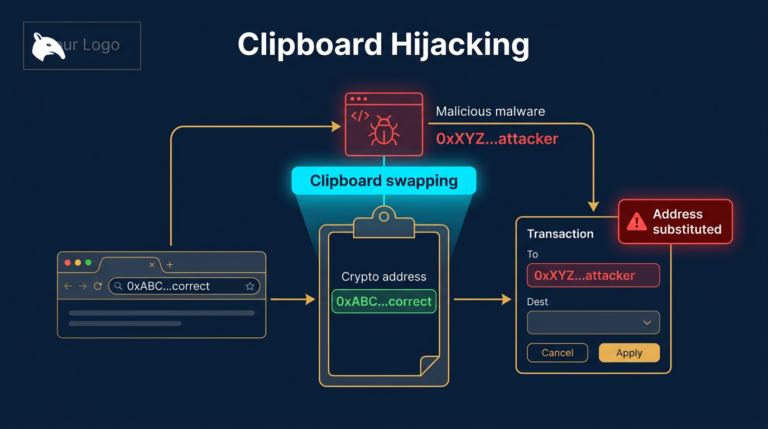
For a closely related follow-up, see Clipboard Hijacking Malware: How Crypto Addresses Are Silently Swapped.
For a closely related follow-up, see Crypto Wallet Phishing Attacks: How Attackers Target Your Wallet.
For a closely related follow-up, see Exchange Withdrawals Will Pause Again.
The practical defense is to treat every approval like persistent spending permission, not like a harmless connect-wallet step. If you do not recognize the spender, if the allowance is unlimited, or if the site came from a DM, ad, or fake support message, do not sign until you verify the contract independently.
This content is for educational purposes only and should not be considered financial or investment advice.
This article may contain affiliate links. If you purchase through these links, Snout0x may earn a commission at no additional cost to you.
Key Takeaways
- Token approvals let a smart contract spend a specific token from your wallet up to a limit you set (or “unlimited”).
- Approval scams use phishing, fake airdrops, or fake sites to get you to sign an approval for a malicious contract.
- Once approved, the contract can call
transferFromand move your tokens without further consent. - You can revoke or reduce approvals using block explorers or revoke tools; use small or capped approvals when possible.
- Always verify the contract and site you are signing with; never approve contracts you do not recognise.
How Token Approvals Work
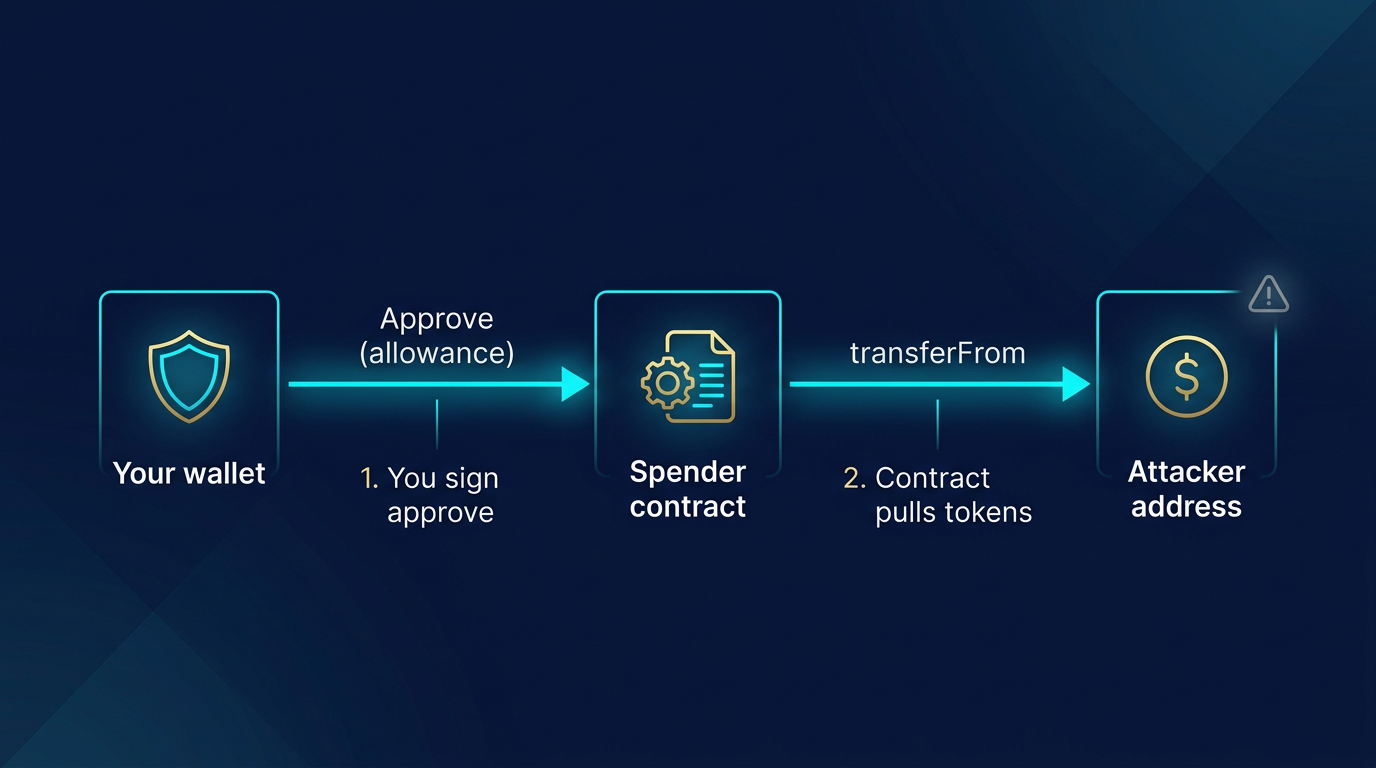
On Ethereum and EVM chains, tokens that follow the common standard (ERC-20) do not live “inside” your wallet like cash. Your wallet holds a balance that the token contract tracks. When you want a third party, for example a DeFi protocol or swap site, to move tokens on your behalf, you must first grant it an allowance: permission to spend up to a certain amount. You do that by signing an approve transaction, which tells the token contract: “Allow this other contract (or address) to call transferFrom and take up to X tokens from my balance.”
Legitimate use cases include swapping (the DEX needs to pull the tokens you are selling) or providing liquidity (the protocol needs to move your tokens into a pool). The risk appears when the address you approve is not a trusted protocol but a drainer contract. Once the allowance is set, that contract can move your tokens at any time until you revoke the approval or the allowance is used up.
How Crypto Approval Scams Abuse This
In an approval scam, the attacker gets you to sign a transaction that sets an allowance for their contract. The transaction looks like a normal “approve” and may be disguised as an airdrop claim, a “verification,” or a required step for a fake service. Once you sign, the malicious contract has permission to pull the approved token (often set to “unlimited”) from your wallet. The attacker then calls transferFrom and moves your tokens to their address. No second transaction from you is needed. This is why approval scams are so effective: one signature can empty a token balance.
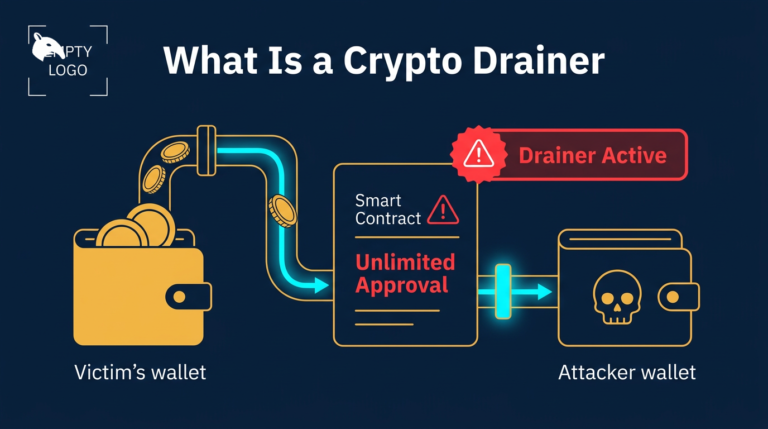
These attacks are closely related to phishing and smart contract drains. The difference is mainly in the hook—phishing can also lead to you signing a malicious transfer or a malicious contract call. In the case of approval scams, the hook is specifically an approve (or an increase of an existing allowance). For more on the broader category of automated theft, see What Is a Crypto Drainer.
How Users Are Tricked
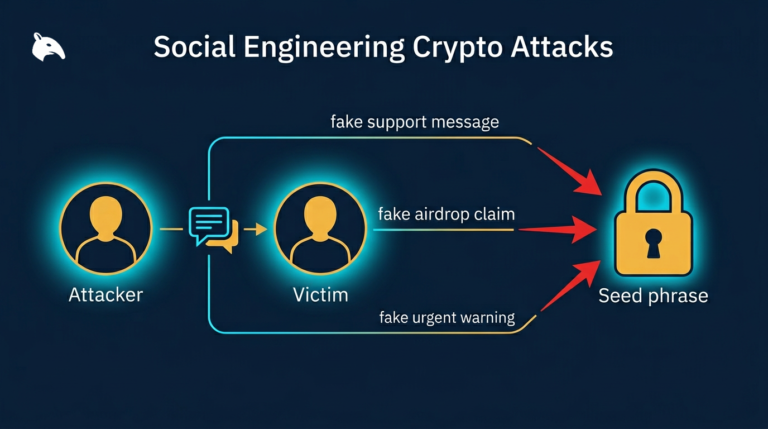
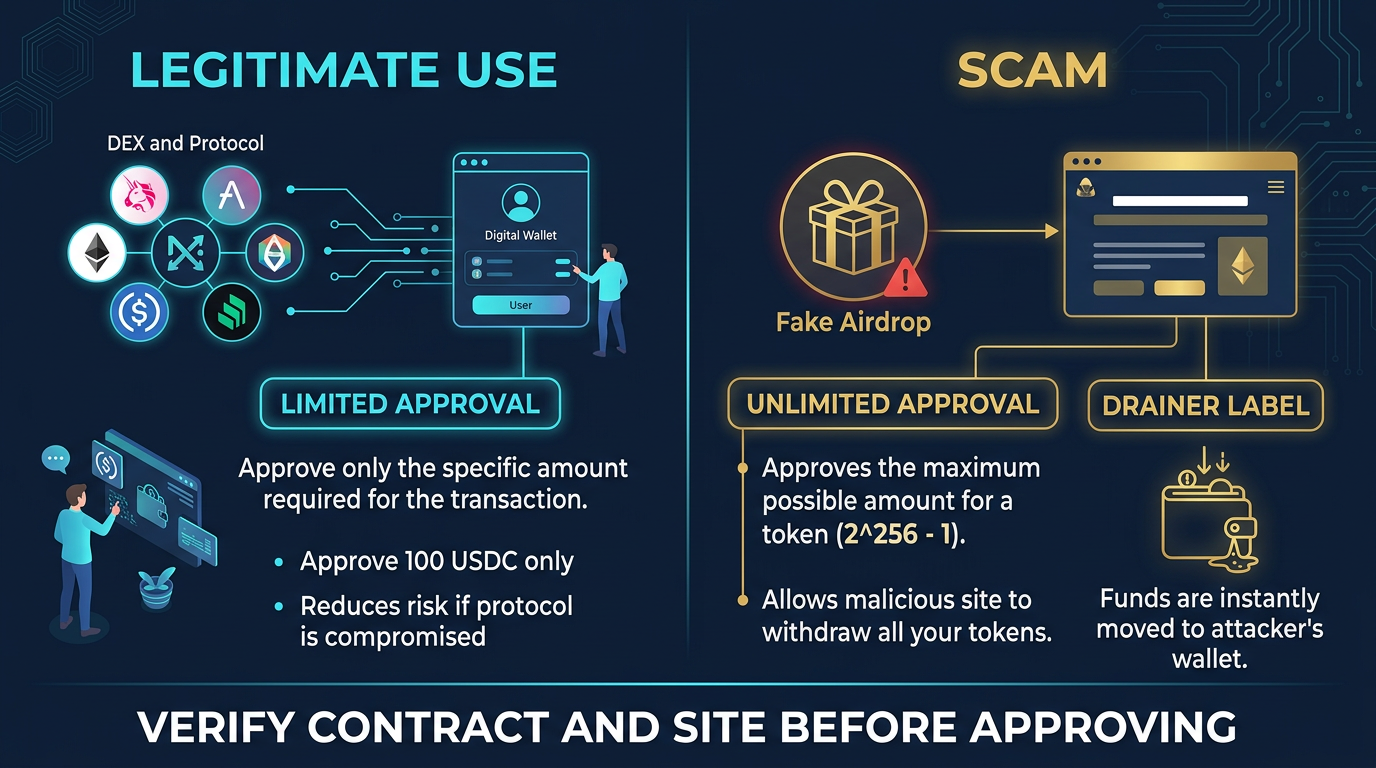
Attackers use the same social engineering used in other crypto phishing schemes. Common lures include fake airdrop or “claim” pages that ask you to connect your wallet and sign an “approve” or “claim” transaction, which is actually an approval to a malicious contract. Fake token sites, fake support portals, or fake NFT mints can do the same. The transaction you sign may look like “Approve USDT” or “Set allowance” in your wallet, and many users approve without checking the contract address or the amount.
Best practice is to never connect your wallet to unknown sites and never approve a contract you have not verified. Check the contract address on a block explorer; if it is not the official protocol or token contract, do not approve. For more on how phishing and contract drains differ, see Phishing vs Smart Contract Drains.
How to Protect Yourself
Use a dedicated wallet for experimenting with new or unknown dApps and keep most of your holdings in a separate wallet that never approves unknown contracts. When you do approve, prefer a limited amount instead of “unlimited” where the interface allows it. Regularly review and revoke old or unnecessary approvals using a block explorer such as Etherscan Token Approvals or a revoke tool. Always verify the URL and contract: bookmark official links and double-check addresses. For the wallet separation side of this defense, How to Store Crypto Safely is the most relevant local follow-up.
Practical Usage
Before approving any token spend, run three checks on the exact transaction in your wallet: who is the spender, how much allowance is being granted, and whether the site domain matches the protocol you intended to use. If the spender address is unfamiliar, the allowance is unlimited, or the page came from a DM, ad, or search result instead of a saved bookmark, stop and verify on a block explorer before signing.
A practical workflow is to keep one wallet for testing new dApps and another for long-term holdings. After using a DEX, bridge, or mint site, open a revoke tool or the block explorer’s approval page and review the allowances you just created. That makes approval review part of the normal transaction flow instead of something you remember only after an incident.
An operator habit that prevents a lot of losses is to treat approvals like open tabs you have to close. If you only intended to swap once, there is usually no reason to leave a fresh unlimited approval sitting on the wallet afterward. Another useful rule is to stop using a wallet entirely once a suspicious approval is discovered until you have either revoked the allowance or moved remaining assets to a clean address.
A common real-world version looks like this: you click a fake airdrop from X, approve USDC because the prompt looks routine, and nothing happens immediately. Hours later, after you top up the same wallet again, the drainer contract uses the still-open allowance and pulls the balance. That delay is why the approval itself, not the site session, is the real danger.
What to Do If You Approved a Malicious Contract
Revoke the approval as soon as possible using a block explorer or a revoke tool so the contract can no longer pull more tokens. If tokens were already transferred, they are usually unrecoverable; report the contract and address to the platform (e.g. wallet or block explorer) and avoid sending more funds to that wallet if it is compromised. Moving remaining assets to a new wallet and revoking all approvals on the old one is a safe way to start clean.
If the wallet also approved multiple unknown contracts, assume the environment and workflow that led to the first approval may still be unsafe. The fastest containment sequence is: stop using the wallet, revoke obvious approvals, move untouched assets to a fresh wallet from a clean device, and only then investigate the original browser, extension, or site that triggered the signature.
Risks and Common Mistakes
The most common mistake is approving first and reading later. Attackers rely on wallet popups that look routine, especially when the user thinks they are claiming an airdrop or connecting to a new protocol. If the allowance is unlimited, the consequence is not a one-time loss. The malicious contract can keep pulling that token balance until you revoke it or the wallet is emptied.
Another mistake is assuming the danger disappears once the fake site is closed. The approval remains on-chain after the browser tab is gone. That is why some victims sign on one day and see funds drained days or weeks later. If you suspect a bad approval, revoke it immediately and move any remaining assets to a clean wallet if the spender or site cannot be verified.
Sources
- Ethereum.org: ERC-20 Token Standard
- MetaMask Support: What Is a Token Approval?
- Revoke.cash: What Are Token Approvals?
Frequently Asked Questions
What is a token approval in crypto?
A token approval (allowance) is permission you give to another address or smart contract to spend a specific token from your wallet up to a set amount. You sign an “approve” transaction; the approved spender can then call “transferFrom” to move tokens without asking you again until the allowance is used or revoked.
What is an approval scam?
An approval scam is when an attacker tricks you into approving a malicious smart contract. Once approved, that contract can pull your tokens from your wallet. The scam often uses fake airdrops, fake sites, or fake “verification” steps to get you to sign the approval.
How do I revoke token approvals?
You can revoke or reduce token approvals by sending a new “approve” transaction that sets the allowance to zero (or a lower amount). Use your chain’s block explorer (e.g. Etherscan Token Approvals) or a dedicated revoke tool to find and revoke approvals.
Is “unlimited” approval dangerous?
Yes. Unlimited approval lets the approved contract take all of that token from your wallet in one or many transfers. If that contract is malicious or later compromised, your full balance can be drained. Prefer limited approvals when possible.
Can approval scams steal NFTs?
ERC-20 approvals apply to fungible tokens. NFTs (e.g. ERC-721) use a different permission model (setApprovalForAll or approve). Scammers can use similar tricks to get you to approve NFT access; the same caution applies—only approve contracts you trust.