Last Updated on April 16, 2026 by Snout0x
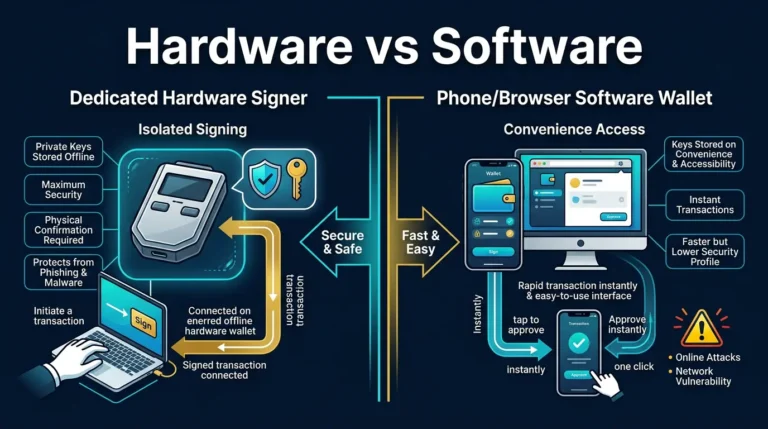
Cold storage is often seen as the safest way to store crypto assets, but not all cold storage solutions are created equal. The real question is whether your wallet is truly air-gapped and how much isolation your setup actually provides.
This content is for educational purposes only and should not be considered financial or investment advice.
Key Takeaways
- Supply Chain Attacks: Your hardware wallet is most at risk before it reaches you. Buy only from official manufacturer websites – never from third-party marketplaces.
- Blind Signing Risk: If your device screen shows a raw hex string instead of a readable transaction summary, stop. You may be approving a contract that grants unlimited access to your wallet.
- Air-Gap Architecture: QR-code-based wallets create a genuine physical data gap that USB and Bluetooth connections cannot match. For long-term cold storage, this architecture is the stronger choice.
- The Passphrase Defense: Encryption does not stop physical duress. A Passphrase (25th Word) creates a hidden wallet that remains invisible even under forensic examination of the device.
- Verify Before You Trust: Run the attestation check, verify firmware through official channels, and inspect the device physically before depositing any funds.
- The “Evil Maid” Attack: The first vulnerability in your hardware wallet’s security is during shipment. Avoid the common cold storage paranoia trap of trusting third-party sellers.
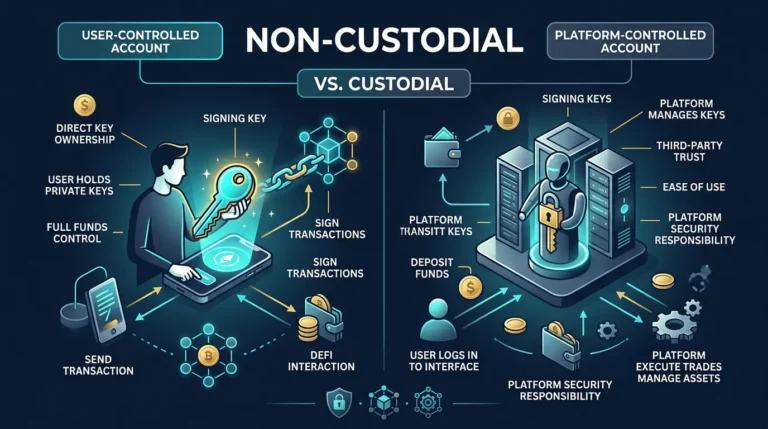
Moving your coins off an exchange feels like the finish line. It is not. It is the point at which responsibility shifts entirely to you – and where most self-custody security failures actually occur.
Cold storage paranoia is not a personality flaw. In 2026, it is a reasonable operating posture for anyone holding meaningful value on a hardware wallet. The attacks that have drained wallets over the past several years rarely exploit the underlying cryptography. They exploit the supply chain, the firmware update process, the assumptions embedded in a user interface, and the moment someone clicks Confirm without understanding what they are actually approving.
This guide covers the four most significant attack vectors targeting hardware wallet users today and the practical steps to address each one.
Vector 1: Supply Chain Attacks
The most difficult hardware wallet attack to defend against requires no code, no phishing email, and no technical skill on the buyer’s part. It happens before the package reaches your door.
If you purchased a hardware wallet from an Amazon listing, an eBay seller, or any third-party storefront, regardless of how professional the packaging looked, you accepted a supply chain risk that most buyers never think about. Cold storage paranoia begins with understanding that the threat may exist before you ever power the device on.
This is not a theoretical edge case. Documented incidents of tampered hardware wallets sold through reseller channels exist, and the methods are replicable by anyone motivated enough to source the materials and spend the time.
How a Supply Chain Attack Works
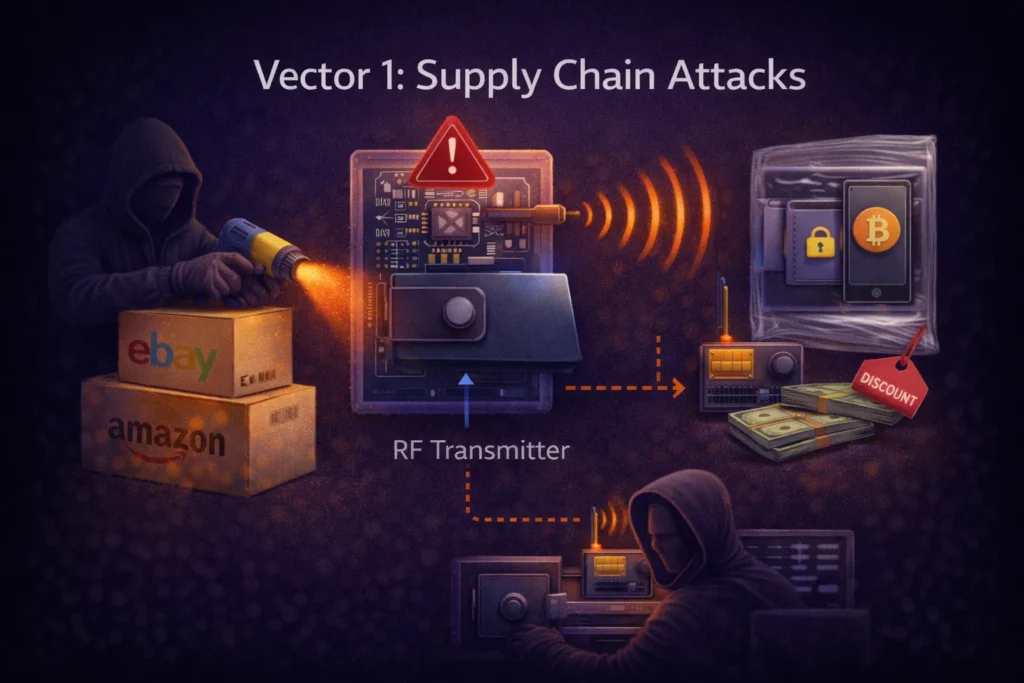
An attacker purchases authentic hardware wallets in bulk from legitimate sources. Using heat guns, they open the packaging while preserving the tamper-evident seals. They open the device casing and solder a small malicious component, often something with an RF transmitter, directly to the PCB. They then repackage the device with professional-grade shrink wrap and resell it, sometimes at a discount to attract buyers.
When you generate your seed phrase on the compromised device, the malicious component records it. The next time the device is powered near an RF receiver, which could be anywhere, the seed is transmitted to the attacker. You see nothing unusual. The device behaves normally. The attacker waits until the balance is worth extracting, then moves everything in a single transaction.
The only reliable defense is to eliminate the risk at the source: buy from the manufacturer directly.
The Paranoid Unboxing Protocol
Run these three checks in order before generating a seed phrase on any new device.
Vector 2: Blind Signing
This is the attack vector that catches technically capable users, people who already understand seed phrases, use hardware wallets, and still get drained in seconds. It does not require any device compromise. It exploits a gap in what the device can display versus what the transaction actually contains.
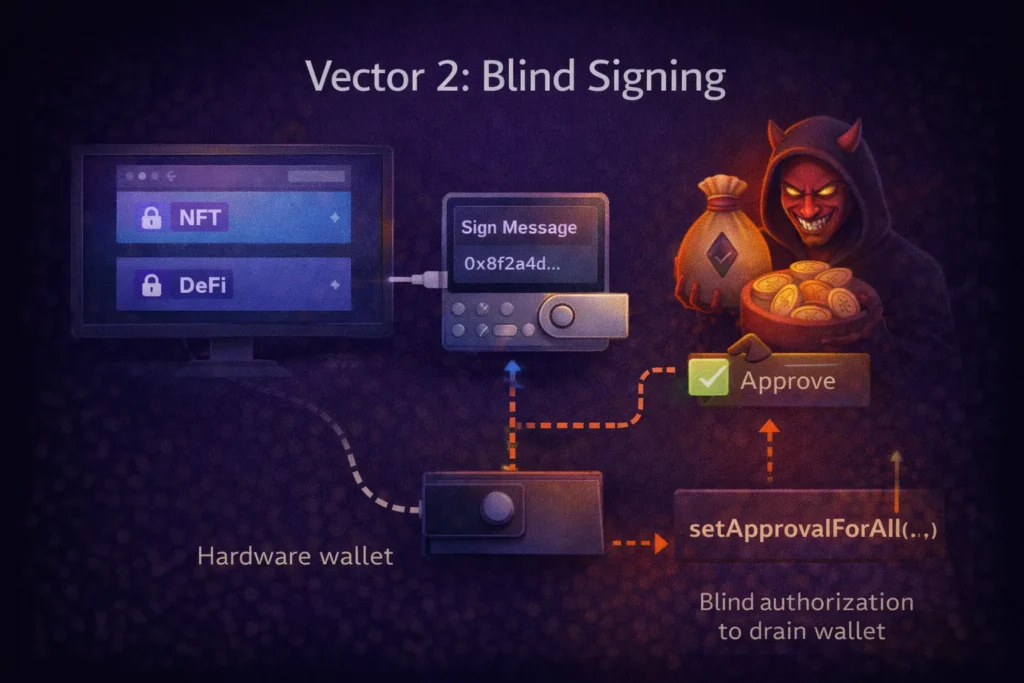
The scenario is familiar: you connect your hardware wallet to a DeFi platform or NFT minting site. A transaction prompt appears on your device screen. Instead of displaying “Send 0.5 ETH to 0xABC…”, your device shows a raw hex string: “Sign Message: 0x8f2a4d…” You approve it because the website’s UI looks legitimate and nothing seems obviously wrong.
What Blind Signing Actually Approves
When you sign raw hex data referred to as blind signing, you are authorizing the blockchain to execute whatever function that data encodes. In a large share of documented DeFi wallet drain cases, the approved function is setApprovalForAll. This grants an external smart contract unlimited, ongoing permission to transfer every token in your wallet without requiring further confirmation from you.
The attacker does not execute the drain immediately. Waiting several hours is standard practice – it moves the event outside your immediate review window. By the time you check your balances, the wallet is empty, and the funds have already moved through multiple intermediate addresses.
This is not a rare edge case. Blind signing is the primary mechanism behind a substantial share of DeFi-related wallet drains. The hardware wallet functions exactly as intended, it signs what it was asked to sign. The failure is that neither you nor the device could read what was being signed before you confirmed it.
Clear Signing: The Only Acceptable Standard
The rule is straightforward: if your hardware wallet screen does not explicitly display the amount, the destination address, and the function being executed (for example, “Swap,” “Send,” or “Approve”), do not confirm the transaction. Disconnect, close the site, and investigate before proceeding.
Browser extensions like Pocket Universe and Wallet Guard decode transactions before they reach your wallet, displaying a human-readable summary of what the transaction will actually do. These tools will surface warnings when a transaction appears to request excessive permissions. They are a useful second layer of review, particularly for active DeFi users, but they do not replace reading your device screen. The device screen is always the authoritative source of what you are signing.
Vector 3: Physical Duress
Most hardware wallet security discussions focus on digital attack vectors, but physical duress deserves equal attention and represents a real gap in most users’ security models.
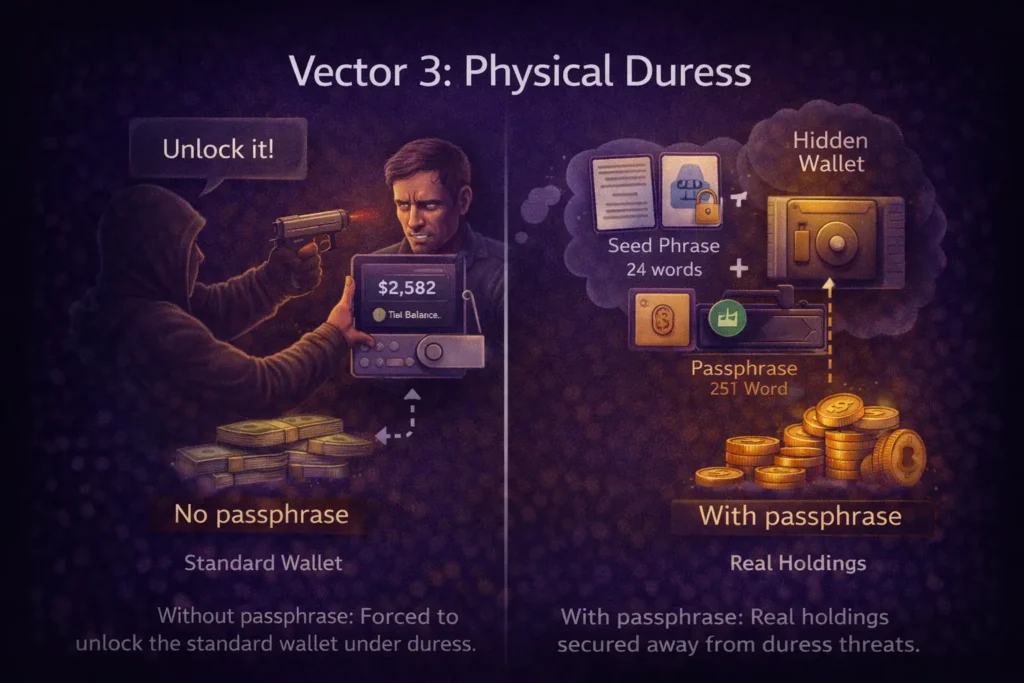
If someone forces you under threat to unlock your wallet, your PIN, and your private keys are immediately exposed. The standard security setup, one PIN, one wallet,does not protect in this scenario. You unlock the wallet, they transfer the funds, and the cryptography that protected you against remote attackers provides no defense against a person standing in front of you.
The Passphrase (25th Word) Defense
To strengthen your security, every serious hardware wallet – Trezor, Ledger, SafePal – supports an advanced feature called a Passphrase, commonly referred to as the 25th Word. This is separate from your PIN and your seed phrase. When the passphrase is combined with your 24-word seed during wallet derivation, it generates a completely different set of wallet addresses. The device stores no record of the hidden wallet’s existence.
The duress protection setup works as follows:
- Standard wallet (no passphrase): Contains a small, plausible amount of funds – enough to be credible as your full holdings. Under physical duress, you unlock this wallet. The attacker takes what is there and has no way to verify whether more exists.
- Hidden wallet (with passphrase): Contains your actual holdings. This wallet is derived from seed + passphrase. Without the passphrase, neither the device nor any forensic analysis tool can confirm that this wallet exists. There is nothing to find.
The passphrase must live only in your memory, or in a secure offline location completely separate from your seed phrase backup. It should never be written next to the seed, stored in any digital format, or shared. The moment the passphrase and seed are stored together, the hidden wallet’s protection collapses. Trezor’s official documentation provides a reliable technical walkthrough: Passphrases and the 25th Word.
If you are holding significant value in cold storage and have not set up a passphrase, your current configuration provides no protection against physical duress. This is one of the highest-impact security improvements available and requires no additional hardware.
Vector 4: Air-Gapped vs. Connected Wallets
The distinction between air-gapped and connected hardware wallets has become a more practical decision as new vulnerability disclosures and real-world usage patterns have clarified the trade-offs.
This is not a branding debate – it is an architectural decision about how much physical separation you want between your private keys and the internet.
Connected Models (USB and Bluetooth)
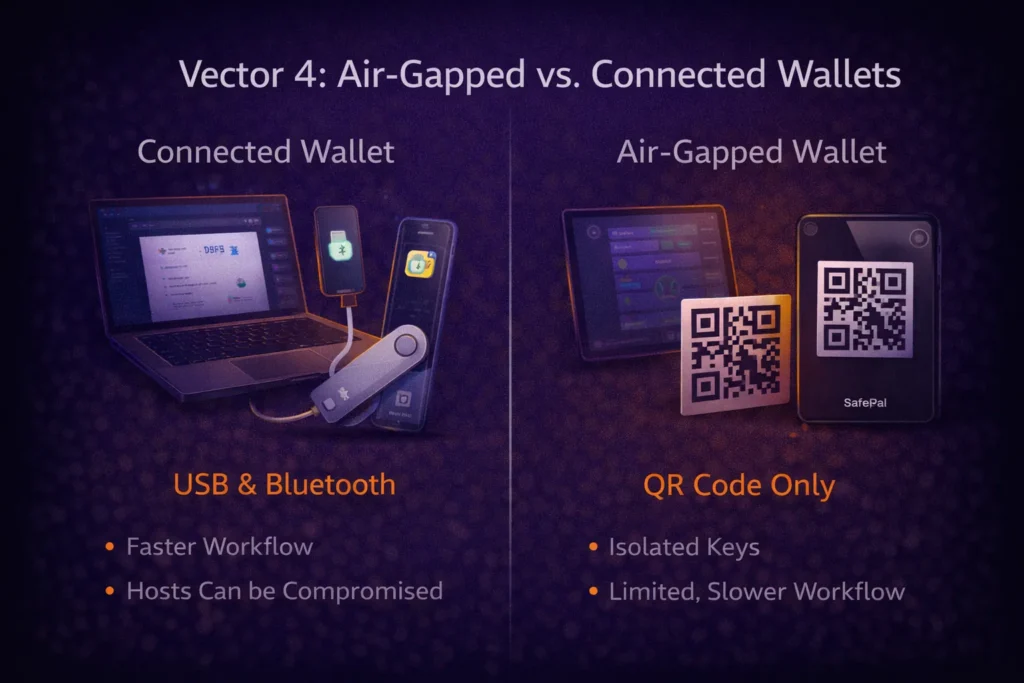
Devices like the Ledger Nano X and Trezor Safe 5 communicate with your computer or phone over USB or Bluetooth. Private keys remain inside the Secure Element chip and are never transmitted. However, the physical connection between your signing device and a potentially compromised host machine creates a communication channel that does not exist in air-gapped architectures. The attack surface is not the key storage itself; it is the protocol layer and the firmware update mechanism.
The practical question: what happens if the host device is compromised? Properly designed connected wallets resist key extraction, but they rely on secure communication protocols and firmware integrity. Operational habits matter.
For users who access DeFi regularly, manage active portfolios, or need fast, frequent transaction signing, connected wallets remain practical and secure when operated correctly. The security model holds provided you buy from the manufacturer directly, keep firmware updated through official channels, and consistently verify every transaction on the device screen rather than the host computer display.
True Air-Gap Models (QR Code Only)
Devices like the SafePal S1 Pro, Ellipal Titan, and Keystone 3 Pro carry no Bluetooth, no WiFi, and no USB data connection. The only path for data to enter or leave the device is through QR codes scanned by the device’s camera. This is a genuine physical isolation boundary; there is no data channel connecting your signing device to your computer. Malware on the host machine cannot traverse a QR code scan.
This isolation is the architectural appeal. The absence of a physical or wireless data channel removes an entire class of theoretical exploits involving USB stacks, Bluetooth firmware, or driver-level manipulation.
The trade-off is workflow friction. Signing a transaction with a QR-based device takes longer than USB. For multi-step DeFi interactions, the process becomes noticeably slower. For long-term cold storage holdings of assets you intend to hold for months or years without regular access, this friction is an acceptable cost for the isolation benefit. The slower workflow is effectively a feature: it reduces impulsive or careless transaction approvals.
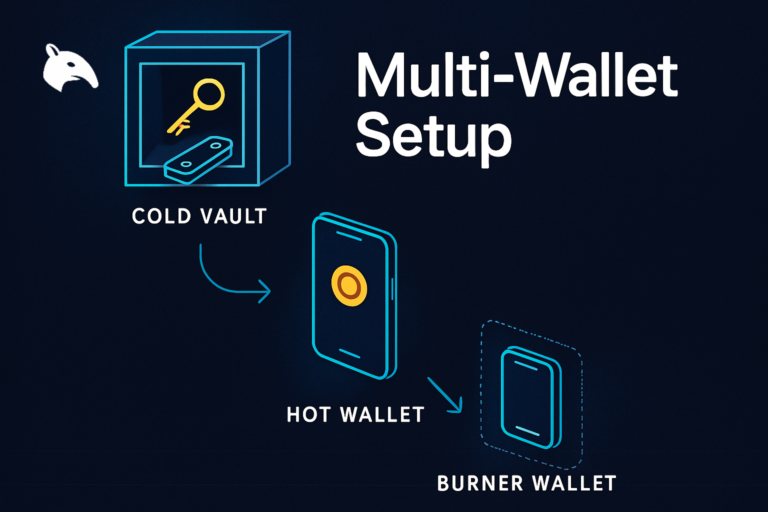
A reasonable approach for users with both active and long-term holdings is layered separation: use a connected wallet for regular DeFi activity and a QR-based air-gapped device for the holdings you do not intend to touch. The goal is matching the security architecture to the purpose of the funds, not maximum inconvenience.
Risks to Understand Before Setting Up Cold Storage
Hardware wallets reduce risk substantially – they do not eliminate it. These are the risks that remain regardless of which device you use:
1. Seed Phrase Loss is Permanent
If your seed phrase backup is destroyed, lost, or inaccessible, and your device fails, your funds are unrecoverable. There is no support call or recovery service that resolves permanent seed loss. Backup redundancy is not optional. Store multiple offline backups of your seed phrase in geographically separated, secure locations to avoid this risk.
2. Firmware Vulnerabilities Exist in Every Device
Every major hardware wallet manufacturer has issued security patches over the last two years. Running outdated firmware is an avoidable risk. Update your device only through the manufacturer’s official application, and never through a third-party link. Hardware wallet vulnerabilities are typically discovered after launch, so regular updates are necessary to minimize exposure.
3. Passphrase Loss Equals Fund Loss
The passphrase is a critical security feature, but it is not stored on your device. If you forget the passphrase or lose your secure offline backup, the hidden wallet created by the passphrase becomes permanently inaccessible. This loss has no recovery path. Always store your passphrase separately from your seed phrase and in a secure, offline location.
4. Manufacturer Trust is Still Required
Hardware wallets with Secure Elements rely on the chip manufacturer’s security guarantees. While open-source firmware (as used by Trezor) reduces the required level of manufacturer trust compared to proprietary closed firmware, it doesn’t eliminate the need for trust. Due diligence on the manufacturer’s security history and response to vulnerabilities matters.
5. Physical Theft of Seed Backups Is a Real Risk
A fireproof safe, geographically distributed backup copies, or steel seed storage plates are worth considering for high-value holdings. Paper stored in a single location can be destroyed or stolen. Store seed phrase backups in multiple secure, offline locations.
Frequently Asked Questions
Is a hardware wallet safe if I buy it from Amazon?
Buying from Amazon or any third-party marketplace introduces supply chain risk that cannot be fully mitigated after the fact. Even if the device passes its attestation check, you cannot verify complete hardware integrity without specialized equipment. Buying directly from the manufacturer’s official website is the only reliable way to control supply chain exposure.
What is blind signing, and why is it dangerous?
Blind signing occurs when your hardware wallet asks you to approve a transaction it cannot decode into human-readable terms. You see raw hex data instead of a clear description like “Send 0.5 ETH.” The risk is that the hex data may encode a function granting an external contract unlimited permission to move your wallet’s tokens. You have no way to know what you are approving unless you decode the hex manually or use a transaction simulation tool.
What is the Passphrase (25th Word) and how does it protect against physical threats?
The Passphrase is an optional security layer built into most hardware wallets. When combined with your 24-word seed phrase, it generates a completely separate wallet with different addresses. The device stores no record of this wallet’s existence. Under physical duress, you unlock your standard wallet – which contains a small, plausible amount – while your real holdings remain in the hidden wallet, invisible and mathematically inaccessible without the passphrase.
Are air-gapped wallets meaningfully more secure than USB hardware wallets?
For long-term cold storage that you access infrequently, QR-code-based air-gapped wallets provide a stronger isolation architecture. The absence of a physical data channel between the device and a networked computer removes an entire category of potential attack vectors. For active DeFi use where you need regular, fast transaction signing, a connected wallet operated with strong habits is more practical. The right choice depends on how often you access the wallet and what role it serves in your overall setup.
What should I do if the attestation check fails on a new device?
Do not use the device. Do not generate a seed phrase on it. Contact the manufacturer directly, provide your order information, and request a replacement shipped from their own warehouse. Even if you suspect the failure may be a software error rather than a hardware compromise, the correct response is the same: stop and replace. The cost of a new device is negligible compared to the cost of using a compromised one.