Last Updated on April 16, 2026 by Snout0x
You should verify hardware wallet before first use, not after funds arrive. The real question is not whether the device powers on. The question is whether its source, setup path, firmware state, and recovery flow all match what a genuine wallet should do. If any part of that chain looks wrong, the safest move is to stop before you create a PIN, generate a seed phrase, or transfer value.
In practice, that means buying from a trustworthy source, confirming the device starts blank, using only the official setup path, and sending only a small test amount after the genuine-check flow passes. A new hardware wallet should earn trust step by step. It should never ask you to trust a shortcut.
This content is for educational purposes only and should not be considered financial or investment advice.
Key Takeaways
- Verification starts before unboxing: the purchase source is part of the device trust model.
- Preconfigured state is a hard failure: a new wallet should generate the seed on-device during your setup.
- Official flow matters more than cosmetic seals: the strongest checks are firmware integrity, device attestation, and matching vendor instructions.
- A genuine wallet should earn trust step by step: source, packaging, initialization, firmware, and small test transfer should all pass.
- Unresolved doubt is enough to abort: long-term storage should not begin from an uncertain starting point.
The first decision happens before the device is even in your hands, because the source determines how much uncertainty you inherit.
Start With the Purchase Source
A hardware wallet is not just a product. It is a trust chain. That chain begins with where the device came from.
Manufacturer-direct purchases reduce unnecessary uncertainty
The cleanest path is buying directly from the manufacturer or from a clearly listed authorized reseller. The more intermediaries between production and your desk, the harder it is to rule out supply chain tampering affecting the box contents, setup materials, or even the device itself. Saving a small amount by using a marketplace seller is not worth increasing uncertainty around a device meant to protect long-term funds.
Secondhand devices fail the trust test by default
A used hardware wallet might look clean, but that is not the standard that matters. You usually cannot prove how it was stored, opened, modified, or reboxed before it reached you. A device that previously belonged to someone else should not be treated as reliable cold-storage hardware. For meaningful balances, secondhand is the wrong category, not just the wrong seller.
Once the source is acceptable, the next question is whether the physical package and the initial state make sense for a new device.
Check Packaging, Contents, and Initial State
Packaging review is not sufficient on its own, but it is still useful because obvious tampering often appears before first power-on.
Look for mismatches, not just broken seals
A seal can help, but seals alone are not the full verification model. The stronger check is whether the box contents, cards, cables, and instructions match the vendor’s official materials. Extra inserts, strange QR codes, missing accessories, resealed packaging, or setup directions that do not match the manufacturer’s site all deserve suspicion. The point is not forensic perfection. The point is catching anything that changes the expected path.
A new device should begin in a blank state
The wallet should not arrive initialized, unlocked, paired to an account, or accompanied by a ready-made recovery sheet. A new hardware wallet should ask you to create the setup from scratch. If the seed phrase already exists, someone else may already control the wallet. There is no safe partial-trust version of this scenario.
If the device includes recovery words, the underlying rule is simple: whoever knows those words can usually restore the funds without the device, the PIN, or your permission.
Physical inspection only gets you so far. The real proof begins when the device follows the official initialization path.
How to Check the Setup Before Funding
The goal of first setup is not speed. The goal is confidence that the device behaves like a genuine wallet should.
Use only the official app and documented setup path
Download the companion app from the official vendor site, not from a random search result, QR code insert, or support email. Then compare each setup step against the vendor’s own documentation. A tampered device often depends on getting you off the expected path and into a malicious one. If the box tells you to visit a different domain, enter your recovery words into a computer, or trust unofficial instructions, stop immediately.
Device attestation or genuine checks matter more than appearance
Many hardware wallet ecosystems, including the Ledger and Keystone architectures, include some form of device authenticity or genuine check during setup. The exact wording differs by vendor, but the principle is the same: the app and device should confirm that the hardware and firmware match the manufacturer’s trusted state. This is more meaningful than a tidy box because it tests behavior, not just presentation. If the official attestation fails, the setup ends there.
A wallet should prove itself through the official initialization path. It should not ask you to trust it on appearance alone.
Authenticity checks are strongest when paired with firmware checks, because the software state is part of the trust decision too.
Firmware and Seed Generation Are the Decisive Checks
Two checks matter more than most others: whether the firmware path is genuine and whether the recovery words are created on the device in your presence.
Firmware should come from the official vendor path
Some devices ship with older firmware, so first-time setup may require an update. That update should happen only through the official companion app or the vendor’s published process. Never install firmware from a link shared in chat, social media, or email. For the deeper mechanics of signatures, checksums, and attestation, the next practical step is Hardware Wallet Firmware Verification Explained.
If the firmware flow feels improvised, the verification failed. A storage device for long-term funds should not depend on guesswork.
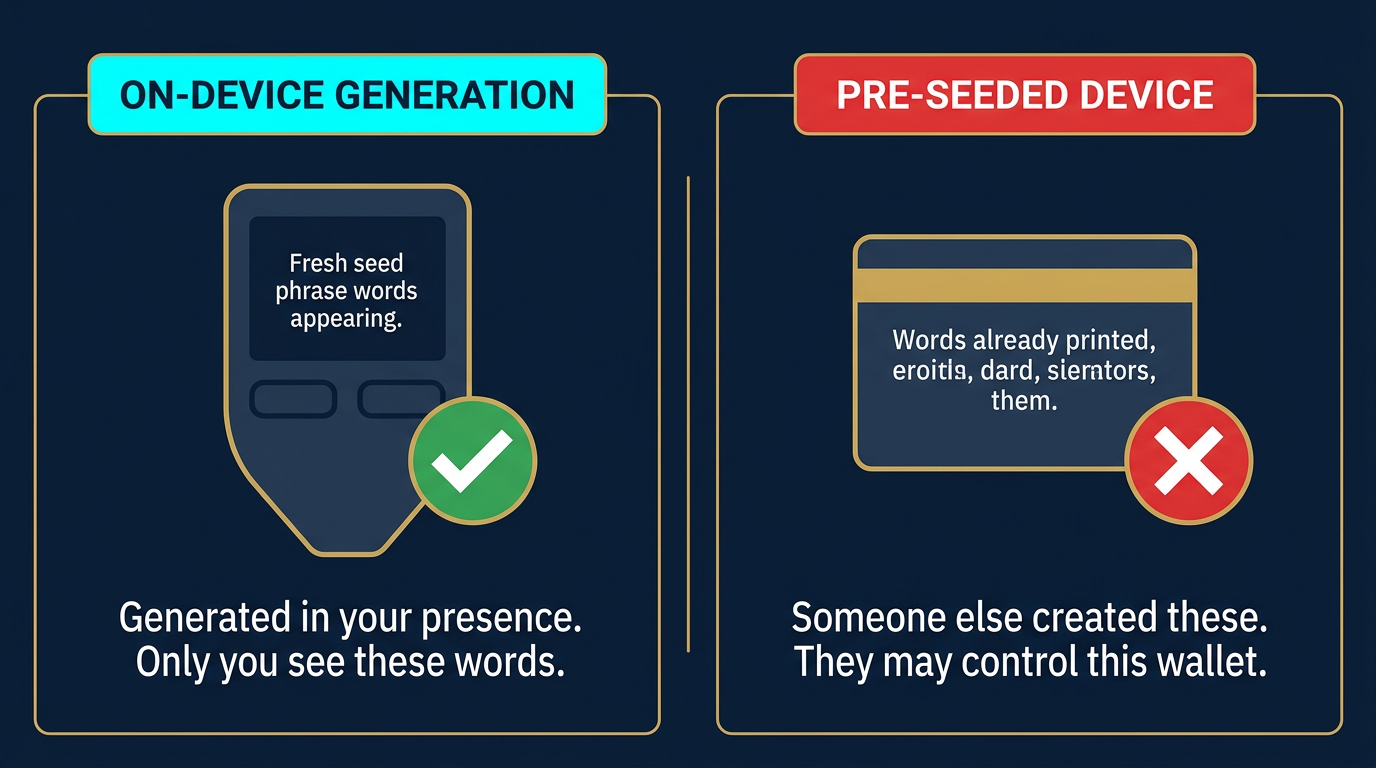
The recovery phrase must be generated on the device
The recovery phrase should appear on the hardware wallet itself during setup. You write it down after the device generates it. It should never be printed in the box, typed on a card, emailed to you, or shown on a website as part of “activation.” If someone else created the secret first, the wallet is not meaningfully yours.
That rule sounds simple, but it is one of the most important first-use checks. A pre-generated seed phrase is not a convenience feature. It is direct evidence that the device should not be funded.
Once the device passes source, setup, firmware, and seed-generation checks, the remaining question is practical: what does a safe first-use sequence actually look like?
Practical Usage: Safe First-Use Sequence
A good verification process is short and repeatable. It should confirm authenticity before any meaningful balance touches the device.
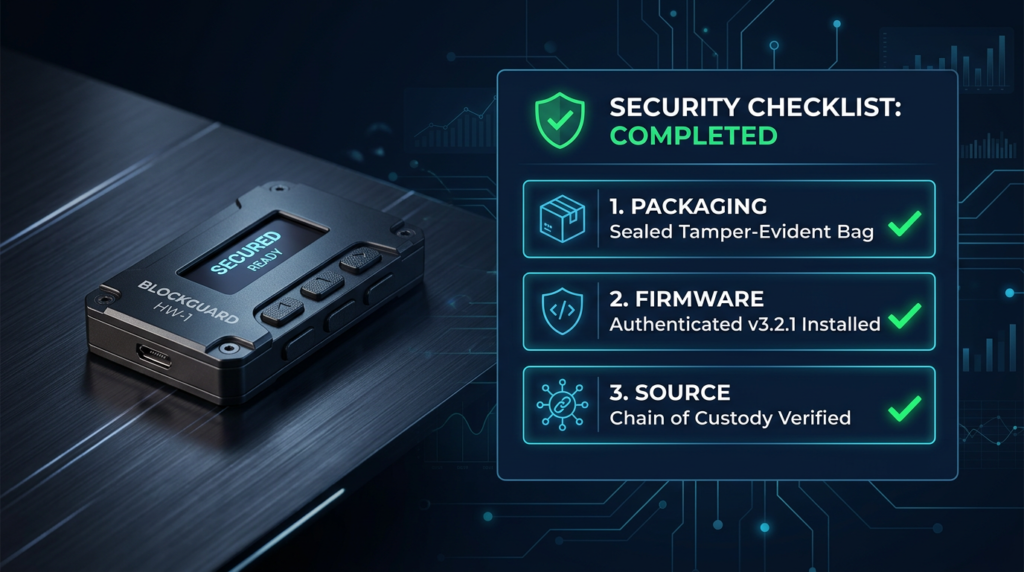
A useful operator habit is to run the same verification sequence every time you initialize a new wallet: source, packaging, blank state, official app, genuine check, firmware, seed generation, small test. Repetition matters because compromise often hides inside rushed setup, not inside the obvious steps users remember later.
A simple threshold framework helps too: no meaningful deposit goes in until the device has passed the official verification flow and one small inbound test transaction, sent while verifying the address on the device screen to guard against clipboard hijacking. If you would hesitate to lose the first transfer, the first transfer is already too large for a verification test.
| Step | What you check | Why it matters | Action if it fails |
|---|---|---|---|
| 1. Source | Official seller or clearly authorized reseller | Reduces the chance of interception or repackaging | Do not proceed with long-term storage |
| 2. Packaging | Contents and instructions match the vendor’s official materials | Catches obvious tampering and fake onboarding inserts | Stop and contact the vendor |
| 3. Initialization | Device starts blank and asks you to create the setup | Rules out preconfigured wallets and pre-seeded scams | Reject the device |
| 4. Firmware and attestation | Official app confirms genuine state and follows the vendor flow | Tests the actual trust path, not just cosmetic appearance | Do not fund the device |
| 5. First transfer | Send only a small test amount before meaningful funds | Catches setup or address-confirmation mistakes cheaply | Pause and troubleshoot before scaling up |
If you want the broader operating checklist after authenticity is confirmed, see Best Practices for Hardware Wallet Setup. Verification answers “Is this device trustworthy enough to start?” Setup best practices answer “How do I use it correctly after that?”
A real-world example helps frame the decision. If you bought directly from the vendor, the device starts blank, the official app passes the genuine check, and the wallet generates a fresh recovery phrase on-device, a small test transfer is reasonable. If the box contains a recovery card that is already filled in, a QR code points you to an unfamiliar setup page, or the device appears initialized, do not troubleshoot around it. Treat it as failed verification and replace it.
Some signals are strong enough that you should stop rather than troubleshoot.
Decision Triggers: When to Reject the Device
A suspicious wallet should be rejected early. Trying to work around a failed trust check is the wrong instinct.
- The wallet arrives with recovery words already provided
- The setup route asks you to type the seed phrase into a computer or website
- The device appears initialized before you begin
- The official companion app or genuine-check flow fails
- The purchase source is unclear, secondhand, or routed through an untrusted seller
Do not “test it anyway” with meaningful funds. The correct response is to restart the process with a trustworthy source, not to lower the standard for a device that already failed it.
Even careful users can still make a few predictable mistakes during verification.
Risks and Common Mistakes
The first mistake is treating verification as a packaging exercise instead of a full setup-path check. Clean plastic wrap is not enough. You need the source, initialization state, firmware path, and seed-generation flow to align. A device can look legitimate and still push you into a malicious onboarding path.
Another operator insight is that users often lower their standards once the device looks polished and the app opens normally. That is exactly the wrong moment to relax. A professional-looking package can still route you into a malicious setup path, so the standard must stay procedural rather than emotional.
The second mistake is sending meaningful funds too early. Even if the wallet appears genuine, the safe sequence still ends with a small test transfer first. The right device choice matters, but a good device with a bad first-use process is still a bad outcome.
Confirm the device’s trust path before first use, then fund it slowly. That order is what turns a new wallet into a trustworthy storage tool instead of a costly assumption.
Sources
- NIST Digital Identity Guidelines – Useful baseline guidance for authenticator trust, secure onboarding, and verification discipline.
- OWASP Cryptographic Storage Guidelines – Practical security guidance for protecting cryptographic material and avoiding unsafe handling of secrets.
- BIP-39 Specification – Background reference for mnemonic recovery phrases and why pre-generated words are disqualifying.
FAQ: Verifying a New Hardware Wallet
Is an intact seal enough to trust a new hardware wallet?
No. Packaging helps, but seals alone are not enough. You still need the source, setup path, firmware flow, and recovery generation behavior to match the vendor’s official process.
Should a new hardware wallet come with a seed phrase in the box?
No. A new hardware wallet should generate the recovery phrase on the device during your setup. If the words are already supplied, the device should not be trusted.
Do I need to update firmware before using the wallet?
Often yes, but only through the official manufacturer path. Some devices ship with older firmware, and bringing them to the current release can be part of safe first use.
When should I reject the device completely?
Reject it if it arrives pre-seeded, initialized, routed through suspicious instructions, or fails the official app’s authenticity or genuine check. Long-term storage should not begin from an uncertain device state.
What is the safest first transfer to a newly verified device?
The safest first transfer is a small test amount. Confirm that the address display, receive flow, and signing process behave as expected before moving any meaningful balance.