Last Updated on April 14, 2026 by Snout0x
Choosing the best crypto hardware wallet means understanding how private keys are stored, whether firmware can be independently audited, how the device communicates with computers, and what happens if the hardware is physically compromised. This guide ranks 10 hardware wallets across security architecture, firmware transparency, connectivity model, and long-term self-custody suitability — with four featured picks, four strong alternatives, and two niche options worth knowing.
This content is for educational purposes only and should not be considered financial or investment advice.
This article may contain affiliate links. Snout0x may earn a commission at no additional cost to you.
The firmware you cannot read is the firmware you cannot trust.
Best overall: Trezor Safe 5 — open-source firmware, EAL6+ Secure Element, broad coin support.
Best air-gapped: Keystone 3 Pro — QR-only, open-source, multi-chain.
Best Bitcoin-only: Coldcard Mk4 — dual SE, air-gapped, maximum control.
Best budget: Trezor Safe 3 — same open firmware and SE chip at a lower price.
5 Key Takeaways
- Hardware wallets keep private keys offline and isolated from internet-connected environments, significantly reducing remote attack surface.
- Secure Element chips provide hardware-level protection against physical key extraction attacks, but closed chip firmware limits independent auditing.
- Fully open-source firmware (Trezor, BitBox02, Coldcard, Foundation Passport) allows community verification but does not eliminate all risk categories.
- Air-gapped devices that use only QR codes or microSD for communication (SafePal S1, Keystone 3 Pro, Foundation Passport) eliminate USB and Bluetooth attack vectors entirely.
- The best hardware wallet depends on your threat model, coin support needs, and tolerance for setup complexity.
What Separates a Secure Hardware Wallet from an Average One
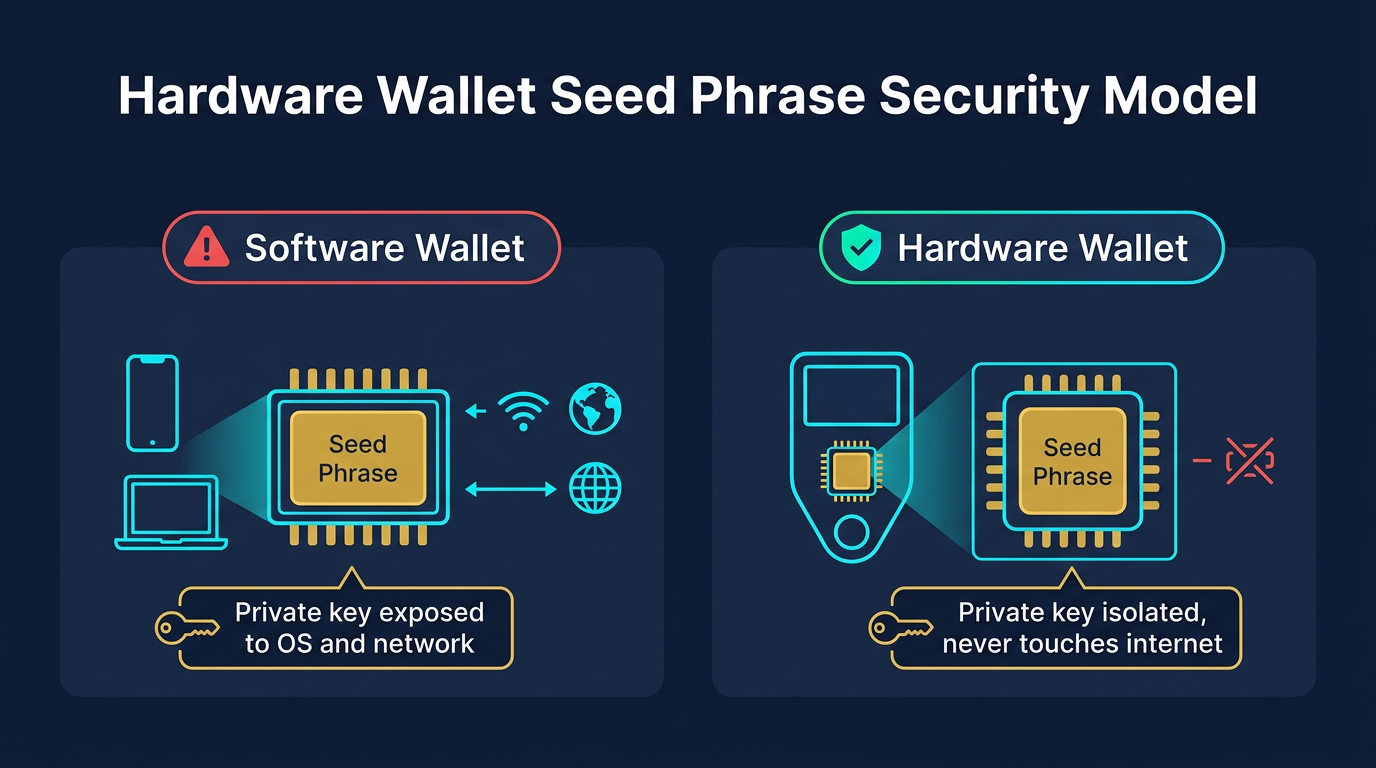
A hardware wallet keeps private keys isolated from internet-connected devices. Not all hardware wallets do this equally well.
The critical dimensions are the security model, firmware transparency, and the attack surface created by how the device communicates. A wallet with Bluetooth connectivity introduces a different risk profile than one operating only over USB or QR codes. A wallet with closed-source firmware requires trusting the manufacturer’s security claims without external verification. A wallet with no Secure Element chip relies entirely on software controls and PIN implementation rather than dedicated tamper-resistant hardware.
Understanding what cold storage actually means in crypto helps clarify why device architecture matters. Cold storage eliminates the attack vectors that target keys stored in online environments. A hardware wallet is only functioning as cold storage if private keys never touch an internet-connected environment during normal operation.
Secure Element chips are evaluated under the Common Criteria certification framework, with EAL5+ and EAL6+ ratings indicating chips designed to resist physical inspection, fault injection, and side-channel analysis.
Hardware Wallet Comparison Table
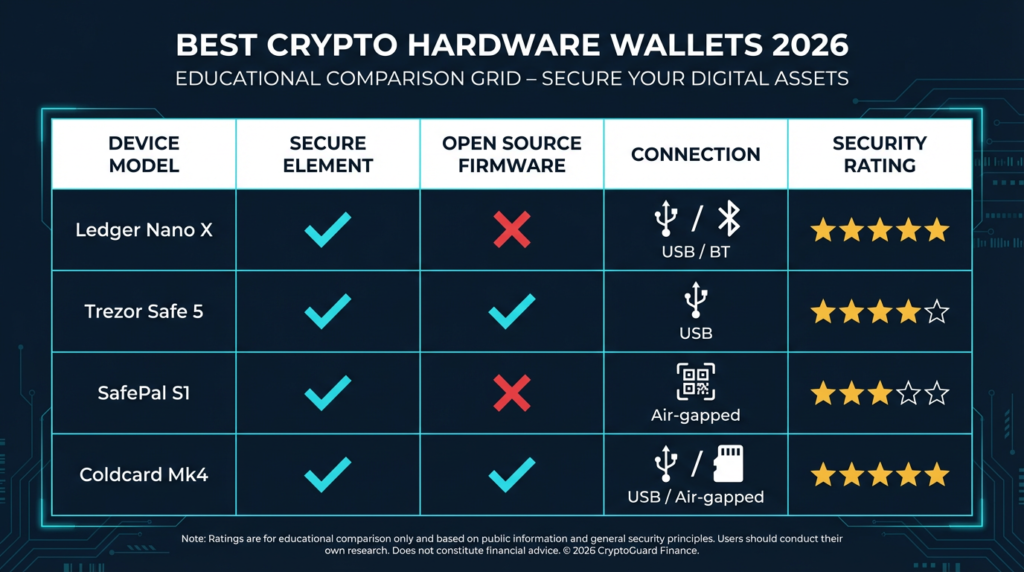
| Wallet | Security Model | Open Source | Connectivity | Best Use Case |
|---|---|---|---|---|
| Trezor Safe 5 | Secure Element (EAL6+), open firmware | Full (firmware) | USB-C, NFC | ★ Best Overall — open-source, premium UX |
| Keystone 3 Pro | Air-gapped, three-chip design | Full (firmware) | QR code only (no USB data) | ★ Best Air-Gapped — multi-chain power users |
| Coldcard Mk4 | Dual Secure Element, open firmware | Full (firmware) | USB, NFC, microSD | ★ Best Bitcoin-Only — advanced users |
| Trezor Safe 3 | Secure Element (EAL6+), open firmware | Full (firmware) | USB-C only | ★ Best Budget — open-source at lower cost |
| Ledger Nano X | Secure Element (CC EAL5+) | Partial (OS open, firmware closed) | USB-C, Bluetooth | Multi-chain, mobile use |
| SafePal S1 | Air-gapped, QR code only | Partial | QR code (no USB/BT data) | Air-gapped multi-chain |
| BitBox02 | Secure Element, open firmware | Full (firmware) | USB-C only | Beginner open-source option |
| Tangem | Proprietary chip, NFC only | App open source, firmware closed | NFC only | Simple casual storage |
| Ledger Nano S Plus | Secure Element (CC EAL5+) | Partial | USB-C only | Desktop-only, budget option |
| Foundation Passport | Air-gapped, open hardware + firmware | Full (hardware + firmware) | QR code, microSD | Bitcoin-only self-custody |
Featured Picks: Top 4 Hardware Wallets
These four devices earned featured status because each one solves a distinct buyer problem better than the rest of the field. Every pick below has been evaluated on security architecture, firmware transparency, usability, and real-world trade-offs — not brand popularity alone.
1. Trezor Safe 5 — Best Overall
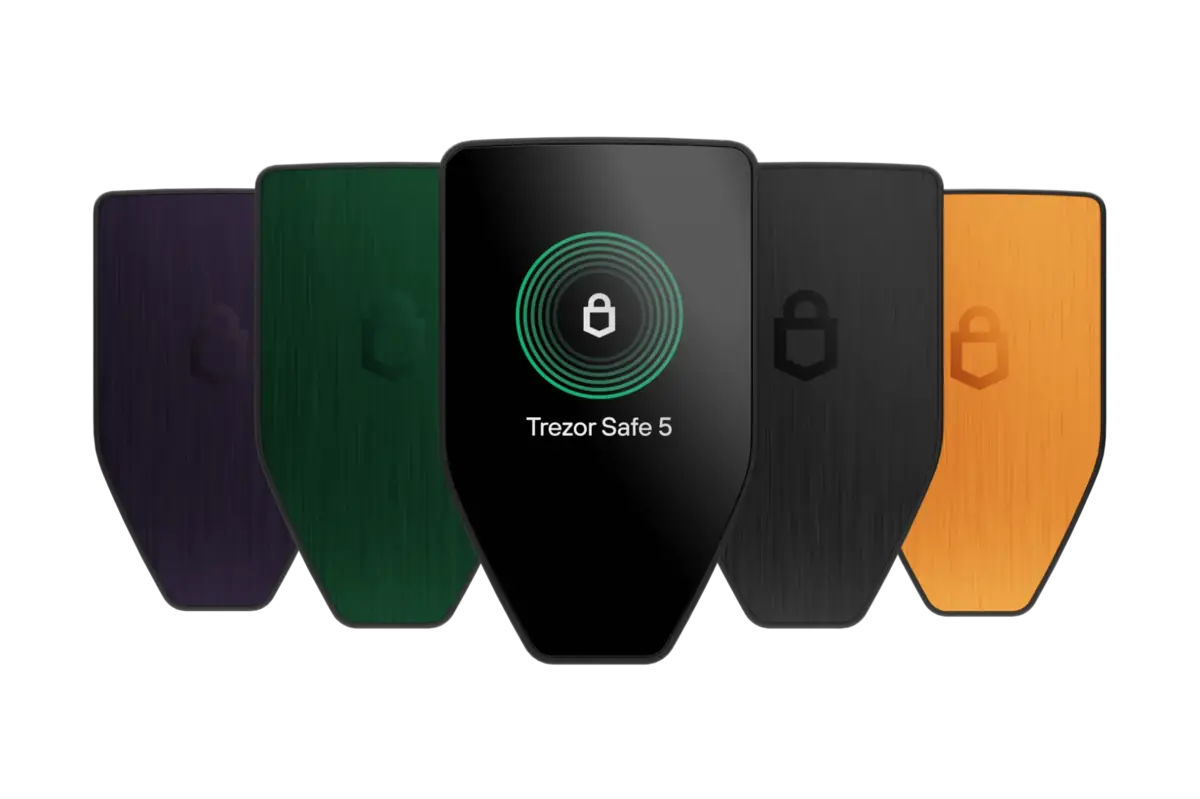
The Trezor Safe 5 combines fully open-source firmware with a CC EAL6+ certified Secure Element chip. The color touchscreen and NFC support make it one of the most usable open-source hardware wallets available. Because the firmware is publicly maintained on GitHub, independent security researchers can audit the code directly — a meaningful structural advantage over closed-source alternatives for users whose threat model includes manufacturer trust concerns.
The Safe 5 supports a broad range of coins and integrates with third-party wallets including Electrum, Wasabi, and MetaMask. Trezor’s flagship Safe 7 adds Bluetooth for mobile use. For a detailed breakdown, see the full Trezor Safe 5 Review 2026.
- Fully open-source firmware — independently auditable
- CC EAL6+ Secure Element (higher certification than most competitors)
- Color touchscreen with strong usability
- Broad multi-chain and third-party wallet support
- USB-C only — no air-gapped signing option
- SE chip firmware is still closed at the hardware layer
- Premium price vs. Safe 3 with the same core security model
2. Keystone 3 Pro — Best Air-Gapped
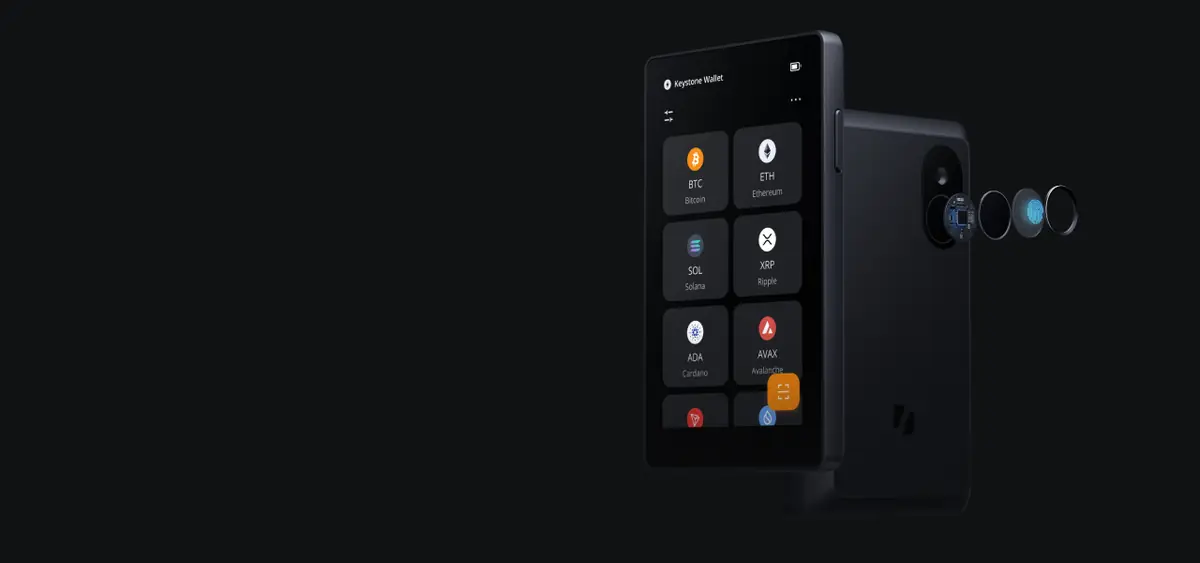
The Keystone 3 Pro is a fully air-gapped signing device with a 4-inch touchscreen, fingerprint scanner, and QR-code-only transaction workflow. It uses three separate security chips and runs open-source firmware. The device is powered by AAA batteries — no USB charging port exists to function as a potential data vector. It integrates directly with MetaMask, Rabby, Eternl, and other major software wallets through QR code pairing.
Keystone sits between SafePal’s simplicity and Coldcard’s technical depth. It handles multi-chain assets including Bitcoin, Ethereum, Solana, and others, making it practical for users who want air-gapped security without restricting to a single blockchain. The QR-code workflow adds a few seconds per transaction, but that friction is the security model working as designed: nothing crosses the air gap except optically verifiable data. For a detailed breakdown, see the full Keystone 3 Pro Review.
- Fully air-gapped — QR-code-only transaction signing
- Open-source firmware with three-chip security architecture
- 4-inch touchscreen with fingerprint authentication
- Direct MetaMask and Rabby integration via QR pairing
- Requires AAA batteries — no rechargeable built-in battery
- Higher price than SafePal S1 for air-gapped multi-chain use
- QR-only workflow is slower than USB signing for frequent transactions
- Multi-chain firmware is a broader codebase than Bitcoin-only alternatives
3. Coldcard Mk4 — Best Bitcoin-Only
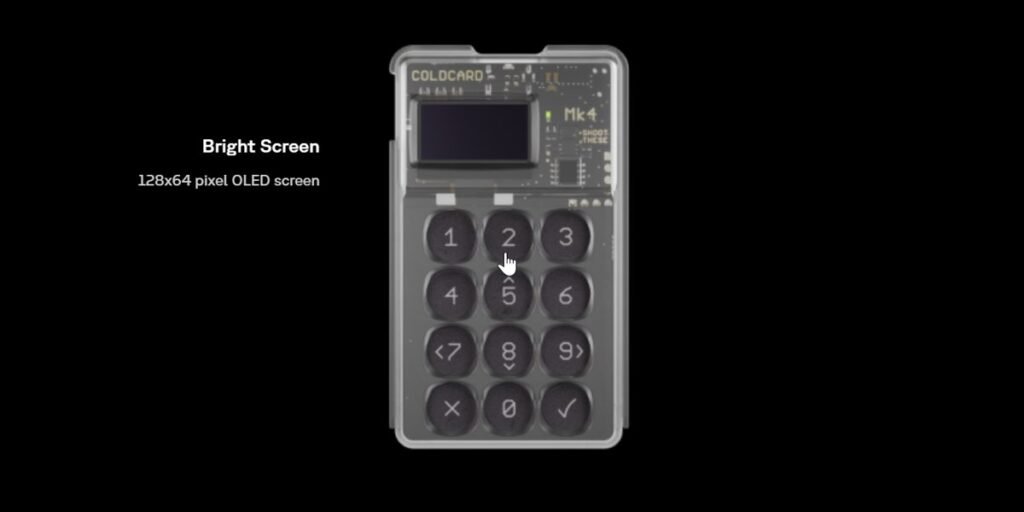
Coldcard Mk4 is a Bitcoin-only device built for users with serious self-custody requirements. The Mk4 uses two Secure Element chips in a defense-in-depth architecture, and runs fully open-source firmware. It supports air-gapped signing via microSD card and NFC in addition to direct USB operation. The device includes a duress PIN, a brick-me PIN, and physical tamper-evident seals on the enclosure.
Coldcard is not beginner-friendly. The interface is text-based, setup requires more technical knowledge than most consumer devices, and the feature set is built around advanced Bitcoin use cases including PSBT, multisig coordination, and custom derivation paths. If that describes your workflow, the Mk4 gives you more signing control than any other consumer device. If you want Bitcoin-only self-custody with a gentler learning curve, Foundation Passport covers the same security model with a more approachable interface.
- Dual Secure Element chips — defense-in-depth key isolation
- Fully open-source firmware with long audit history
- Air-gapped signing via microSD and NFC
- Advanced features: duress PIN, brick-me PIN, PSBT, multisig
- Bitcoin-only — no altcoin or multi-chain support
- Text-based interface with steep learning curve
- Not practical for users who want a simple plug-and-sign experience
4. Trezor Safe 3 — Best Budget
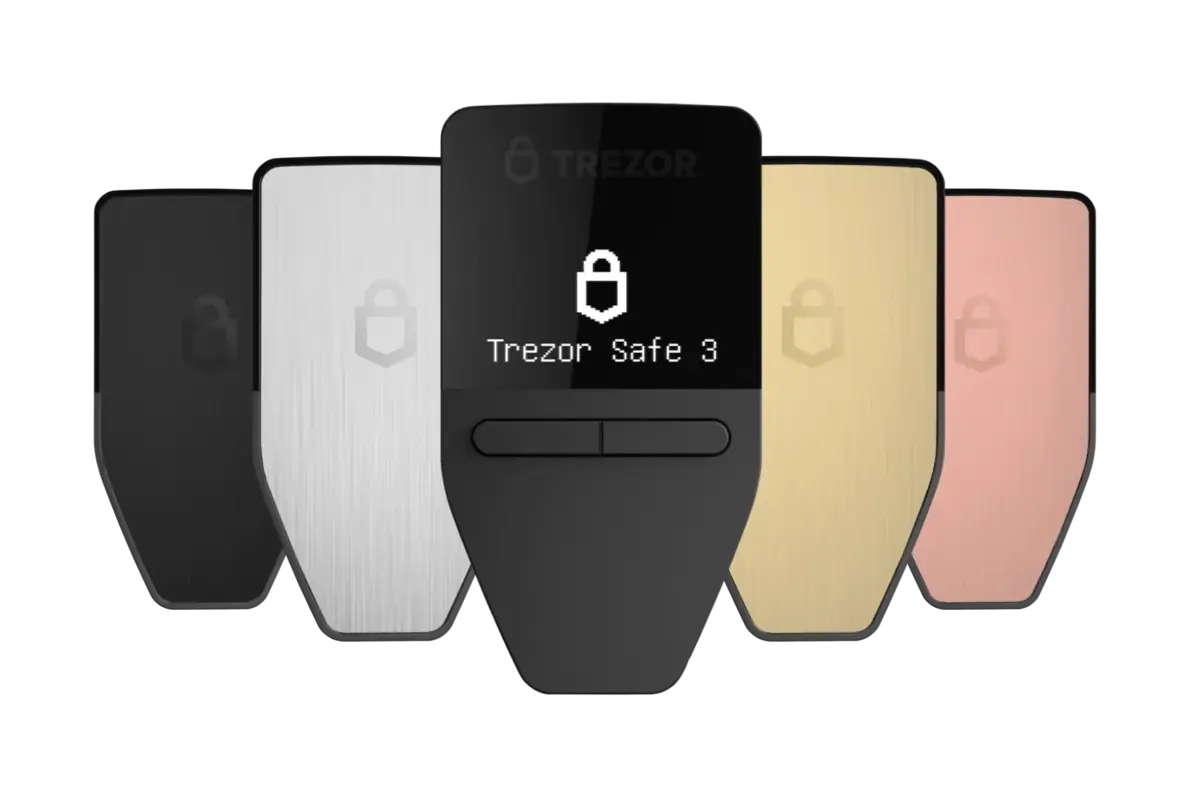
The Trezor Safe 3 brings the same open-source firmware and EAL6+ Secure Element at a lower price point. It uses button navigation rather than a touchscreen and connects via USB-C only. What you give up compared to the Safe 5 is the color touchscreen, NFC, and the premium build. What you keep is the part that matters most: the same auditable firmware, the same EAL6+ SE chip, and the same security model.
If budget is the primary constraint and firmware transparency is a hard requirement, the Safe 3 is the strongest option at its price point. For users who already know they want Trezor’s open-source model but do not need the premium UX, start here.
Recommended Alternatives
These four devices are strong options that serve specific buyer needs well. Each one is a legitimate choice for the right user — they sit below the featured picks because of narrower fit, a key transparency trade-off, or a more limited use case.
Ledger Nano X
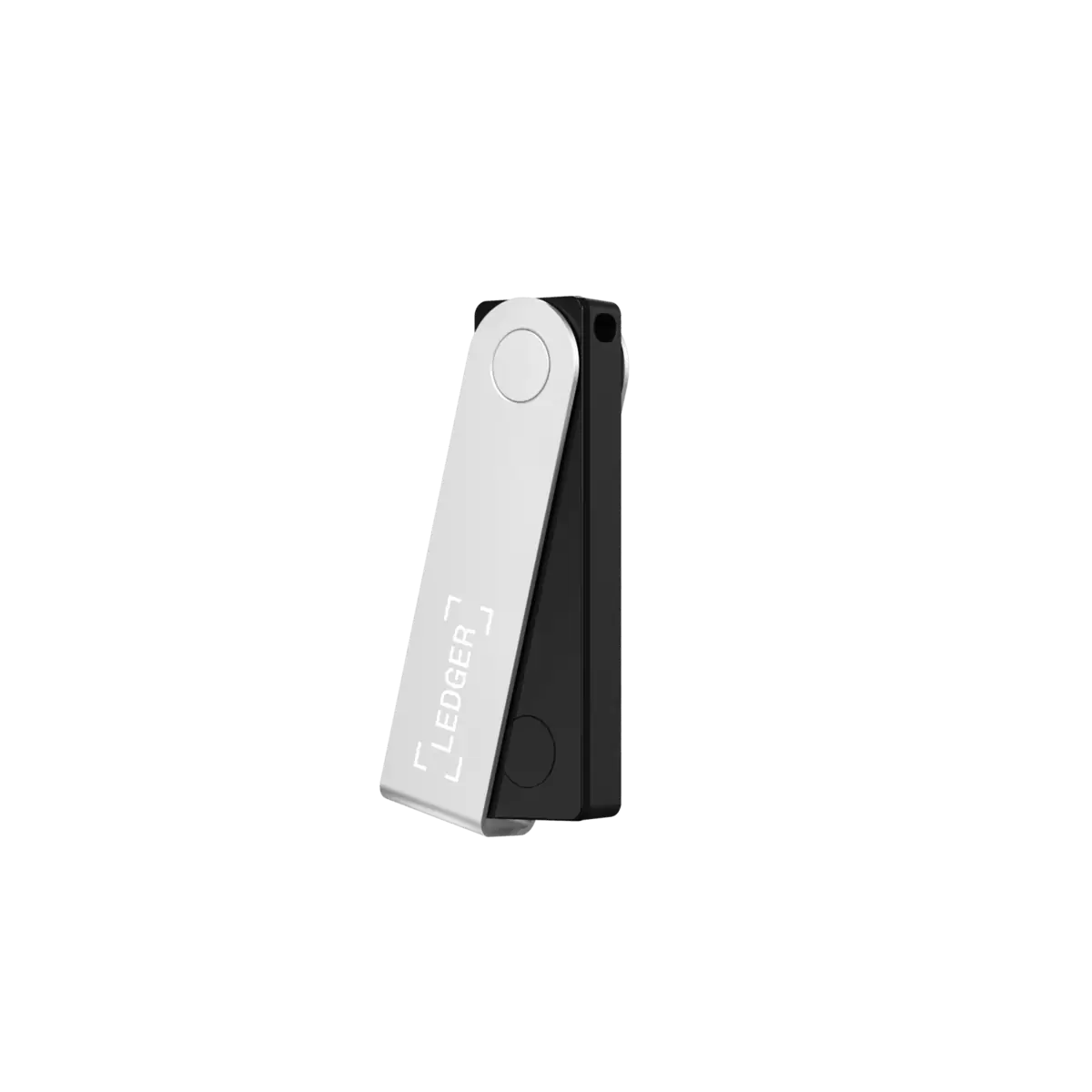
Best for: Multi-chain users who want mobile signing and the broadest third-party app ecosystem.
The Ledger Nano X uses a CC EAL5+ certified Secure Element chip with Bluetooth connectivity for mobile use via Ledger Live. It has the broadest third-party integration of any hardware wallet. The core SE firmware is closed source, which limits independent code auditing. The Ledger Recover controversy demonstrated that the firmware architecture allows key material to leave the device in segmented form — an opt-in feature, but one that changed the trust conversation. For a detailed evaluation, see Is Ledger Nano X Safe in 2026?
Main trade-off: Closed-source SE firmware means you trust Ledger’s security claims without independent verification. Bluetooth widens the wireless attack surface compared to USB-only or air-gapped devices.
SafePal S1
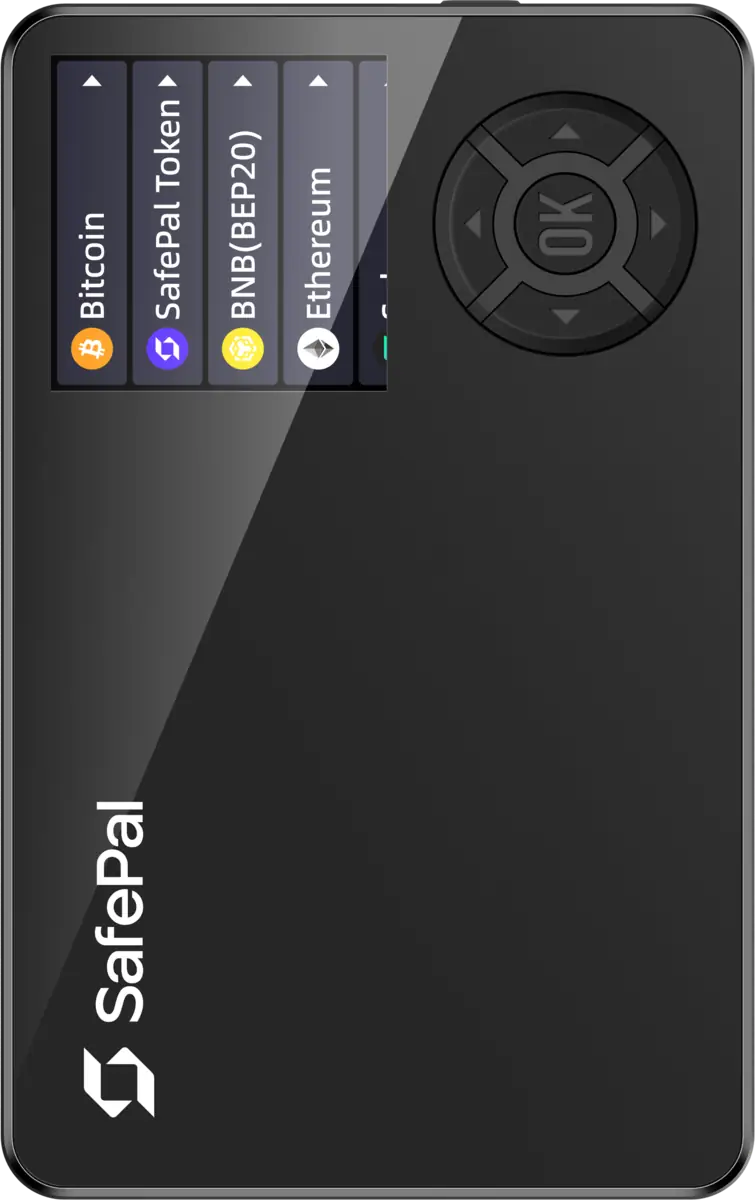
Best for: Budget-conscious users who want air-gapped multi-chain storage with the broadest coin coverage.
The SafePal S1 eliminates all wired and wireless data connections by design. Transactions are signed by scanning QR codes with the device’s camera and displaying signed QR codes on screen. No USB data, no Bluetooth, no NFC. It supports over 10,000 coins and tokens across multiple chains — the most versatile air-gapped option by coin coverage. The firmware is not fully open source, which is the main trade-off compared to Keystone 3 Pro. A detailed breakdown is available in the SafePal S1 Review.
Main trade-off: Partially closed firmware limits independent security verification. If firmware transparency is a hard requirement, Keystone is the stronger air-gapped choice.
BitBox02
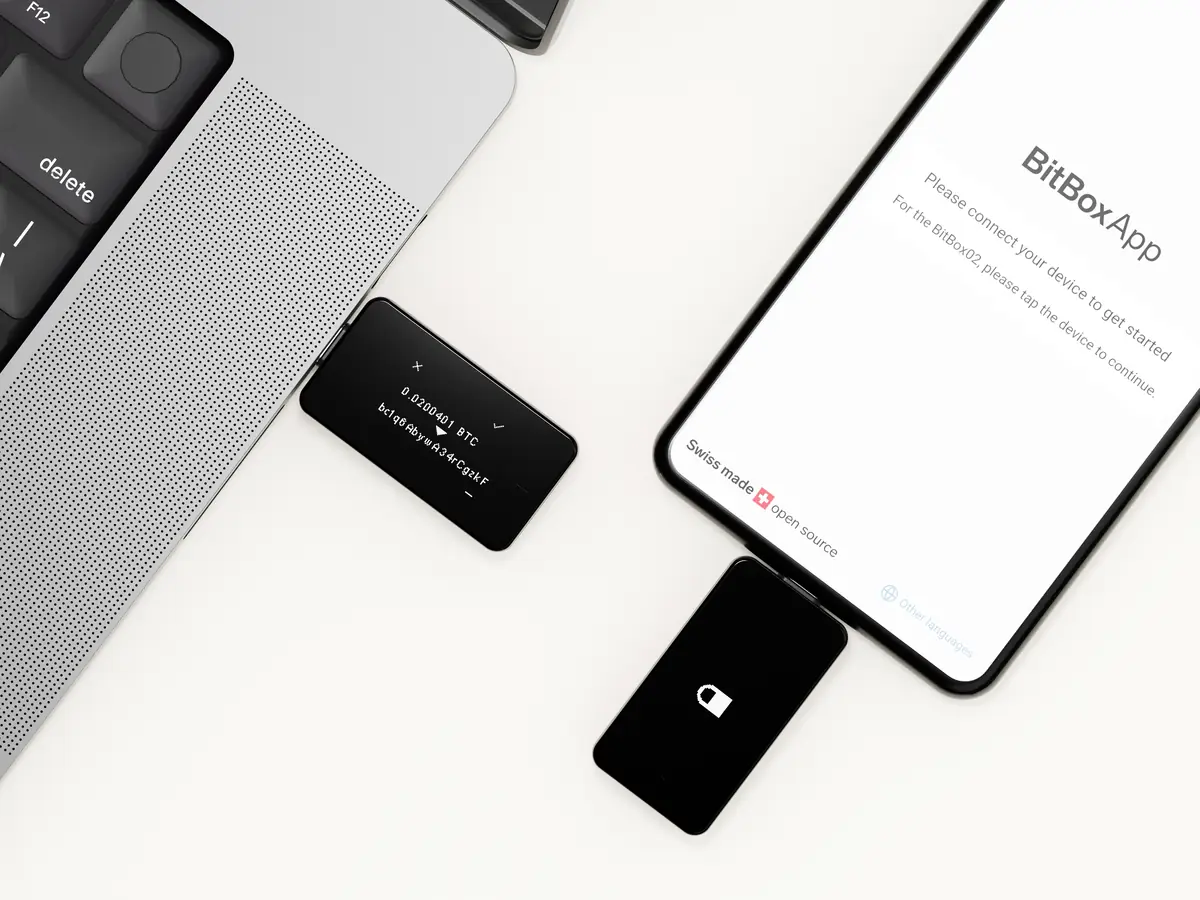
Best for: Beginners who want fully open-source firmware with a clean, simple companion app.
Made by Shift Crypto in Switzerland, the BitBox02 is fully open source and uses a Secure Element for key isolation. The Bitcoin-only edition has a reduced firmware codebase that shrinks the attack surface. The companion BitBoxApp provides a clean interface that is more beginner-friendly than most open-source alternatives. For a detailed breakdown, see the full BitBox02 Review 2026.
Main trade-off: USB-C only with no air-gapped option. Coin support is narrower than Trezor or Ledger. The device is compact, which means a smaller screen for transaction verification.
Tangem
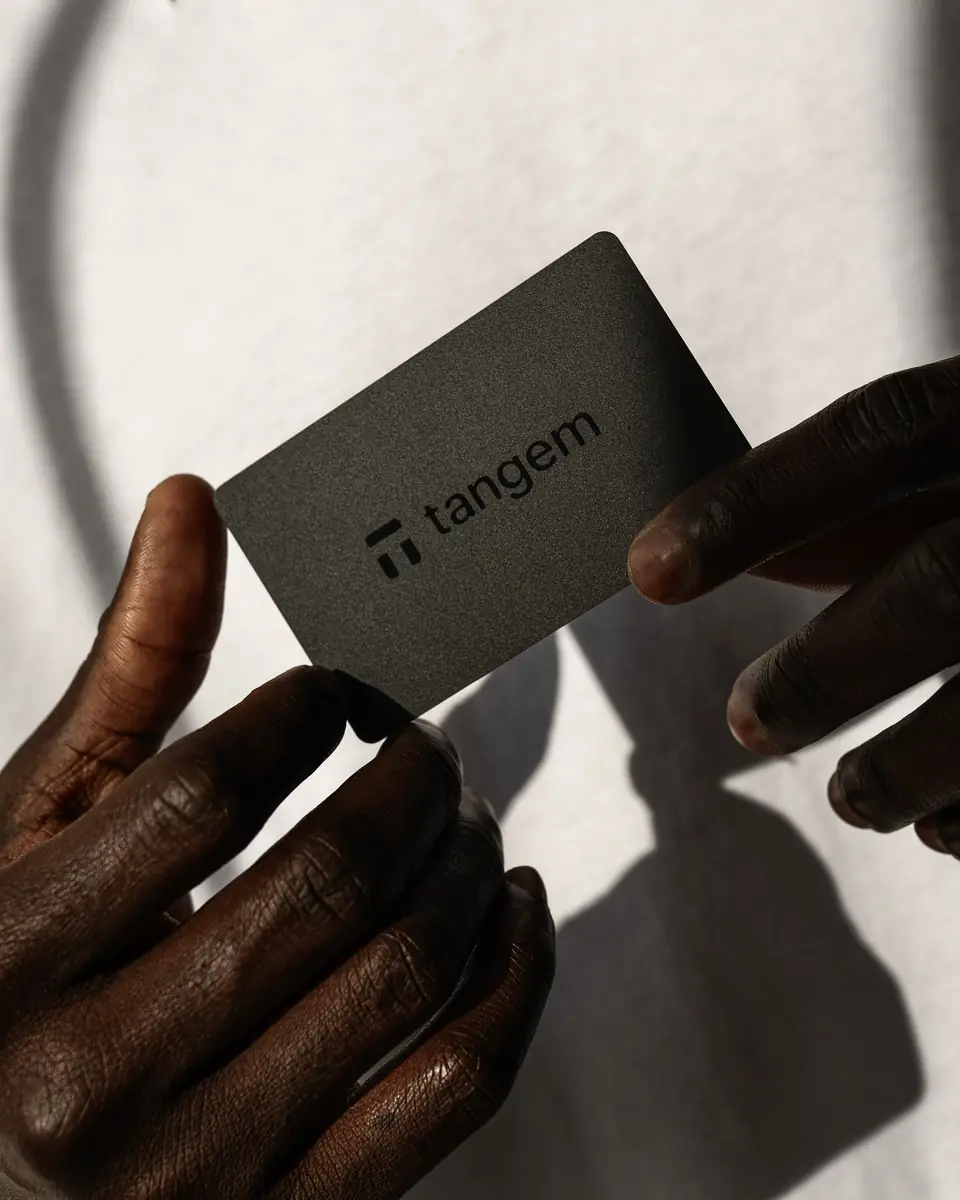
Best for: Casual holders who want the simplest possible physical storage with no seed phrase management.
Tangem is a physical card with an embedded chip that generates and stores private keys on-device without a seed phrase. Users receive three backup cards with the same key material. Communication happens exclusively via NFC. The no-seed-phrase model eliminates seed phrase theft as a risk vector but introduces a different constraint: if all three cards are lost or destroyed, recovery is impossible. For a detailed breakdown, see the full Tangem Wallet Review 2026.
Main trade-off: Closed-source firmware, no BIP39 recovery compatibility, no standard derivation path control. Not appropriate for users who require open code verification or advanced self-custody features.
Other Options Worth Knowing
These two devices serve narrower audiences. They are included for completeness rather than as primary recommendations.
Ledger Nano S Plus
The Nano S Plus uses the same Secure Element as the Nano X without Bluetooth. USB-C only, which removes the wireless attack vector. For desktop-only users who do not need mobile connectivity and prefer Ledger’s ecosystem at a lower price, this is the practical Ledger entry point. The closed-source firmware trade-off applies equally here.
Foundation Passport
Foundation Passport is Bitcoin-only and built on fully open-source hardware and firmware — the only device on this list where the physical hardware design files are publicly available. It communicates via QR codes and microSD only. Passport targets users whose threat model extends to hardware supply chain verification, not just firmware integrity. That makes it a niche device, but for its intended user, the differentiator is absolute.
Security Architecture Reference
Three technical dimensions matter most when evaluating any hardware wallet. This section is for readers who want the deeper context behind the comparison table above.
Secure Element Chips
Devices without a dedicated certified SE chip rely on standard microcontroller protections and PIN-based lockout to defend against physical access. That gap becomes relevant if a device is ever seized or stolen. SE chip manufacturers typically keep chip-level firmware proprietary, meaning even a device with open-source application firmware contains a closed component at the hardware layer. Trezor and Coldcard document these trust boundaries clearly.
Firmware Transparency
Open-source firmware allows independent researchers to audit the code running on the device. This does not guarantee a bug-free implementation, but it enables detection of backdoors, weak entropy generation, or key-handling flaws that closed firmware conceals entirely. Multiple independent audits of Trezor’s firmware have been conducted over the years. That track record is verifiable.
Connectivity and Attack Surface
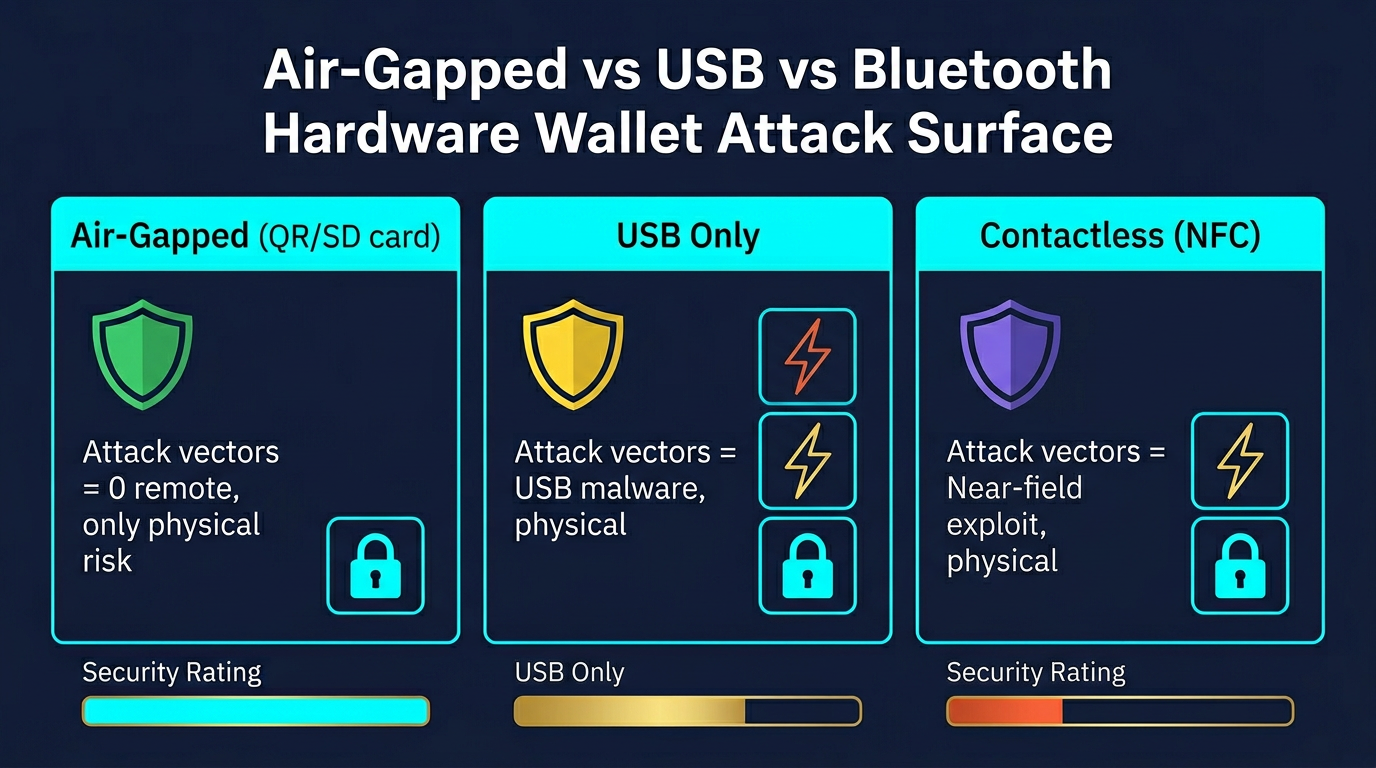
Every communication channel is a potential attack surface. USB connections can be exploited through malicious host software. Bluetooth introduces wireless interception risk. Air-gapped devices that communicate only via QR codes or microSD cards present the smallest network-facing attack surface. Coldcard Mk4 and Keystone 3 Pro are architected so the signing chip never communicates over a potentially hostile channel during normal transaction signing. For a deeper look at air-gap verification, see Cold Storage Paranoia: Is Your Wallet Actually Air-Gapped?
Which Hardware Wallet Is Right for You?
Bitcoin-only, maximum control: Coldcard Mk4 for advanced users, Foundation Passport for a gentler learning curve with the same open-hardware commitment.
Multi-chain, open-source firmware: Trezor Safe 5 for premium UX, Trezor Safe 3 for the same security model at a lower price, BitBox02 for a Swiss-made alternative with a clean companion app.
Air-gapped multi-chain: Keystone 3 Pro for open firmware and DeFi wallet integration, SafePal S1 for broadest coin coverage at a lower price.
Mainstream brand with mobile use: Ledger Nano X for Bluetooth and the widest third-party app support. Accept the closed-firmware trade-off with open eyes.
Maximum simplicity: Tangem, if the no-seed-phrase model and card form factor match your risk tolerance.
Whichever device you choose, the hardware wallet is one layer in a broader self-custody structure. The self-custody storage guide covers how to build a tiered wallet setup with proper operational security around it.
The Trezor Safe 5 earns the top spot because it solves the core trust problem: you can verify the code running on your device. Pair that with a CC EAL6+ Secure Element and broad coin support, and it covers the widest range of real-world threat models without forcing trade-offs on auditability or usability.
Check Price at TrezorRisks and Limitations
Hardware wallets reduce remote attack surface but do not eliminate all risk categories. Physical theft, seed phrase mishandling, and supply chain compromise remain live threat vectors regardless of which device you own.
A device protected only by PIN can be approached through brute-force or physical tampering given sufficient time and expertise, depending on the SE implementation. Adding a BIP39 passphrase creates a second independent layer that is not stored on the device and cannot be extracted alongside the seed. Backup architecture and threat modeling matter as much as device selection — the device protects keys during use, but the backup protects keys at rest.
Seed phrase storage remains the most common failure point across hardware wallet users. A hardware wallet backed by a seed phrase stored in a cloud note, text file, or screenshot provides no meaningful security improvement over a software wallet. If your backup is digital, your hardware wallet’s security model is already compromised regardless of which device you chose.
Common Mistakes When Using Hardware Wallets
- Buying second-hand or from unofficial sellers. Pre-compromised devices have been documented in the wild. Buy only directly from manufacturers or verified official resellers.
- Storing seed phrases digitally. Screenshots, cloud notes, email drafts, and password managers are all compromised the moment that account or device is accessed. Physical storage on paper or stamped metal is standard practice.
- Skipping device verification during setup. Most reputable hardware wallets include a genuine device check during initialization. Skipping it defeats a key element of supply chain security.
- Using no passphrase for significant holdings. Without a passphrase, a seed phrase exposure results in full fund loss regardless of device security. A 25th-word passphrase adds an independent protection layer.
- Trusting the companion software display without checking the device screen. The receiving address shown in companion software can be modified by clipboard malware. Always verify recipient addresses directly on the hardware wallet’s own screen.
Frequently Asked Questions
What is the safest crypto hardware wallet?
There is no single universally safest option across all use cases. Coldcard Mk4 and Foundation Passport offer the strongest combination of open-source firmware, air-gapped operation, and Secure Element protection for Bitcoin-only holders. For multi-chain use with firmware auditability, Keystone 3 Pro and Trezor Safe 5 are among the most security-focused options in their category. The safest choice depends on your threat model and operational requirements.
Is Ledger safe to use?
Ledger devices use certified Secure Element chips and have a strong track record against remote attacks. The primary concern is closed-source firmware, which limits independent code verification. The Ledger Recover controversy raised questions about the architecture’s theoretical key export capability. For most users, Ledger remains practical and well-supported. For users who require firmware auditability, Trezor or BitBox02 are the alternative paths.
Does a hardware wallet work without internet?
Yes. The hardware wallet itself does not require internet access to store keys or sign transactions. Internet access is required only by the companion software to broadcast the signed transaction to the network after signing. Air-gapped devices like SafePal S1 and Keystone 3 Pro are specifically designed so the signing device never connects to an internet-facing machine during the signing workflow at all.
What is a Secure Element chip and why does it matter?
A Secure Element is a tamper-resistant chip designed to protect cryptographic keys and signing operations against both physical and logical attacks. SE chips certified at EAL5+ or EAL6+ are specifically tested against fault injection, power analysis, and physical inspection techniques. Without a dedicated SE chip, key storage relies on standard microcontroller protections, which present a weaker barrier against direct hardware access by a well-resourced attacker.
Can hardware wallets be hacked?
Hardware wallets significantly reduce remote attack surface but are not immune to all attack types. Documented vectors include physical access with sufficient time and expertise, supply chain compromise before delivery, clipboard malware substituting recipient addresses, and social engineering targeting seed phrase disclosure. No hardware wallet eliminates all risk. Operational security matters as much as device selection.