Last Updated on April 15, 2026 by Snout0x
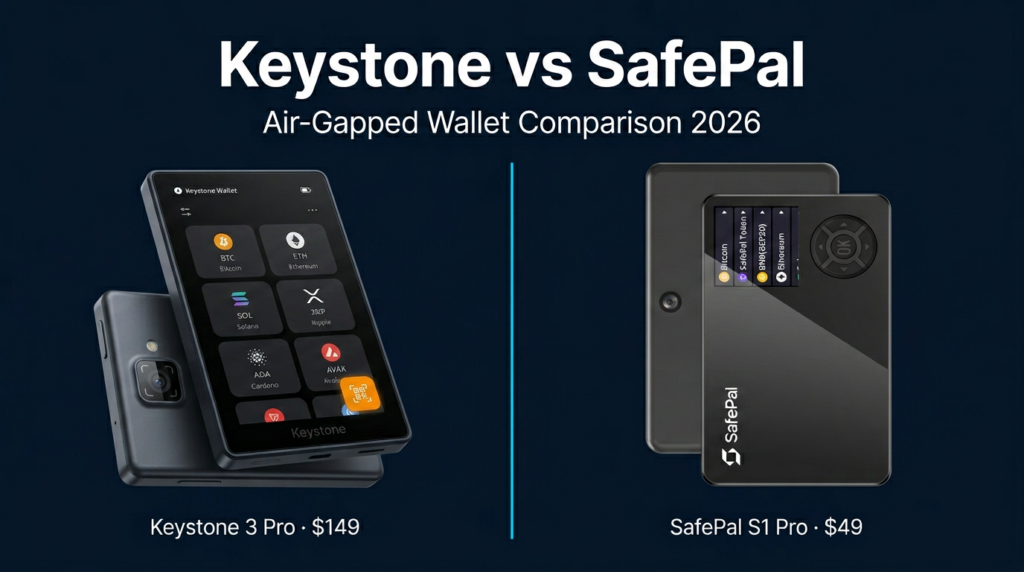
Keystone 3 Pro and SafePal S1 Pro are the two most common QR-only air-gapped hardware wallets on the market. Both eliminate USB data, Bluetooth, and Wi-Fi from the signing path. Both use secure elements. Both scan QR codes to move transaction data between device and companion app. But they are built on fundamentally different trust models, and the buyer who should pick each one is a different person.
Open firmware is the dividing line in air-gapped wallets, not the QR code.
Keystone publishes every line of firmware on GitHub, uses three independent secure elements, and integrates natively with Sparrow, MetaMask, and Rabby. It costs $149 and is built for users who verify before they trust. SafePal keeps firmware closed, uses one secure element, bundles a full-featured mobile app with built-in swaps and DeFi, and costs $49. It is built for users who want a simple, affordable all-in-one cold wallet.
This content is for educational purposes only and should not be considered financial or investment advice.
This article may contain affiliate links. If you purchase through these links, Snout0x may earn a commission at no additional cost to you.
Quick Answer
Keystone 3 Pro wins on security architecture. Triple secure element, open-source firmware, 4-inch touchscreen for full transaction review, and native desktop wallet integrations make it the stronger choice for high-value cold storage, Bitcoin power users, and anyone who wants to audit their own firmware.
SafePal S1 Pro wins on value and simplicity. One-third the price, 100+ chain support, a self-contained mobile app with built-in swaps and staking, and a straightforward setup make it the better choice for budget-conscious users who want broad coverage without managing separate wallet software.
Key Takeaways
- Both wallets use QR-only air-gapping with no USB data channel during signing. The air-gap itself is not the differentiator.
- Keystone uses three secure elements (two CC EAL5+) and fully open-source firmware. SafePal uses one secure element (CC EAL5+) and closed-source firmware.
- Keystone’s 4-inch touchscreen displays full smart-contract call data. SafePal’s 1.3-inch screen abbreviates it, which is a security trade-off for DeFi signers.
- SafePal costs ~$49 vs Keystone’s ~$149, making it the lowest entry point for air-gapped cold storage.
- If you prioritize verifiability and deep integrations, buy Keystone. If you prioritize price and multi-chain convenience, buy SafePal.
Side-by-Side Comparison
| Category | Keystone 3 Pro | SafePal S1 Pro |
|---|---|---|
| Price | ~$149 | ~$49 |
| Secure elements | 3 (two CC EAL5+) | 1 (CC EAL5+) |
| Firmware | Open source (GitHub) | Closed source |
| Air-gap method | QR only, no USB data port | QR only, USB for charging |
| Screen | 4″ touchscreen | 1.3″ with buttons |
| Chain support | Focused (BTC, ETH, SOL, ATOM ecosystem + major EVM) | Broad (100+ chains) |
| Desktop wallet integrations | Sparrow, MetaMask, Rabby, Keplr, Solflare, BlueWallet | Limited (companion app focused) |
| Companion app | Keystone app (basic) | SafePal app (swaps, staking, DeFi browser) |
| Independent firmware audits | Yes (public) | Not published |
| Corporate backing | Independent | Binance strategic investment |
Security Architecture: Triple SE vs Single SE
The secure element is the chip that stores private keys and performs cryptographic operations. Its tamper resistance is the hardware security foundation of any wallet.
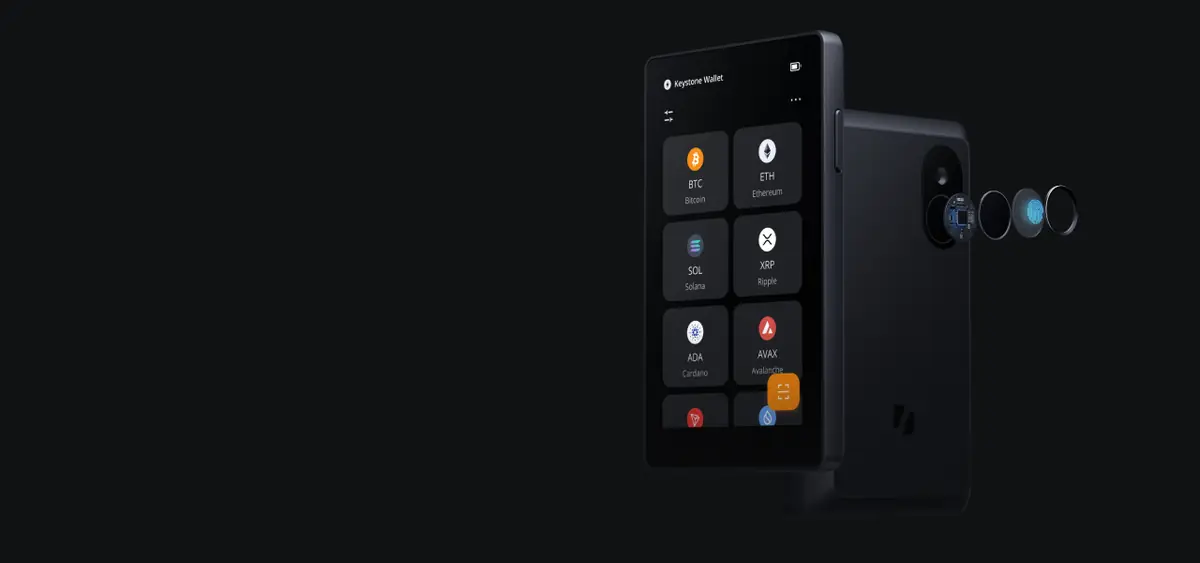
The Keystone 3 Pro distributes key material across three independent secure elements: one STMicroelectronics (CC EAL5+), one Microchip, and one Infineon (CC EAL5+). Compromising a single chip does not yield usable key data. Two of the three chips carry independent CC EAL5+ certification, the same level used in banking cards. This architecture creates genuine hardware redundancy rather than just a single point of cryptographic trust.
The SafePal S1 Pro uses one CC EAL5+ secure element. A single-chip approach is standard for wallets at this price point and is not inherently insecure. But a physical attack that extracts the single SE immediately compromises all stored keys. There is no second layer of hardware redundancy.
For broader context on how secure element design compares across the hardware wallet market, see Ledger vs Keystone security architecture.
Firmware Transparency: Open vs Closed
Keystone’s firmware is fully open source, published on GitHub, and has been independently audited by third-party security researchers with public audit reports. Any user or researcher can review exactly what the firmware does before trusting it with keys. For technically sophisticated buyers, this is the single strongest argument for Keystone over any closed-firmware competitor.
SafePal’s firmware is closed source. No independent audit results have been published. SafePal received a strategic investment from Binance early in the company’s history and has worked closely with the Binance ecosystem. SafePal remains a separate company, but the association with a centralized exchange is a trust-model concern for some self-custody users. The closed firmware means SafePal could theoretically push updates through the companion app that users cannot audit before applying.
The practical difference: with Keystone, you can verify. With SafePal, you must trust.
Air-Gap Implementation: Same Concept, Different Discipline
Both devices use QR codes as the sole data channel for signing. Transaction data is displayed as a QR code on a phone or computer, scanned by the device’s camera, signed internally, and the signed result is displayed as a QR code to scan back. Neither device transmits data wirelessly or over a wire during the signing workflow.
The implementation difference is hardware purity. Keystone has no USB data port at all during normal operation. The USB interface is physically absent from the signing path. SafePal S1 Pro has a USB port used for charging only, not data. In principle, the presence of a USB controller means a residual attack surface exists if SafePal’s USB stack has vulnerabilities, even though data transfer is disabled by design. Keystone removes this vector entirely by hardware architecture.
In daily use, both workflows feel identical: scan, verify, confirm, scan back. The difference only matters in threat models that account for physical USB-based attack vectors.
Screen and Transaction Verification
Keystone 3 Pro has a 4-inch touchscreen that displays full smart-contract interaction details: token names, amounts, recipient addresses, and contract call data without truncation. The touchscreen interface is responsive and allows direct interaction with transaction details.
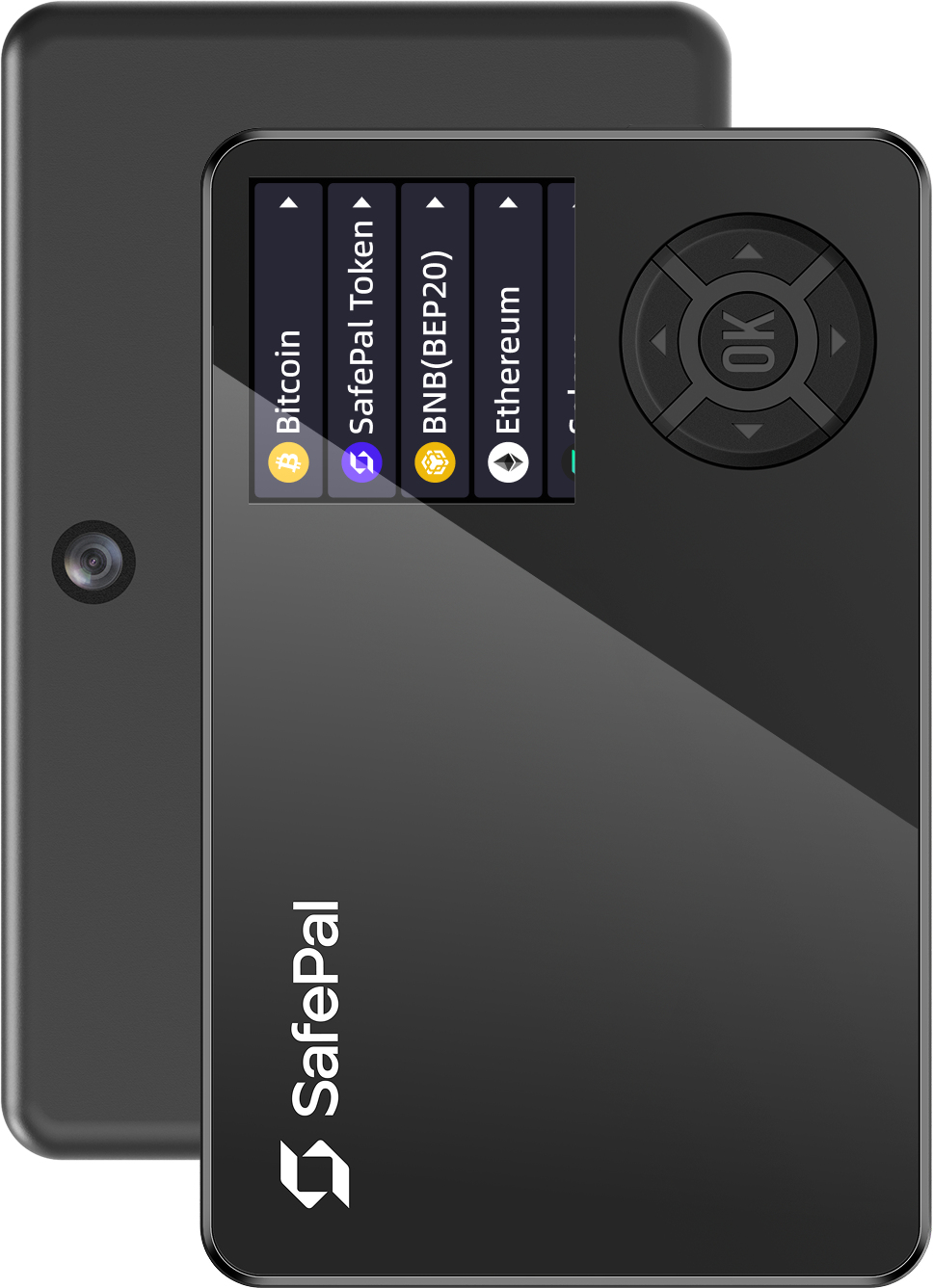
SafePal S1 Pro has a 1.3-inch display with physical d-pad buttons. Complex DeFi approvals are abbreviated on screen, and navigating through full transaction information requires multiple button presses. For simple send-receive operations with Bitcoin or major tokens, the small screen is adequate. For DeFi contract interactions where reading the full call data matters for security, the abbreviated display is a real limitation.
Screen size is a security feature, not a comfort feature. If you sign DeFi transactions without reading the full contract call, you are blind signing, and the hardware wallet’s security guarantee is reduced to physical key isolation only.
Chain Support and Wallet Integrations
SafePal claims compatibility with 100+ blockchains and tens of thousands of tokens. The companion app is a comprehensive mobile-first manager with built-in swaps, staking, and a DeFi browser. If your portfolio includes smaller or recently launched chains, SafePal is more likely to support them out of the box. For users who want a single app to manage everything, SafePal’s ecosystem is more convenient.
Keystone focuses on quality integrations over raw chain count. Native QR-based integrations include Sparrow Wallet (Bitcoin), MetaMask Mobile, Rabby Wallet, Solflare (Solana), Keplr (Cosmos), and BlueWallet. These are maintained, well-documented integrations that work reliably as dedicated signing paths. For Bitcoin users, the Keystone + Sparrow combination is one of the strongest air-gapped cold-storage setups available. For Ethereum and EVM-chain DeFi, Rabby and MetaMask Mobile provide full contract-level signing with QR.
The trade-off is real: SafePal covers more chains through one app; Keystone covers fewer chains but with deeper, more verifiable integrations through established third-party wallet software. Users choosing their first cold-storage device should start with how to choose a crypto wallet to frame this decision in a broader context.
Who Should Buy Keystone
- Bitcoin cold-storage users who want Sparrow Wallet integration with QR air-gapping, full UTXO control, and coin selection.
- DeFi signers who interact with smart contracts and need a 4-inch screen to read full call data before confirming.
- Security-first buyers who want open-source firmware they can audit, triple SE redundancy, and publicly available third-party audit reports.
- Desktop wallet users who prefer signing through Sparrow, Rabby, MetaMask, or Keplr rather than relying on a vendor companion app.
- High-value portfolios where the $149 price is justified by the stronger verification model and hardware redundancy.
Who Should Buy SafePal
- Budget-conscious buyers who want air-gapped cold storage at the lowest possible entry price (~$49).
- Multi-chain holders with tokens across many ecosystems who need 100+ chain support without managing separate wallet software.
- Mobile-first users who prefer a single companion app with built-in swaps, staking, and DeFi browsing rather than separate desktop tools.
- Simple send-receive users who primarily transfer Bitcoin and major tokens and do not regularly sign complex DeFi contracts.
- First-time hardware wallet buyers who want the simplest possible setup path to move assets off an exchange into cold storage.
Risks and Trust Assumptions
The biggest risk with either device is purchasing from an unauthorized seller. Counterfeit or pre-configured hardware wallets have been sold on Amazon and eBay. Buy Keystone from the official Keystone website only. Buy SafePal from the official SafePal store or verified distributors only. Both manufacturers provide device verification mechanisms on first startup.
With SafePal, there is an additional trust assumption. Closed firmware means you cannot independently verify what the device runs. The Binance investment relationship creates a governance question that each buyer must evaluate against their own threat model. SafePal could push firmware updates through the companion app that users cannot audit. To reduce this risk, disable automatic firmware updates and verify update release notes before applying.
With Keystone, the trust assumption is lower because firmware is auditable, but open source does not mean invulnerable. The security guarantee depends on users (or the community) actually reviewing firmware and on the physical tamper resistance of the hardware. For more on how hardware wallet supply chain attacks work, see the dedicated guide.
Neither device protects your funds if your recovery phrase backup is physically stolen or if you reveal it in a phishing attack. Hardware wallet security always starts with backup security. For backup device options, see best seed phrase backup devices.
Verdict: Keystone for Verification, SafePal for Value
Triple SE redundancy, open-source firmware, 4-inch screen, and native Sparrow / Rabby / MetaMask integrations make this the strongest verifiable air-gapped wallet available. The $149 price is justified for users who store significant value and want to audit their own trust chain.
Broad chain support, a self-contained companion app with swaps and staking, and a $49 price point make SafePal the most accessible air-gapped wallet for users who prioritize convenience and cost over firmware transparency.
If you value verification, firmware auditability, and deep desktop-wallet integration, Keystone 3 Pro is the clear winner. If you value low cost, broad chain coverage, and a single mobile app that handles everything, SafePal S1 Pro is the practical choice. The core trade-off is trust model: open firmware with hardware redundancy at $149, or closed firmware with an all-in-one ecosystem at $49.
For the broader hardware wallet market and how these two fit against Ledger, Trezor, and others, see the best crypto hardware wallets roundup. For a deeper Keystone-specific review, see the Keystone 3 Pro review.
Frequently Asked Questions
Is SafePal owned by Binance?
Binance made a strategic investment in SafePal early in the company’s history and the two have worked closely within the Binance ecosystem. SafePal remains a separate company. Whether this creates an unacceptable trust assumption for a self-custody wallet is a judgment call each buyer must make based on their threat model.
Can I use Keystone or SafePal with MetaMask?
Keystone natively integrates with MetaMask Mobile via QR code signing. SafePal is also compatible with MetaMask Mobile. For desktop Ethereum interaction, Rabby Wallet supports Keystone natively and is generally more reliable than MetaMask browser extension for QR-based hardware signing.
Which wallet is better for Bitcoin cold storage?
Keystone, by a clear margin. The Keystone + Sparrow Wallet combination provides full UTXO management, coin control, and Taproot support through QR air-gapping. It is one of the most respected Bitcoin cold-storage setups in the self-custody community. SafePal supports Bitcoin but does not integrate with dedicated Bitcoin desktop software at the same depth.
Does SafePal’s USB port compromise the air gap?
SafePal’s USB port is designated for charging only, not data transfer. In practice, no known attack has exploited this vector on the S1 Pro. However, the presence of a USB controller means a theoretical residual attack surface exists. Keystone removes this vector entirely by having no USB data port in the hardware design.
Is the $100 price difference between Keystone and SafePal worth it?
It depends on what you are protecting. For portfolios above a few thousand dollars, the open firmware, triple SE redundancy, and larger screen justify the premium. For users who are moving small amounts off an exchange into basic cold storage, SafePal provides legitimate air-gapped security at a fraction of the cost.