Last Updated on April 16, 2026 by Snout0x
Hardware wallet firmware verification matters because your device is only as secure as the firmware running on it. The private keys stored inside a secure element chip are protected against direct extraction under most conditions, but if the firmware itself is malicious or compromised, the secure element’s protection may be bypassed at the software level. This is not a theoretical edge case. Supply chain attacks on hardware devices are a documented threat, and firmware tampering has been demonstrated on multiple hardware wallet platforms by security researchers. Verifying firmware before and after every update is the most reliable defense.
In practical terms, that means every update is a trust decision. Before installing firmware, confirm your recovery backup, use only the official update path, check the published verification data when available, and treat any failed attestation or unexpected update prompt as a stop signal rather than a minor inconvenience.
This content is for educational purposes only and should not be considered financial or investment advice.
Key Takeaways
- Firmware runs the logic of your hardware wallet. Compromised firmware can override key storage protections at the software layer.
- All major hardware wallet manufacturers sign their firmware with a private key that the device verifies before accepting an update.
- Supply chain attacks targeting hardware wallets have been demonstrated in controlled research environments.
- Open-source firmware can be independently audited, while closed firmware relies more heavily on vendor trust and external review.
- Verifying firmware hash against the manufacturer’s published checksum is the most accessible user-level check.
What Firmware Does on a Hardware Wallet
Firmware is the low-level software embedded on the hardware wallet’s microcontrollers. It handles everything that happens during normal use: parsing transaction data, displaying information on the screen, receiving input from buttons, managing the secure element, and producing signatures. Without firmware, the hardware is inert silicon and metal.
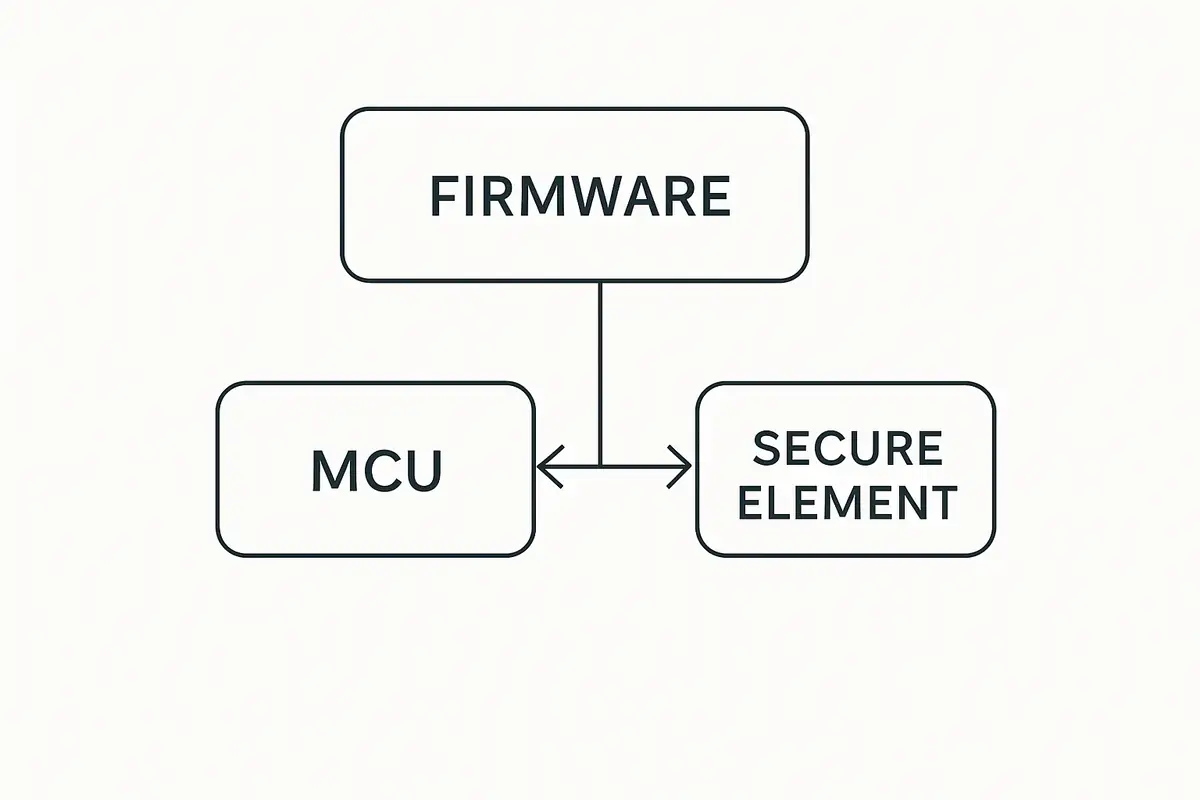
This matters for security because the secure element does not run the full firmware itself. The secure element is a separate chip specialized for key storage and cryptographic operations. The main microcontroller runs the broader firmware and communicates with the secure element to request signatures. If the firmware on the main microcontroller is compromised, it could theoretically construct misleading transactions, display false information on screen, or extract key material by manipulating the interface with the secure element in unintended ways.
This is why firmware integrity is a security property, not just a functionality concern. You are not just installing a software update. You are updating the logic that mediates every interaction between you and your private keys.
How Hardware Wallet Firmware Verification Works
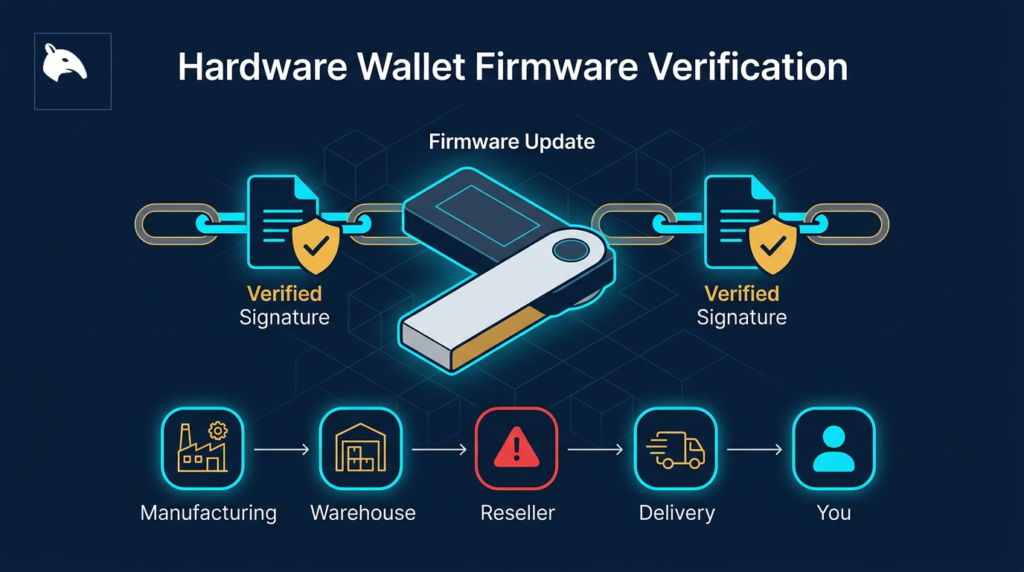
All serious hardware wallet manufacturers use cryptographic firmware signing. Before releasing a firmware update, the manufacturer cryptographically signs it using their private key. When the device receives a firmware image, it verifies the signature using the corresponding public key, which is embedded in the device during manufacturing. If the signature does not match, the device refuses to install the firmware.
This prevents an attacker who intercepts your firmware download from substituting a malicious image. The malicious firmware would not have a valid signature from the manufacturer, so the device would reject it. The security of this system depends on:
- The manufacturer’s private signing key remaining secret and secure.
- The verification logic embedded in the device not being bypassable through physical attacks.
- The update delivery mechanism (the manufacturer’s website or companion app) not being compromised.
None of these are absolute guarantees. They are the layers of defense that make an attack significantly more difficult than replacing a simple software file.
Supply Chain Attacks: The Specific Threat to New Devices
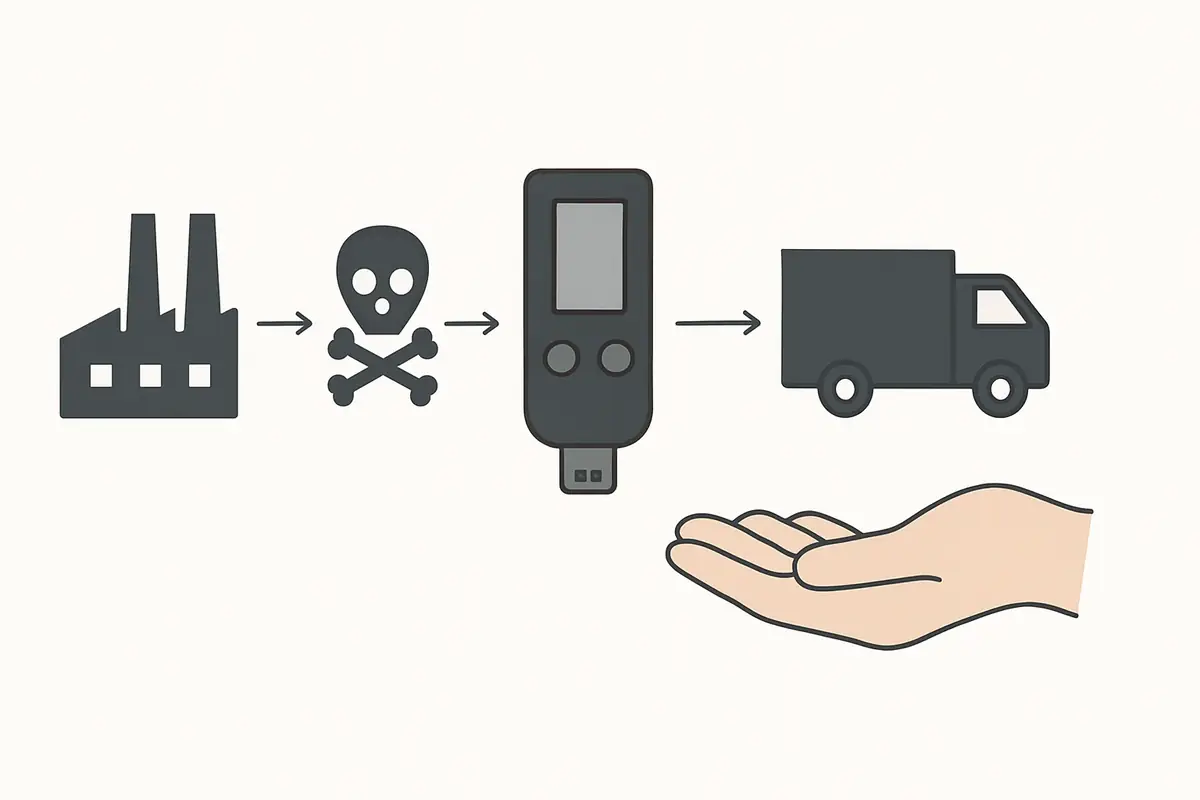
Firmware verification on updates protects against post-purchase attacks. But what about the firmware that ships with the device when it arrives? A supply chain attack targets the device before it reaches you, either at the manufacturing level, during warehousing, or during shipping.
For the risk side of this topic, see Phishing vs Smart Contract Drains: Two Different Ways Attackers Steal Crypto.
One operator insight is that firmware trust starts before the first update. If the device source is questionable, the initial firmware state is already part of the risk model. That is why first-use verification and supply-chain discipline belong in the same conversation as checksum checks and signed releases.
Security researchers at Kraken Security Labs and other firms have demonstrated that hardware wallets including models from Trezor and Ledger could be physically opened and modified in ways that insert malicious firmware or extract key material under specific conditions. These attacks generally require physical access, specialized equipment, and expertise. They are not realistic threats for most users, but they represent a non-zero risk for high-value targets and users receiving devices through non-official channels.
The most practical defense against supply chain attacks is buying directly from the manufacturer’s official website or authorized resellers. Avoid purchasing hardware wallets from third-party marketplaces like eBay or Amazon listings from unknown sellers, where pre-provisioned or physically modified devices have appeared. Always buy a sealed package and inspect the packaging for signs of tampering before use. For the operational first-use checklist, see Verify Hardware Wallet Before First Use and Hardware Wallet Supply Chain Attack: What to Check.
How to Verify Firmware Yourself
Most hardware wallet manufacturers publish SHA-256 checksums for their firmware releases alongside the firmware binaries. A checksum is a fixed-length hash of the firmware file. If even one byte of the firmware is different from the original, the checksum will be completely different. Comparing the checksum of the firmware you received with the manufacturer’s published checksum confirms the file was not altered in transit or by a compromised download mechanism.
For a closely related follow-up, see Exchange Withdrawals Will Pause Again.
A useful mental model is to think of the checksum or signature like a tamper-evident fingerprint for the firmware file. You are not reading the whole firmware manually. You are checking whether the file you received still matches the one the vendor intended to ship.
Trezor
Trezor publishes firmware binaries and their SHA-256 hashes on the Trezor firmware GitHub repository. After downloading a firmware update via Trezor Suite, you can independently compute the hash of the downloaded file and compare it against the published value. Trezor also verifies the firmware signature on the device during the update process.
For a full assessment of the Trezor Safe 5’s security model and open-firmware approach, see the Trezor Safe 5 Review 2026.
Keystone
Keystone publishes its firmware as fully open source on GitHub and includes GPG signatures for each release. Before updating, you can verify the firmware file against the published signature using standard GPG verification tools. This provides a stronger guarantee than checksum-only verification because GPG signatures are tied to the developer’s identity key, not just the file contents. Keystone also displays a verification code on the device that lets you confirm the firmware was installed correctly.
For a closer look at how Keystone’s open-source firmware model and verification workflow work in practice, see the Keystone 3 Pro Review.
Ledger
Ledger’s firmware is not open source. You cannot independently audit what the firmware does before installing it. Ledger verifies firmware signatures on-device before installation, and the companion app Ledger Live handles firmware updates. After installation, the device displays a “Genuine check” that confirms the firmware and installed apps were signed by Ledger. This is the extent of publicly accessible verification for Ledger devices.
For a detailed look at Ledger’s closed-firmware trade-offs, genuine check model, and the realistic limits of what users can independently verify, see Is the Ledger Nano X Safe in 2026?.
Practical Usage: Verify Before Any Firmware Update
Before applying a firmware update to any hardware wallet, take these steps:
A practical threshold rule helps here: if you have not recently confirmed that the recovery phrase is correct, do not update yet. Recovery confidence comes first, update second. Another operator habit is to avoid updating while rushed, traveling, or under market stress. Firmware work is safest when you can verify each step calmly and stop if anything looks off.
Open Source vs Closed Source Firmware
The debate between open and closed source firmware centers on the trade-off between transparency and controlled disclosure. Open source firmware (Trezor, Keystone, and others) can be reviewed by independent security researchers, which increases the likelihood that vulnerabilities are found and reported responsibly. The community can audit what the firmware actually does.
Closed source firmware (Ledger) relies on internal review and external penetration testing contracts. Ledger’s argument is that open sourcing the firmware provides attackers with a roadmap. Critics argue this is security through obscurity, which is generally considered a weak defense in cryptographic security contexts. Both views have merit, but the open-source community has a strong track record of improving security through broad review.
For a deeper look at how these architectural choices compare across Ledger and Keystone specifically, see Ledger vs Keystone Security Architecture.
Risks and Common Mistakes
The most common mistake is updating firmware without a verified seed phrase backup in hand. If the update fails or requires a reset, you cannot access your funds without the seed phrase. The backup is your recovery path; verify it before every update, not just once at setup.
Another common mistake is applying updates from unofficial sources. Fake “critical security update” messages sent via Discord or email are a known attack vector. Always verify the update source is the official manufacturer website or app before proceeding. A firmware update from an attacker could replace legitimate firmware with a version designed to leak key material.
Delaying updates indefinitely is also a mistake. Firmware updates often patch genuine security vulnerabilities. Users who never update are running known-vulnerable firmware. The correct behavior is to update promptly using official sources after verifying the release notes and checksum. A concrete example is a user who receives a new firmware prompt while away from their backup materials: the safer move is to wait until the backup can be verified, not to click through just because the app labels it urgent.
Sources
Frequently Asked Questions
Do I have to update my hardware wallet firmware?
Updates are not mandatory, but are strongly recommended when they patch security vulnerabilities. Running outdated firmware means running known-vulnerable software. Update using the official app after verifying the release and confirming your seed phrase backup.
Can firmware updates steal my private keys?
A fraudulent firmware update could theoretically be designed to extract key material. This is why verifying firmware sources and signatures before updating is essential. Legitimate manufacturer firmware is designed not to exfiltrate keys; the Ledger Recover controversy highlighted that the architecture can in principle allow this, which is why source verification matters.
What happens if firmware verification fails?
The device should refuse to install firmware that fails signature verification. If verification fails unexpectedly, do not attempt to bypass it. Contact the manufacturer’s support and verify you are using official firmware from the correct source. A failed verification on a firmware file you just downloaded from the official site may indicate the file was corrupted during download.
Is the bootloader also verified?
The bootloader is typically the first code that runs when the device powers on, and it is responsible for verifying the firmware signature. Some devices protect the bootloader separately with additional tamper-evident mechanisms. Bootloader attacks require physical access and are a more advanced attack category than standard firmware tampering.
Should I reset and restore my wallet after a firmware update?
Not necessarily for minor updates. Some firmware updates require a factory reset, and the companion app will indicate this during the update process. If a reset is required, restore using your seed phrase. Your accounts and balances are defined by the seed phrase on the blockchain, not by data stored on the device itself.